11
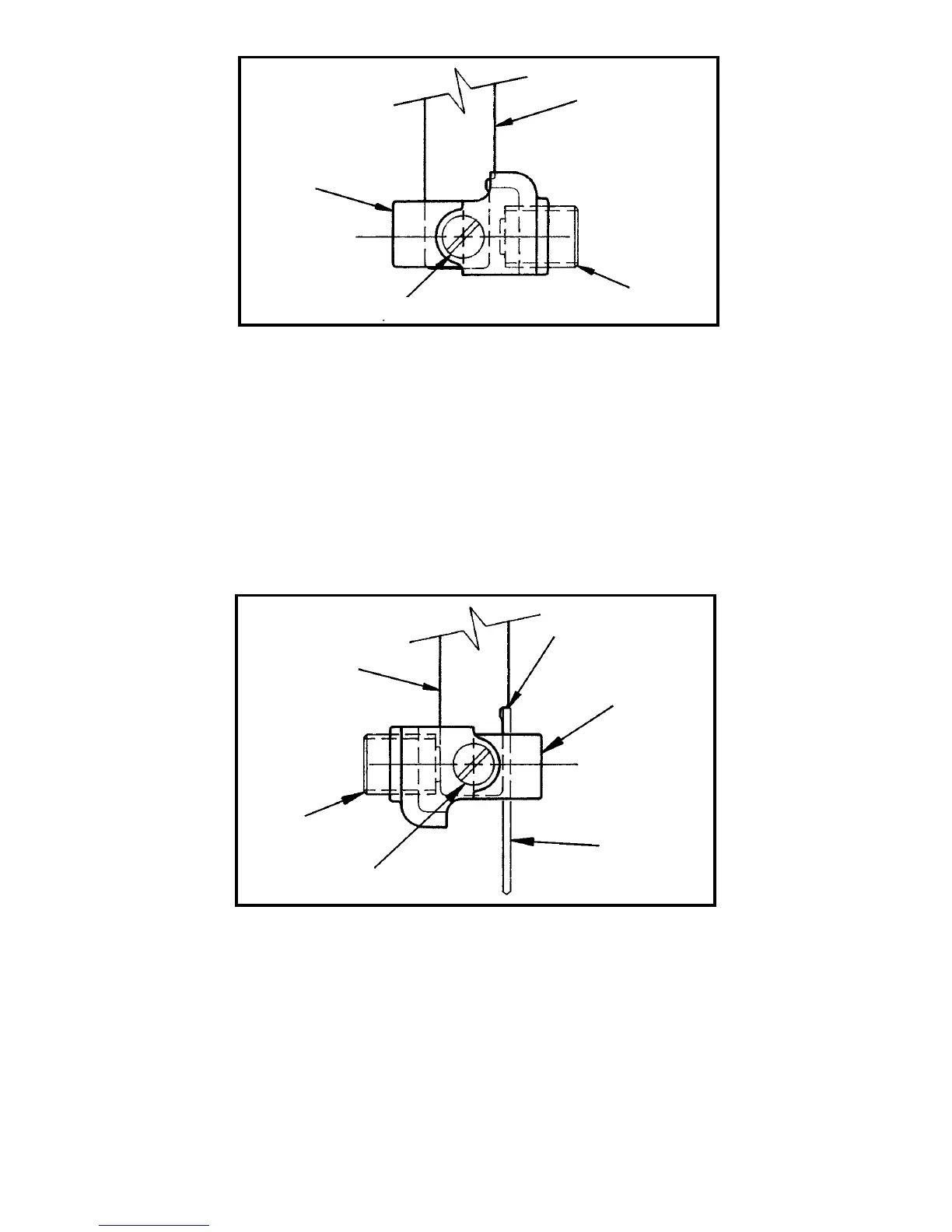
Fig. 3
CLAMP
BLADE
HOLDER
SHAFT
BLADE
SCREW
CLAMP SCREW
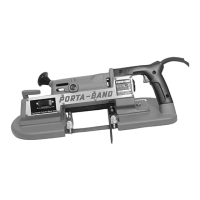
2. Insert screwdriver behind blade holder shaft, (see Fig. 4), and move
shaft forward to allow assembly of clamp. Position clamp on blade
holder shaft as shown in Fig. 4, and tighten clamp screw; then loosen
clamp screw
1
/4 turn.
NOTE: The point of the clamp screw must engage the hole in the
blade holder.
3. Install “universal” blade (with teeth facing forward) until top of blade
contacts shoulder, Fig. 4.
NOTE: Blade is inserted on side opposite blade screw.
4. Tighten blade screw.
5. If necessary adjust blade guides, Fig. 1, as outlined under
INSTALLING PORTER-CABLE “HOOK” BLADES, steps 7 and 8.
6. To remove blade, loosen blade screw.
NOTE: The clamp may be repositioned to accept Porter-Cable
“Hook” blades by repeating steps 1 and 2 and positioning clamp as
shown in Fig. 3. The clamp screw must be tightened securely when
using “hook” type blades.
Fig. 4
SHOULDER
CLAMP
BLADE
CLAMP SCREW
BLADE
HOLDER
SHAFT
BLADE
SCREW




 To Next Page