9
FUNCTIONAL DESCRIPTION
FOREWORD
Model 7549 Bayonet Saw is designed for cutting materials of the following
MAXIMUM thickness: wood 2
1
/2
", aluminum
3
/4
", steel
1
/4
".
SELECTING THE BLADE
To obtain best results with your Porter-Cable bayonet saw, it is important
that you use the right blade for the job. You will not only get better
performance, but your blades will last longer and a smoother cut will result.
A wide assortment of Porter-Cable blades are available from your supplier. It
is recommended that you obtain a full assortment so you will always have
the correct blade at hand for any job you might choose to do.
Porter-Cable Model 7549 will accept blades with Porter-Cable “Hook”
shanks or “Universal” shanks. Blade clamps are factory assembled to accept
Porter-Cable “Hook” type blades. The blade clamp must be repositioned to
accept “Universal” type blades (see INSTALLING THE BLADE).
ASSEMBLY
NOTE: This tool is shipped completely assembled. No assembly time
or tools are required. Installing the blade does require a flat tip
screwdriver.
INSTALLING THE BLADE
DISCONNECT THE TOOL FROM THE POWER SOURCE.
A. PORTER-CABLE “HOOK” BLADES:
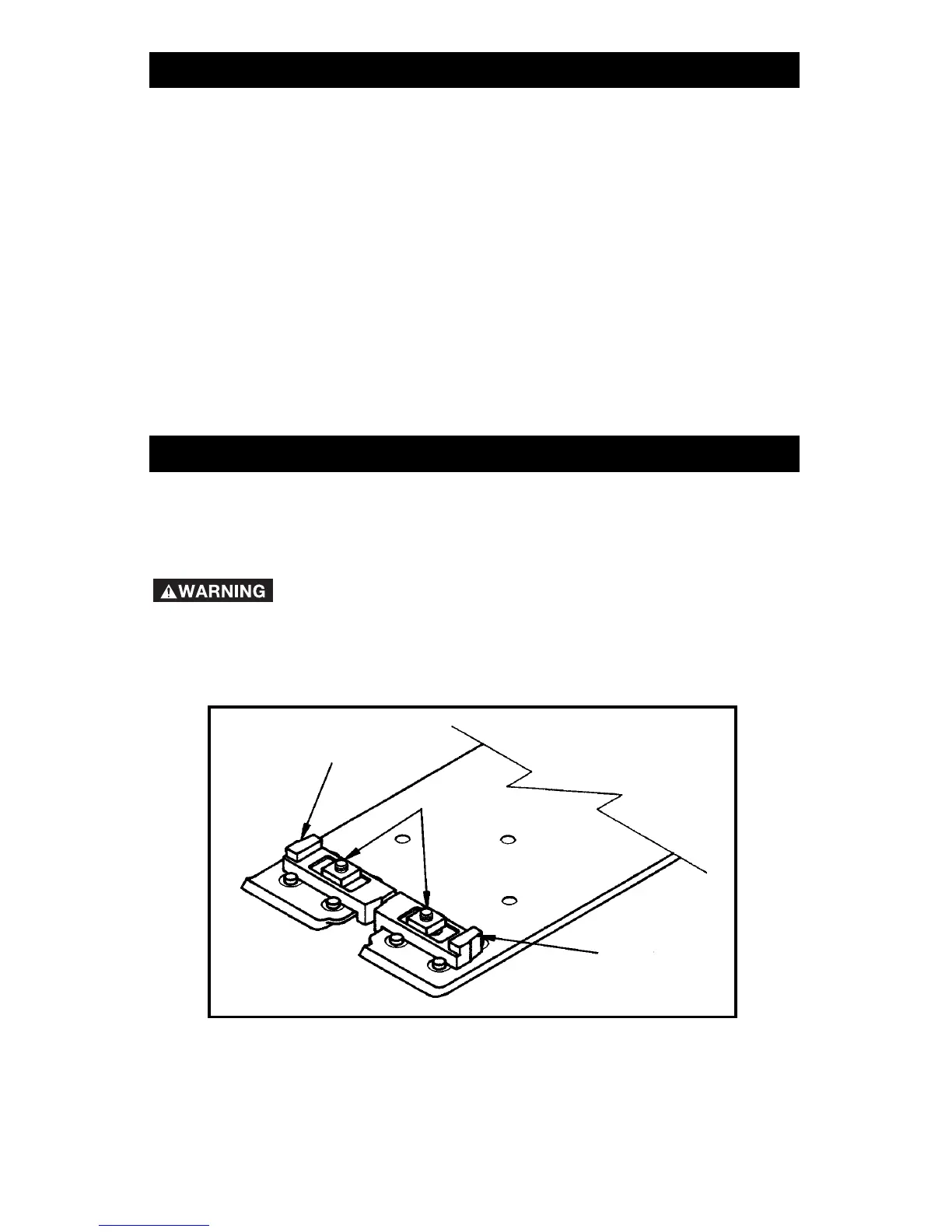
1. Loosen two guide screws, Fig. 1, with a screwdriver.
2. Slide both blade guides towards edge of base to provide clearance
for blade.
3. Loosen blade screw, Fig. 2, approximately two turns with a
screwdriver.
NOTE: It may be necessary to lower the blade holder shaft by
rotating the motor fan with a screwdriver.
4. With teeth facing forward, insert blade up into clamp as far as it will
go.
Fig. 1
GUIDE
GUIDE
SCREWS
GUIDE




 To Next Page