EasyManua.ls Logo

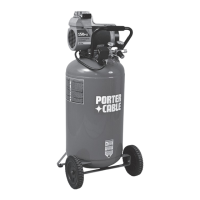
Porter-Cable C6110 - User Manual

Porter-Cable C6110
22 pages
Print Icon
To Next Page IconTo Next Page
Loading...
Single-Stage Oilfree
Compressor
Instruction
manual
The Model and Serial No. plate is located on the main
housing of the tool. Record these numbers in the
spaces below and retain for future reference.
Model No. ______________________________________
Type ___________________________________________
Serial No. ______________________________________
IMPORTANT
Please make certain that the person who
is to use this equipment carefully reads
and understands these instructions before
starting operations.
Part No. A10244-054-0
®
ESPAÑOL: PÁGINA 23
FRANÇAIS : PAGE 45
To learn more about Porter-Cable
visit our website at:
http://www.porter-cable.com
MODEL
C6110
Copyright © 2005 Porter-Cable Corporation

Questions and Answers

  • C
    curtisfritzSep 7, 2025
    How to fix a restricted air intake on my Porter-Cable C6110 Air Compressor?
    • K
      Katrina RojasSep 7, 2025
      If you're experiencing a restricted air intake in your Porter-Cable Air Compressor, it's likely due to a dirty air filter. Clean or replace the air filter. See the Air Filter paragraph in the Maintenance section.
  • C
    Carolyn OlsonDec 1, 2025
    Why will my Porter-Cable Air Compressor motor not run?
    • J
      josephariasDec 1, 2025
      If your Porter-Cable Air Compressor motor won't run, it could be due to several reasons. The motor overload protection switch may have tripped; refer to Motor Overload Protection under Operation. The tank pressure might exceed the pressure switch "cut-in" pressure; the motor will start automatically when the tank pressure drops below the "cut-in" pressure. A check valve could be stuck open; remove, clean, or replace it. Also, check for loose electrical connections inside the pressure switch and terminal box area. If the pressure release valve on the pressure switch hasn't unloaded head pressure, bleed the line by pushing the lever on the pressure switch to the "Off" position; if the valve doesn't open, replace the switch. Lastly, a blown fuse or tripped circuit breaker could be the cause. ...
  • J
    jenniferjohnsonNov 19, 2025
    What to do if my Porter-Cable C6110 motor will not run?
    • C
      Cassandra ReynoldsNov 20, 2025
      If your Porter-Cable Air Compressor motor isn't running, several factors could be at play. First, allow the motor to cool down, as the overload protection switch may have tripped; it will reset automatically. If that's not the issue, ensure the tank pressure is below the pressure switch's cut-in point. Check that the extension cord is the correct gauge and length. Also, inspect for loose electrical connections within the pressure switch and terminal box. A Trained Service Technician should inspect for a defective motor or starting capacitor. Make sure there is no paint spray on internal motor parts and that the pressure release valve on the pressure switch has unloaded head pressure. Finally, check the fuse box for blown fuses (replace if needed) or reset the circuit breaker, ensuring you'...
  • K
    Kyle FritzSep 18, 2025
    What causes air leaks in the tank of my Porter-Cable C6110?
    • T
      Todd OrozcoSep 18, 2025
      If you find air leaks in the air tank or at the air tank welds of your Porter-Cable Air Compressor, the air tank is defective and must be replaced. Do not attempt to repair the leak, as there is a risk of bursting. Avoid drilling into, welding, or otherwise modifying the air tank, as this will weaken it and could cause it to rupture or explode.
  • S
    Sharon Figueroa DDSSep 16, 2025
    Why does the pressure drop on my Porter-Cable C6110 Air Compressor when using an accessory?
    • R
      Robert CraigSep 16, 2025
      If the pressure reading on the regulated pressure gauge of your Porter-Cable Air Compressor drops when an accessory is used, it's normal for some pressure drop to occur. However, if there's an excessive amount of pressure drop, adjust the regulator as instructed in the Operation section. Adjust the regulated pressure under flow conditions (while the accessory is being used).
  • R
    Robert HarrisSep 14, 2025
    Why is my Porter-Cable Air Compressor leaking air at or inside the check valve?
    • C
      Cindy SparksSep 14, 2025
      If you're experiencing air leaks at or inside the check valve of your Porter-Cable Air Compressor, it's likely that the check valve seat is damaged. A defective check valve results in a constant air leak at the pressure release valve when there's pressure in the tank and the compressor is shut off. Replace the check valve. Refer to the To Replace or Clean Check Valve in the Service and Adjustments section.
  • A
    Alexa EdwardsSep 12, 2025
    What causes a knocking noise in my Porter-Cable C6110 Air Compressor?
    • K
      Karen SmithSep 12, 2025
      If you're experiencing a knocking noise in your Porter-Cable Air Compressor, it could be due to a possible defect in the safety valve. Try manually operating the safety valve by pulling on the ring; if the valve continues to leak, it should be replaced. Another potential cause is a defective check valve, which you should remove, clean, or replace.
  • M
    markschmidtSep 12, 2025
    How to resolve pressure drops on my Porter-Cable C6110 Air Compressor's regulated pressure gauge?
    • L
      Lynn RaySep 12, 2025
      It's normal for some pressure drop to occur on the regulated pressure gauge of your Porter-Cable Air Compressor when an accessory is used. However, if the pressure drop is excessive, adjust the regulator following the instructions in the "Description of Operation" paragraph in the "Operation" section. Remember to adjust the regulated pressure while the accessory is in use (under flow conditions).
  • A
    Ariel HernandezSep 9, 2025
    How to fix a knocking noise in my Porter-Cable C6110?
    • P
      Peter CooperSep 9, 2025
      A knocking noise in your Porter-Cable Air Compressor could indicate a defect in the safety valve or a defective check valve. To address this, manually operate the safety valve by pulling on the ring. If the valve continues to leak, it should be replaced. Also, remove and clean the check valve, or replace it if necessary.
  • S
    Sharon JordanAug 22, 2025
    Why is my Porter-Cable C6110 Air Compressor not supplying enough air?
    • H
      Heather WatsonAug 22, 2025
      If your Porter-Cable Air Compressor isn't supplying enough air, it could be due to several reasons. First, decrease the amount of air you are using. The compressor may not be large enough for the tool's air requirement; check the accessory's air needs and consider a larger compressor if necessary. Inspect the hose for holes and replace it if needed. Also, check the check valve for restrictions and clean or replace it. Tighten any loose fittings to prevent air leaks. Finally, clean or replace the air intake filter, but do not operate the compressor without the filter.

Summary

Safety Guidelines

Safety Guidelines - Definitions

Explains hazard symbols like DANGER, CAUTION, and WARNING.

Important Safety Instructions

Provides critical safety advice for operating the compressor and related activities.

HAZARD: Risk of explosion or fire

HAZARD: Risk of Bursting

HAZARD: Risk from Flying Objects

HAZARD: Risk of Electrical Shock

HAZARD: Risk to Breathing

HAZARD: Risk of Burns

HAZARD: Risk from Moving Parts

HAZARD: Risk of Falling

HAZARD: Risk of Serious Injury or Property Damage When Transporting Compressor

HAZARD: Risk of Unsafe Operation

Glossary

Duty Cycle

Specifications

Assembly

Unpacking

Remove unit from carton and discard all packaging.

Installation

How to Set Up Your Unit

Instructions for correctly positioning the air compressor in a suitable location.

Grounding Instructions

Procedures to ensure the air compressor is properly grounded to prevent electrical shock.

Extension Cords

Voltage and Circuit Protection

Operation

Know Your Air Compressor

Familiarize yourself with the location of controls and adjustments before operating.

Description of Operation

Explanation of the function of various controls and components of the air compressor.

How to Use Your Unit

How to Stop

Procedure to safely turn off the air compressor.

Break-in Procedure

Essential steps to follow before initial use to prevent damage and ensure proper function.

Before Each Start-Up

Maintenance

Customer Responsibilities

Table outlining recommended maintenance tasks based on usage frequency.

To Check Safety Valve

To Drain Tank

Air Filter Inspection and Replacement

Air Compressor Pump Intake and Exhaust Valves

Service and Adjustments

To Replace or Clean Check Valve

Detailed steps for removing, cleaning, or replacing the check valve.

To Replace Regulator

Storage

Troubleshooting

Excessive tank pressure - safety valve pops off.

Troubleshooting steps for high tank pressure causing the safety valve to activate.

Air leaks at fittings.

Identifies loose tube fittings as a cause for air leaks and provides correction steps.

Air leaks at or inside check valve.

Diagnosing and resolving air leaks related to the check valve, including replacement.

Air leaks at pressure switch release valve.

Addressing air leaks originating from the pressure switch release valve.

Air leaks in air tank or at air tank welds.

Information on air leaks in the tank itself or its welds, recommending tank replacement.

Air leaks between head and valve plate.

Steps to resolve air leaks occurring between the compressor head and valve plate.

Pressure reading on the regulated pressure gauge drops when an accessory is used.

Knocking Noise.

Compressor is not supplying enough air to operate accessories.

Regulator knob has continuous air leak.

Regulator will not shut off air outlet.

Motor will not run.

Notes

Limited Warranty

Porter-Cable C6110 Specifications

General IconGeneral
BrandPorter-Cable
ModelC6110
CategoryAir Compressor
LanguageEnglish

Related product manuals