EasyManua.ls Logo

Porter-Cable CPF4515 - User Manual

Porter-Cable CPF4515
24 pages
Print Icon
To Next Page IconTo Next Page
Loading...
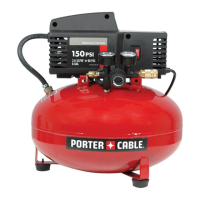
Single-Stage Oilfree
Compressor
Instruction
manual
The Model and Serial No. plate is located on the main
housing of the tool. Record these numbers in the
spaces below and retain for future reference.
Model No. ______________________________________
Type ___________________________________________
Serial No. ______________________________________
IMPORTANT
Please make certain that the person who
is to use this equipment carefully reads
and understands these instructions before
starting operations.
Part No. A08202-0501-0
®
ESPAÑOL: PÁGINA 25
FRANÇAISE : PAGE 49
To learn more about Porter-Cable
visit our website at:
http://www.porter-cable.com
Copyright © 2005 Porter-Cable Corporation
MODEL
CPF4515

Questions and Answers

  • J
    Jenna JenkinsSep 7, 2025
    Why is my Porter-Cable CPF4515 Air Compressor leaking air from the safety valve?
    • L
      Lisa FoxSep 7, 2025
      If your Porter-Cable Air Compressor has an air leak from the safety valve, there might be a defect in the safety valve itself. Try manually operating the safety valve by pulling on the ring. If the valve continues to leak after that, it should be replaced.
  • R
    Roger RamseyDec 1, 2025
    Why won't my Porter-Cable CPF4515 Air Compressor motor run?
    • J
      John SmithDec 1, 2025
      If your Porter-Cable Air Compressor motor won't run, several factors could be at play. First, the motor overload protection switch may have tripped; allow the motor to cool, and the switch will reset automatically. Also, ensure the tank pressure is below the pressure switch's cut-in point. Check the extension cord for correct gauge and length. A stuck check valve could also be the culprit; try removing, cleaning, or replacing it. Inspect wiring connections within the pressure switch and terminal box. In addition, a Trained Service Technician should check for a defective motor or starting capacitor, or if paint spray affected the internal motor parts. Ensure the pressure release valve on the pressure switch unloads head pressure. Finally, examine the fuse box for blown fuses, replacing them...
  • C
    Christopher HarrisonNov 19, 2025
    Why won't my Porter-Cable CPF4515 motor run or restart?
    • C
      chloemcdonaldNov 20, 2025
      If your Porter-Cable Air Compressor's motor won't start, several things could be happening. First, the motor overload protection switch may have tripped, in which case you should let the motor cool off to allow the switch to reset automatically. The tank pressure might be exceeding the pressure switch's cut-in point, so the motor will restart once the pressure drops. Check the gauge wire and cord length to ensure they are correct. The check valve might be stuck open, so remove and clean or replace it. Inspect wiring connections inside the pressure switch and terminal box. If paint spray got on internal motor parts, have it checked by a service center. Also, check the fuse box for blown fuses, and reset the circuit breaker. If the pressure release valve hasn't unloaded head pressure, bleed ...
  • J
    Julian DavisSep 18, 2025
    Why does pressure drop on my Porter-Cable CPF4515 when using accessories?
    • L
      Lori HebertSep 18, 2025
      It's normal for some pressure drop to occur on your Porter-Cable Air Compressor. However, if there's an excessive pressure drop when using an accessory, adjust the regulator following the instructions in the "Description of Operation" paragraph in the "Operation" section. Remember to adjust the regulated pressure while the accessory is in use.
  • V
    vperezSep 16, 2025
    Why does the regulator knob on my Porter-Cable Air Compressor have a continuous air leak?
    • E
      Ellen ReeseSep 16, 2025
      If the regulator knob on your Porter-Cable Air Compressor has a continuous air leak, the regulator is likely damaged and needs to be replaced.
  • L
    laura79Sep 14, 2025
    What to do if there are air leaks in the tank of my Porter-Cable CPF4515?
    • C
      Cody PhillipsSep 14, 2025
      If your Porter-Cable Air Compressor has air leaks in the air tank or at the air tank welds, it indicates a damaged air tank. Do not attempt to drill into, weld, or otherwise modify the air tank, as this will weaken it and could cause it to rupture or explode. The tank must be replaced.
  • J
    Jordan AndradeSep 12, 2025
    What causes continuous air leak from regulator knob on Porter-Cable Air Compressor?
    • M
      Michael TannerSep 13, 2025
      If the regulator knob on your Porter-Cable Air Compressor has a continuous air leak or the regulator won't shut off the air outlet, it could be due to the pressure release valve on the pressure switch not unloading head pressure or a damaged regulator. The solution is to replace the regulator.
  • K
    Kenneth LinSep 12, 2025
    Why does the pressure drop on my Porter-Cable CPF4515 Air Compressor when using an accessory?
    • M
      Marissa SmithSep 12, 2025
      It's normal for some pressure drop to occur on the regulated pressure gauge of your Porter-Cable Air Compressor when an accessory is in use. However, if the pressure drop is excessive, adjust the regulator following the instructions on page 7. Make sure to adjust the regulated pressure under flow conditions, meaning while the accessory is being used.
  • E
    Edward HardySep 9, 2025
    Why is my Porter-Cable CPF4515 Air Compressor making a knocking noise?
    • J
      Julie DiazSep 9, 2025
      A knocking noise in your Porter-Cable Air Compressor is often caused by a malfunctioning check valve. Remove and clean, or replace the check valve to resolve this issue.
  • J
    Janet JenkinsAug 22, 2025
    What to do if my Porter-Cable Air Compressor is not supplying enough air?
    • B
      bsteeleAug 22, 2025
      If your Porter-Cable Air Compressor isn't providing enough air, it might be due to prolonged excessive use, meaning you should decrease air usage. The compressor might not be large enough for your air needs, so check the accessory's air requirements and consider a larger compressor if needed. A restricted air intake filter can also cause this, so clean or replace it. Check for holes in the hose and replace if necessary. A restricted check valve can also be the cause, so remove and clean, or replace it. Finally, tighten any loose fittings to address potential air leaks.

Summary

Safety Guidelines and Definitions

Understanding Safety Alerts

Defines hazard alert symbols like DANGER, WARNING, and CAUTION.

Key Safety Instructions

Provides essential safety advice, including handling hazardous materials and general precautions.

Important Safety Instructions

Risk of Explosion or Fire

Details potential fire and explosion hazards and how to prevent them.

Hazard Warnings: Risk of Bursting

Air Tank Safety Precautions

Discusses conditions leading to tank weakening and explosion risks.

Hazard Warnings: Risk from Flying Objects

Eye and Body Protection

Covers risks of injury from compressed air and flying debris, and protective measures.

Hazard Warnings: Risk of Electrical Shock

Electrical Safety and Grounding

Details risks of electric shock, improper repairs, and grounding needs.

Hazard Warnings: Risk to Breathing

Respiratory Safety

Warns against breathing compressor air and details risks from sprayed materials.

Hazard Warnings: Risk of Burns

Burn Hazard Prevention

Alerts users to hot compressor parts and the risk of burns.

Hazard Warnings: Risk from Moving Parts

Moving Parts Safety

Highlights dangers from moving parts like pulleys and belts, and the need for guards.

Hazard Warnings: Risk of Falling

Stability and Secure Placement

Addresses the risk of the unit falling and how to ensure a stable operating position.

Hazard Warnings: Risk of Serious Injury or Property Damage When Transporting

Transport Safety Guidelines

Details risks during compressor transport, including leaks and damage.

Hazard Warnings: Risk of Unsafe Operation

Safe Operation Practices

Emphasizes understanding manual, staying alert, and avoiding unsafe practices.

Glossary and Usage Information

Technical Specifications

Lists detailed technical specifications for the air compressor model.

Available Accessories

Informs users about where to find accessories for the unit.

Assembly Instructions

Preparation and Unpacking

Details tools required and the initial unpacking process before assembly.

Handle and Wheel Assembly

Guides users through attaching the handle and wheels to the compressor base.

Rubber Feet Installation

Explains how to install the rubber feet for stability.

Installation and Setup

Unit Placement and Grounding

Guides on locating the compressor and essential electrical grounding procedures for safety.

Installation and Setup

Extension Cords and Circuit Protection

Details guidelines for extension cords and necessary voltage/circuit protection for safe operation.

Operation Guide

Component Identification and Function

Identifies and describes the function of key components like switches, gauges, regulator, and connectors.

Operation Guide

Component Functions and Stopping Procedure

Explains the air compressor pump, check valve, release valve, and how to safely stop the unit.

Break-in Procedure

Details the critical break-in procedure required before the compressor's first use.

Operation Guide

Pre-Start Checks and Starting Procedure

Outlines pre-start checks and the step-by-step process for starting the air compressor.

Maintenance Schedule and Procedures

Customer Responsibilities and Safety Valve Check

Outlines user responsibilities and how to check the safety valve's functionality.

Draining the Air Tank

Provides step-by-step instructions for draining condensation from the air tank.

Maintenance Schedule and Procedures

Air Filter and Valve Maintenance

Guides on inspecting and replacing the air filter and checking pump valves.

Service and Adjustments

Covers general service operations and adjustments, emphasizing safety precautions.

Maintenance Schedule and Procedures

Check Valve Replacement or Cleaning

Provides detailed steps for replacing or cleaning the check valve, including orientation notes.

Maintenance Schedule and Procedures

Regulator Replacement Procedure

Details the steps for removing and replacing the air compressor regulator, including sealant application.

Storage Instructions

Pre-Storage Maintenance and Protection

Covers draining, setting controls, protecting cords, and general preparation for storage.

Troubleshooting Guide

Pressure, Leaks, and Air Fitting Issues

Addresses issues related to excessive pressure, air leaks at fittings, check valves, and tank welds.

Troubleshooting Guide

Performance and Noise Issues

Solves problems like pressure drop, knocking noise, insufficient air supply, and regulator leaks.

Troubleshooting Guide

Motor and Regulator Operational Faults

Diagnoses and corrects issues with the regulator not shutting off and the motor failing to run, including electrical and overload problems.

Limited Warranty Information

Warranty Coverage and Purchaser Responsibilities

Details warranty periods, claims process, and user responsibilities for maintaining coverage.

Warranty Exclusions and Limitations

Lists what is not covered by the warranty and any limitations on implied warranties.

Porter-Cable CPF4515 Specifications

General IconGeneral
ModelCPF4515
TypePortable
Max Pressure150 PSI
Tank Capacity4.5 Gallons
Power SourceElectric
Weight57 lbs
CFM @ 90 PSI2.6 CFM
Pump TypeOil-Free
Motor TypeInduction
Voltage120V

Related product manuals