8
CLEARING A JAMMED FASTENER
1. CAUTION: Disconnect tool from air supply.
2. Open magazine and remove any remaining fasteners.
CAUTION: Remove fasteners from tool before opening the fastener
guide plate. Fasteners are under pressure and may shoot out of
magazine which could cause injury.
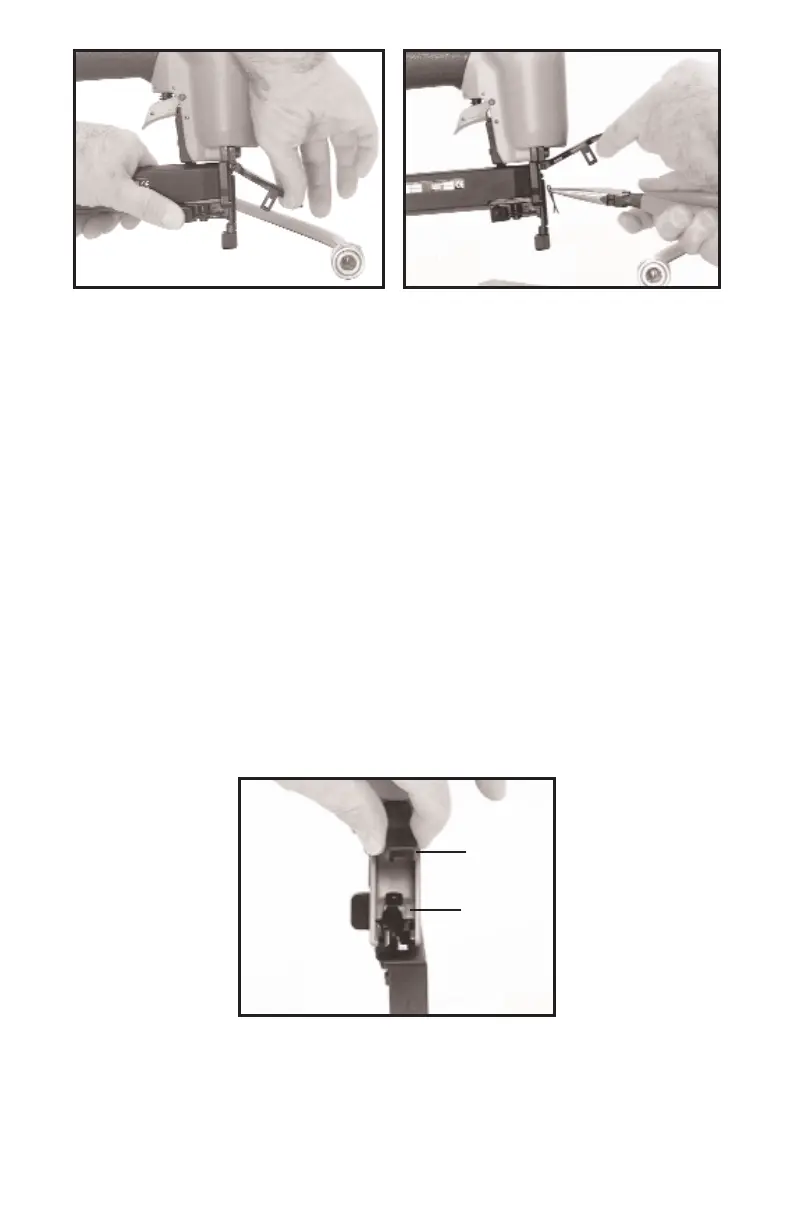
3. Depress the quick release latch and open the fastener guide plate (see
Fig. 20).
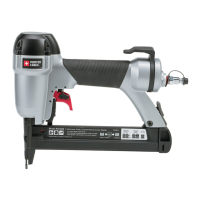
4. Remove the jammed fastener (see Fig. 21).
5. Depress the quick release latch, close the fastener guide plate, and
release the latch.
NOSE CUSHION
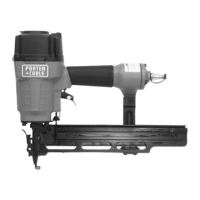
This tool is equipped with a rubber nose cushion (A) Fig. 22, that prevent s
marring of finished surfaces by the met al safety during normal operation. T he
nose cushion can be removed and stored in the rear area of the tool (B) Fig.
22, when it is not required.
CAUTION: Disconnect tool from air supply before removing or
reinst alling rubber nose cushion.
Fig. 20
Fig. 21
Fig. 22
A
B


 To Next Page