EasyManua.ls Logo

Porter-Cable PCB222TS - User Manual

Porter-Cable PCB222TS
39 pages
Print Icon
To Next Page IconTo Next Page
Loading...
1
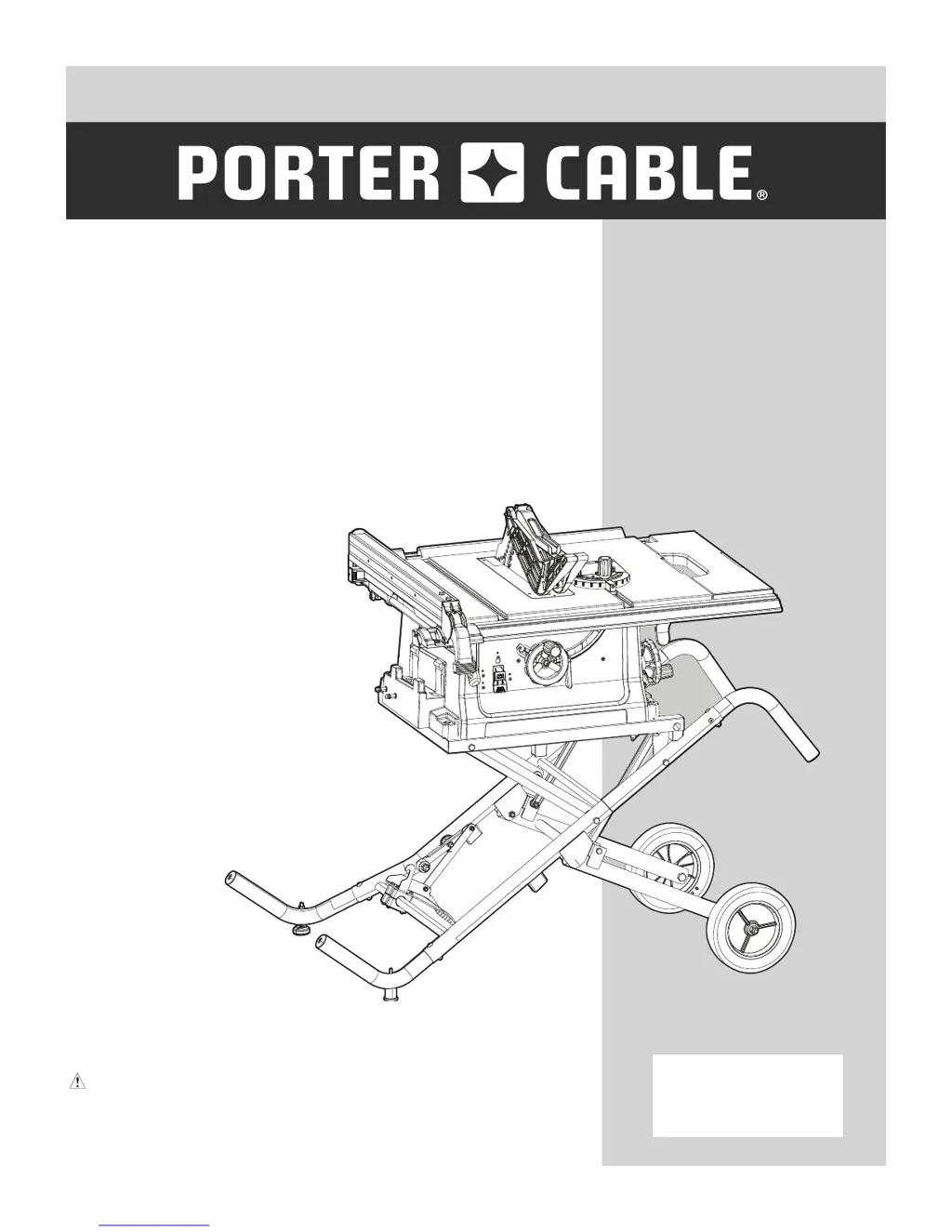
10 IN. (254 MM)
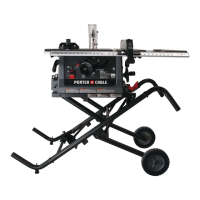
JOBSITE TABLE SAW
SCIE CIRCULAIRE DE 254 MM
(10 PO) SUR LE LIEU DE TRAVAIL
SIERRA DE MESA DE 254 MM
(10 PULG.) PARA LA OBRA
CATALOG NUMBER
PCB222TS
Instruction Manual
Manuel d’instructions
Manual de instrucciones
www.portercable.com
INSTRUCTIVO DE OPERACIÓN, CENTROS DE
SERVICIO Y PÓLIZA DE GARANTÍA.
AD
VERTENCIA: LÉASE ESTE INSTRUCTIVO
ANTES DE USAR EL PRODUCTO.

Questions and Answers

  • K
    Kimberly HarrisAug 16, 2025
    How to fix a Porter-Cable Saw that will not start?
    • S
      Sarah WiseAug 16, 2025
      If your Porter-Cable Saw won't start, here's what to check: * First, make sure the saw is properly plugged in. * Next, inspect the fuse or circuit breaker and replace or reset if necessary. * Finally, if the cord is damaged, have it replaced by a Porter-Cable Service Center or Authorized Service Station.
  • D
    David HamiltonAug 19, 2025
    What to do if material kicked back from blade on Porter-Cable Saw?
    • T
      Tina KeyAug 19, 2025
      If material kicks back from the blade on your Porter-Cable Saw, several factors could be at play: 1. Ensure the rip fence is correctly aligned with the miter gauge slot. 2. Verify the riving knife is aligned with the blade. 3. Always install and use the rip fence when feeding stock. 4. Make sure the riving knife (with guard) is properly installed and used. 5. Replace the blade if it's dull. 6. Maintain control of the material until it has completely passed the saw blade. 7. Ensure the blade bevel lock handle is securely tightened.
  • R
    Richard PotterAug 22, 2025
    Why does my Porter-Cable PCB222TS make unsatisfactory cuts?
    • C
      Catherine BakerAug 22, 2025
      Unsatisfactory cuts from your Porter-Cable Saw can stem from several issues: * A dull blade could be the culprit, so replace it. * Ensure the blade is mounted correctly; turn it around if it's backwards. * Clean any gum or pitch from the blade using turpentine and coarse steel wool. * Verify you're using the correct blade for the material you're cutting; change the blade if needed. * Clean the table with turpentine and steel wool if gum or pitch is causing erratic feed.
  • I
    Ian WoodsAug 26, 2025
    Why does my Porter-Cable PCB222TS vibrate excessively?
    • D
      Dennis HallAug 26, 2025
      Excessive vibration in your Porter-Cable Saw could be due to: * The saw not being securely mounted to the workbench. Tighten all mounting hardware. * The bench being on an uneven floor. Reposition the bench on a flat, level surface. * A damaged saw blade. Replace the blade.
  • J
    Janice OlsonAug 28, 2025
    How to make accurate 45 and 90 degree rip cuts with Porter-Cable PCB222TS Saw?
    • T
      tharrisonAug 28, 2025
      To achieve accurate 45° and 90° rip cuts with your Porter-Cable Saw: * Check the blade with a square and adjust the positive stop if it's not adjusted correctly. * Also, check the blade with a square and adjust the tilt angle pointer to zero if it's not set accurately.
  • P
    Patricia PowersAug 31, 2025
    What to do if blade on Porter-Cable PCB222TS Saw does not come up to speed?
    • Z
      zachary08Aug 31, 2025
      If the blade on your Porter-Cable Saw doesn't reach full speed and the reset trips easily: * The extension cord may be too light or too long. Replace it with an adequate size cord. * There may be low house voltage. Contact your electric company.
  • K
    Kevin YoungSep 3, 2025
    What to do if material pinched blade when ripping with Porter-Cable PCB222TS?
    • A
      Amy HendrixSep 4, 2025
      If the material pinches the blade when ripping with your Porter-Cable Saw: * Check and adjust the rip fence, as it may not be aligned with the blade. * If you're using warped wood, select another piece of wood with a straight edge against the fence.
  • S
    samuel91Sep 6, 2025
    How to fix inaccurate 45 and 90 degree crosscuts on Porter-Cable Saw?
    • R
      Rebecca ReidSep 6, 2025
      If your Porter-Cable Saw is not making accurate 45° and 90° crosscuts, adjust the miter gauge.
  • T
    Tammie PorterSep 9, 2025
    What to do if material binds on riving knife on Porter-Cable PCB222TS Saw?
    • B
      bgraySep 9, 2025
      If the material binds on the riving knife of your Porter-Cable Saw, check and align the riving knife with the blade.
  • B
    Becky WagnerSep 12, 2025
    Why blade does not raise or tilt freely on Porter-Cable PCB222TS Saw?
    • K
      Kathy TaylorSep 12, 2025
      If the blade on your Porter-Cable Saw does not raise or tilt freely, brush or blow out any loose dust and dirt from the elevation/tilting mechanisms.

Summary

Product Specifications

Motor Specifications

Details about the saw's motor, including type, amps, voltage, Hz, and RPM.

Saw Specifications

Details about the saw's physical attributes and cutting capacities, including table size, blade size, and cut depth.

Electrical Warning

Crucial safety warning regarding electrical hazards, circuit protection, and cord condition.

Safety Guidelines and Definitions

Warning Icons Explained

Explains the meaning of various symbols used to alert users to potential hazards and safety precautions.

Hazard Definitions

Defines hazard levels (Danger, Warning, Caution, Notice) to communicate the severity of potential risks.

Chemical Exposure Warning

Warns about potential health risks from dust exposure to chemicals like lead, silica, arsenic, and chromium.

Power Tool Safety

General Safety Instructions

Provides essential safety advice before operating the power tool, emphasizing reading the manual and understanding its operation.

Operating Precautions

Covers safe practices like keeping guards in place, removing wrenches, and not forcing the tool.

Extension Cord Guidelines

Details the importance of using proper, heavy-gauge extension cords to prevent voltage drop and overheating.

Safe Operating Practices

Covers not leaving the tool unattended, maintaining balance, and avoiding flammable liquids.

Health and Environmental Safety

Addresses dust hazards, pacemaker considerations, and hearing protection.

Table Saw Safety

Blade Guard and Riving Knife Usage

Emphasizes using the blade guard, riving knife, and anti-kickback pawls for all through-sawing operations.

Kickback Prevention

Details methods to avoid kickback, such as keeping the fence parallel and avoiding warped stock.

Workpiece Handling and Feed Direction

Covers holding work firmly, using push sticks, and feeding stock correctly relative to blade rotation.

Material and Operational Restrictions

Prohibits cutting metal, using molding heads, and operating unattended or freehand.

Electrical Requirements and Safety

Power Supply and Grounding

Details the required power supply, circuit protection, and importance of proper grounding for safety.

Extension Cord Guidelines

Provides a table and guidelines for selecting the correct gauge extension cord based on amperage and length.

Using Grounding Adapters

Describes how to use adapters for grounding and the caution required to ensure proper connection.

Assembly and Unpacking

Tools Needed for Assembly

Lists the tools provided with and required for the table saw assembly.

Carton Contents and Unpacking

Provides instructions on how to carefully unpack the saw and verify all parts against the list.

Know Your Jobsite Table Saw

Table Saw Components

Identifies and labels the various parts and features of the table saw for user familiarization.

Glossary of Terms

Technical Definitions

Provides definitions for technical terms related to table saw operation and components.

Assembly and Adjustments

Stand Assembly and Setup

Detailed steps for assembling the table saw stand, including wheels, legs, handles, and setting it up.

Component Installation and Alignment

Guides on installing handwheels, blade, guard, pawls, riving knife, and performing initial alignments.

Fence, Gauge, and Extension Setup

Instructions for installing and adjusting the rip fence, miter gauge, and table extension.

Operation

Basic Saw Operations

Covers raising/lowering blade, tilting blade, and switch operation with safety key.

Cutting Operations Overview

Differentiates ripping and crosscutting, and lists pre-operation safety checks.

Ripping Procedures and Safety

Step-by-step guide for safe ripping, including kickback prevention and narrow piece handling.

Crosscutting Procedures and Safety

Step-by-step guide for safe crosscutting using the miter gauge.

Specialty Cuts

Instructions for performing bevel, dado, and non-through cuts.

Maintenance and Troubleshooting

General Maintenance and Safety

Covers cleaning, lubrication, cord checks, and safety during maintenance.

Replacing Carbon Brushes

Detailed instructions for replacing the motor's carbon brushes.

Troubleshooting Common Issues

Provides solutions for problems like saw not starting, inaccurate cuts, and material binding.

Accessories and Attachments

Accessory Usage Guidelines and Warnings

Warns about using recommended accessories and provides specific usage limits.

Push Stick Pattern and Construction

Details on how to make a push stick, including dimensions and construction tips.

Warranty Information

Limited Warranty Terms

Outlines the three-year limited warranty coverage and exclusions.

Additional Warranty Services

Details free service and money-back guarantee periods.

Porter-Cable PCB222TS Specifications

General IconGeneral
BrandPorter-Cable
ModelPCB222TS
CategorySaw
LanguageEnglish

Related product manuals