EasyManua.ls Logo

Porter-Cable PCB660DP - User Manual

Porter-Cable PCB660DP
28 pages
Print Icon
To Next Page IconTo Next Page
Loading...
1
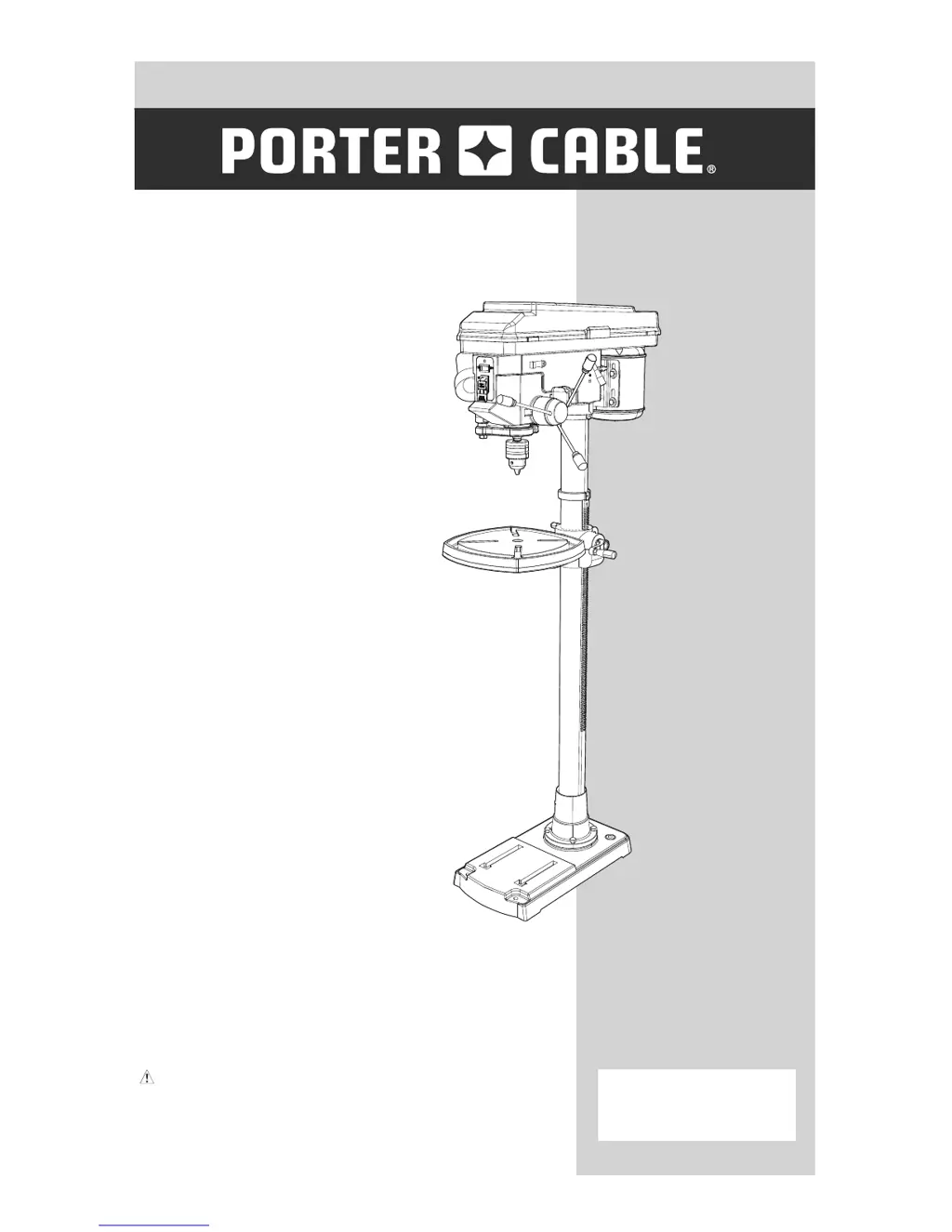
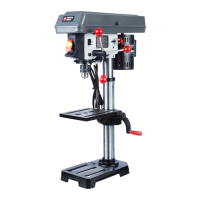
15 IN. (381 MM)
DRILL PRESS
PERCEUSE À COLONNE
381 MM (15 PO)
TALADRO DE COLUMNA
381 MM (15 PULG.)
CATALOG NUMBER
PCB660DP
TYPE 2
Instruction Manual
Manuel d’instructions
Manual de instrucciones
www.portercable.com
INSTRUCTIVO DE OPERACIÓN,
CENTROS DE SERVICIO Y PÓLIZA DE
GARANTÍA.
ADVERTENCIA: LÉASE ESTE
INSTRUCTIVO ANTES DE USAR EL
PRODUCTO.

Questions and Answers

  • A
    Aaron PerkinsSep 3, 2025
    Why does the quill on my Porter-Cable PCB660DP return too slow or too fast?
    • T
      tylerandrewSep 3, 2025
      The quill on your Porter-Cable Power Tool may return too slowly or too fast because the coil spring has improper tension. To correct this, adjust the spring tension.
  • J
    jessica90Sep 2, 2025
    Why my Porter-Cable Power Tool has run out of drill bit point or drilled hole not round?
    • J
      Jason AllenSep 2, 2025
      If your Porter-Cable Power Tool has run out of drill bit point or drilled hole not round, it may be due to grain in wood or lengths of cutting flutes and/or angles not equal, or a bent drill bit. Resharpen the drill bit correctly, or replace the drill bit.
  • M
    Mary MorrisAug 31, 2025
    Why is the chuck of my Porter-Cable Power Tool not staying attached to the spindle?
    • F
      Frank PorterAug 31, 2025
      If the chuck of your Porter-Cable Power Tool will not stay attached to the spindle, it may be due to dirt, grease, or oil on the tapered inside surface of the chuck or on the spindle’s tapered surface. Clean the tapered surface of the chuck and spindle with a non-alcohol based cleaner to remove all dirt, grease, and oil.
  • A
    Anthony RodriguezAug 29, 2025
    How to prevent wood splinters on the underside when using my Porter-Cable Power Tool?
    • A
      Amy ShieldsAug 29, 2025
      To prevent wood splinters on the underside when using your Porter-Cable Power Tool, use backup material under the workpiece.
  • C
    cowanrogerAug 28, 2025
    What to do if my Porter-Cable PCB660DP workpiece torn loose from hand?
    • K
      Keith MillerAug 28, 2025
      If the workpiece is torn loose from your hand while using the Porter-Cable Power Tool, it is likely not supported or clamped properly. To fix this, support or clamp the workpiece.
  • J
    jordanmelissaAug 26, 2025
    What to do if my Porter-Cable PCB660DP Power Tool drill bit binds in the workpiece?
    • J
      jeremy55Aug 26, 2025
      If the drill bit binds in the workpiece when using your Porter-Cable Power Tool, it could be due to the workpiece pinching the drill bit, excessive feed pressure, or improper belt tension. Support or clamp the workpiece, or adjust the belt tension.
  • T
    Theresa CrossAug 25, 2025
    Why does my Porter-Cable PCB660DP Power Tool drill bit have excessive runout or wobble?
    • W
      William GrayAug 25, 2025
      Excessive drill bit runout or wobble in your Porter-Cable Power Tool can be caused by a bent drill bit, worn bearings, a drill bit not properly installed in the chuck, or the chuck not properly installed. Try replacing the drill bit, replacing the bearings, or properly installing the drill bit or chuck.
  • C
    Catherine BaileyAug 23, 2025
    What to do if my Porter-Cable PCB660DP is making a lot of noise?
    • B
      baldwinmatthewAug 23, 2025
      If your Porter-Cable Power Tool is operating noisily, it could be due to incorrect belt tension, a dry spindle, a loose spindle pulley, or a loose motor pulley. Try the following: adjust the belt tension, lubricate the spindle, check the retaining nut on the spindle pulley and tighten if necessary, and tighten the set screw in the motor pulley.

Summary

Power Tool Safety Rules

Additional Safety Rules for Drill Presses

Installation and Workpiece Security

Rules for properly installing and securing the drill press and workpiece.

Specific Bit and Chuck Handling Safety

Rules related to drill bits, chuck keys, spindle stops, and preventing accidental starts.

Additional Safety Rules for the Laser

Laser Hazard Warnings and Precautions

Critical warnings regarding laser radiation, eye exposure, and reflective surfaces.

Electrical Requirements and Safety

Power Supply and Circuit Protection

Requirements for the power supply, circuit protection, and cord integrity.

Grounding and Extension Cord Safety

Safety procedures for grounding the tool and selecting correct extension cords.

Indoor Operation and Grounding Verification

Safety advice on operating environment and verifying electrical grounding.

Assembly and Adjustments

Assembly Instructions and Warnings

General warnings and guidelines before commencing assembly.

Basic Drill Press Operation

Switch Panel Operation and Safety

How to use the power switch, safety key, and laser activation.

Speed Selection and Belt Placement

Guide to selecting the correct belt configuration for desired spindle speeds.

Drilling Speed Recommendations

Table listing recommended speeds for various materials and drill bit sizes.

Installing and Securing Drill Bits

Procedures for correctly inserting and securing drill bits in the chuck.

Drilling to a Specific Depth

Methods for setting and achieving a precise drilling depth.

Table and Workpiece Positioning

How to correctly position the table and workpiece for safe drilling.

Maintenance

Troubleshooting Guide

Troubleshooting Common Issues

A chart detailing symptoms, causes, and solutions for common problems.

Porter-Cable PCB660DP Specifications

General IconGeneral
BrandPorter-Cable
ModelPCB660DP
CategoryPower Tool
LanguageEnglish

Related product manuals