EasyManua.ls Logo

Porter-Cable PCXB620DP - User Manual

Porter-Cable PCXB620DP
28 pages
Print Icon
To Next Page IconTo Next Page
Loading...
1
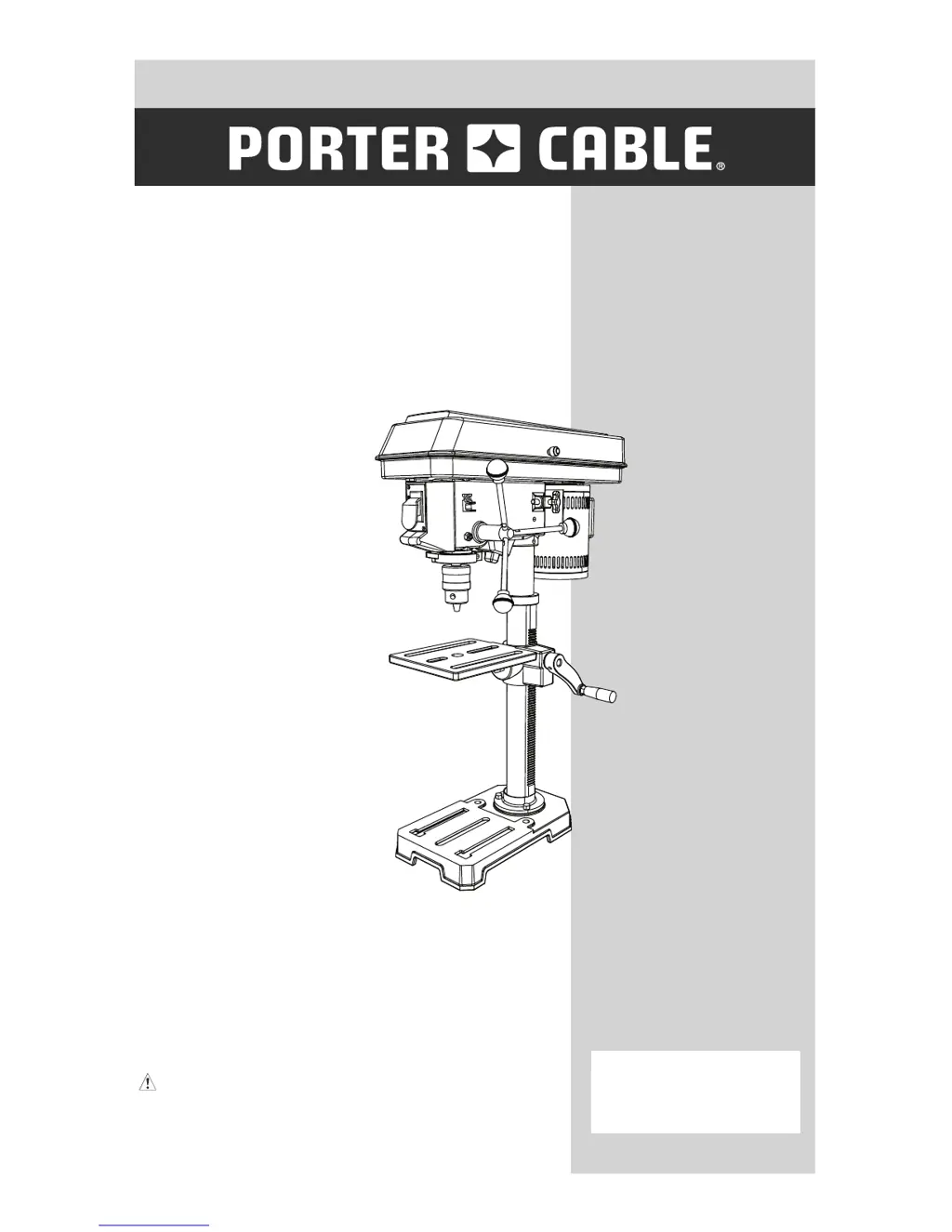
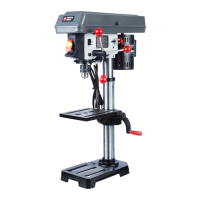
10 IN. (254 MM) DRILL PRESS
PERCEUSE À COLONNE DE 254 MM
(10 PO)
254 MM (10 PULGADAS)
PERFORADORA DE COLUMNA
CATALOG NUMBER
PCXB620DP
Instruction Manual
Manuel d’instructions
Manual de instrucciones
www.portercable.com
INSTRUCTIVO DE OPERACIÓN,
CENTROS DE SERVICIO Y PÓLIZA
DE GARANTÍA.
ADVERTENCIA: LÉASE ESTE
INSTRUCTIVO ANTES DE USAR EL
PRODUCTO.

Questions and Answers

  • L
    Lisa NewmanAug 14, 2025
    How to fix a noisy Porter-Cable Power Tool?
    • B
      Brooke SimpsonAug 15, 2025
      If your Porter-Cable Power Tool is operating noisily, there are several potential causes. The belt tension may be incorrect, so you should adjust it. The spindle might be dry, so lubrication is needed. Check the tightness of the retaining nut on the spindle pulley and tighten if necessary. Also, ensure the set screw in the motor pulley is tight.
  • C
    christophermoralesAug 18, 2025
    What to do if Porter-Cable PCXB620DP Power Tool chuck will not stay attached?
    • J
      Jason WongAug 18, 2025
      If the chuck of your Porter-Cable Power Tool won't stay attached to the spindle, and falls off during installation, it's likely due to dirt, grease, or oil on the tapered inside surface of the chuck or on the spindle’s tapered surface. Clean the tapered surfaces of both the chuck and spindle with a non-alcohol based cleaner to remove any contaminants.
  • M
    Matthew Whitaker DDSAug 21, 2025
    Why does my Porter-Cable PCXB620DP drill bit burn?
    • J
      Jamie BellAug 21, 2025
      If your Porter-Cable Power Tool drill bit burns, it could be due to several reasons. You might be using the incorrect speed, so try changing it. The chips might not be coming out of the hole, so retract the drill frequently to clear them. It could also be a dull drill bit, in which case you should resharpen it. Ensure you are feeding fast enough, allowing the drill to cut, and that the drill is lubricated.
  • L
    Logan RamirezAug 25, 2025
    What to do if my Porter-Cable PCXB620DP Power Tool has excessive drill bit runout?
    • T
      Troy MahoneyAug 25, 2025
      Excessive drill bit runout or wobble in your Porter-Cable Power Tool can be due to several factors. The drill bit might be bent, in which case you should replace it. Worn bearings could also be the cause, so consider replacing them. Ensure the drill bit is properly installed in the chuck. Also, make sure the chuck itself is correctly installed.
  • S
    samuel26Aug 27, 2025
    Why does the drill bit bind in my Porter-Cable PCXB620DP?
    • M
      Melinda SimonAug 27, 2025
      If the drill bit of your Porter-Cable Power Tool binds in the workpiece, it may be due to the workpiece pinching the drill bit or excessive feed pressure. Support or clamp the workpiece properly. Improper belt tension can also cause binding, so adjust the tension accordingly.
  • J
    Jordan CooperAug 31, 2025
    Why is my Porter-Cable PCXB620DP Power Tool's drilled hole not round?
    • D
      dannysmithAug 31, 2025
      Run out of drill bit point or a drilled hole that is not round with your Porter-Cable Power Tool can happen if the grain in the wood or lengths of cutting flutes and/or angles are not equal. If this happens, resharpen the drill bit correctly. Another reason could be that the drill bit is bent, in that case, replace the drill bit.
  • A
    Anna HenrySep 3, 2025
    How to adjust quill return speed on Porter-Cable Power Tool?
    • C
      Carol RangelSep 4, 2025
      If the quill of your Porter-Cable Power Tool returns too slow or too fast, it indicates that the coil spring has improper tension. Adjust the spring tension to correct this issue.
  • D
    Donald BaldwinSep 6, 2025
    Why does my Porter-Cable PCXB620DP cause wood splinters?
    • J
      james00Sep 7, 2025
      Wood splinters on the underside of your workpiece when using the Porter-Cable Power Tool is caused by not having backup material under the workpiece. Use backup material to prevent splintering.
  • C
    Crystal McknightSep 10, 2025
    What to do if Porter-Cable Power Tool workpiece torn loose?
    • C
      Carla HarrisSep 12, 2025
      If a workpiece is torn loose from your hand while using the Porter-Cable Power Tool, it is because it is not supported or clamped properly. Support or clamp your workpiece to prevent it from being torn loose.

Summary

Product Specifications

Safety Guidelines and Warnings

California Proposition 65

Information on chemicals known to cause cancer or reproductive harm.

Safety Alert Definitions

Definitions for safety icons: Danger, Warning, Caution.

Personal Protective Equipment (PPE)

Requirements for eye, hearing, and respiratory protection.

Power Tool Safety Procedures

General Safety Instructions

Basic safety principles before using the power tool.

Workplace and Tool Safety

Keeping area clean, securing work, preventing unintentional starting.

Operational Safety Practices

Never leave unattended, do not overreach, manage dust, pacemaker warning.

Drill Press Specific Safety

Securing the Drill Press and Workpiece

Bolt press securely, clamp workpiece, avoid small materials.

Handling Drill Bits and Accessories

Restrictions on drill bit size and types of accessories.

Pre-Operation and Bit Safety

Clear bit, use correct chuck key, ensure spindle stop.

Electrical Requirements and Safety

Grounding and Plug Safety

Importance of grounding, proper plugs, and cord integrity.

Extension Cord Guidelines

Proper selection and use of extension cords.

Circuit and Adapter Use

Indoor use, circuit requirements, and adapter usage.

Assembly and Setup

Tools Needed for Assembly

Tools provided and tools required for assembly.

Carton Contents and Unpacking

Instructions for unpacking and checking all parts.

Drill Press Components and Terms

Know Your Drill Press Components

Labeled diagram identifying key parts of the drill press.

Glossary of Drill Press Terms

Definitions for various parts and functions of the drill press.

Assembly Procedures

Column and Table Installation

Steps for assembling column to base and installing the table.

Head, Feed Handle, and Chuck Installation

Procedures for installing head, handles, and chuck.

Mounting Drill Press to Work Surface

Securing the drill press to a workbench or stand.

Adjustments and Settings

General Adjustment Precautions

Safety reminders before making any adjustments.

Bevel Drilling and Spindle Adjustment

Tilting the table, using bevel scale, and adjusting spindle play.

Quill Spring and Belt Tension Adjustment

Adjusting quill return spring and belt tension.

Operation Guide

Basic Operation and Safety

General operation steps and safety warnings.

Speeds, Belt Placement, and Drilling Table

Charts and information for operating speeds and drilling.

Drilling Procedures and Techniques

Installing bits, drilling to depth, and hole drilling methods.

Workpiece Handling and Table Tilting

Positioning workpiece, using backup, securing, and tilting table.

Feeding Techniques

Drill Feed Rate and Lubrication

Proper feeding, effects of speed, and metal lubrication.

Maintenance and Accessories

General Maintenance and Lubrication

Cleaning, lubrication, and rust removal.

Accessory Usage and Safety

Guidelines and warnings for using accessories.

Troubleshooting Guide

Troubleshooting Safety and Parts

Safety warnings and information on replacement parts.

Common Problems and Solutions

Addressing noisy operation, bit issues, wobble, and quill/chuck problems.

Parts List and Schematic

Drill Press Parts Identification

Comprehensive list of all parts with identification numbers.

Exploded View Schematic

Diagram showing the assembly of drill press parts.

Warranty Information

Warranty Coverage and Service

Details on limited warranty, free service, and money-back guarantee.

Company Contact and Trademarks

Contact details, trademarks, and regional warranty info.

Porter-Cable PCXB620DP Specifications

General IconGeneral
BrandPorter-Cable
ModelPCXB620DP
CategoryPower Tool
LanguageEnglish

Related product manuals