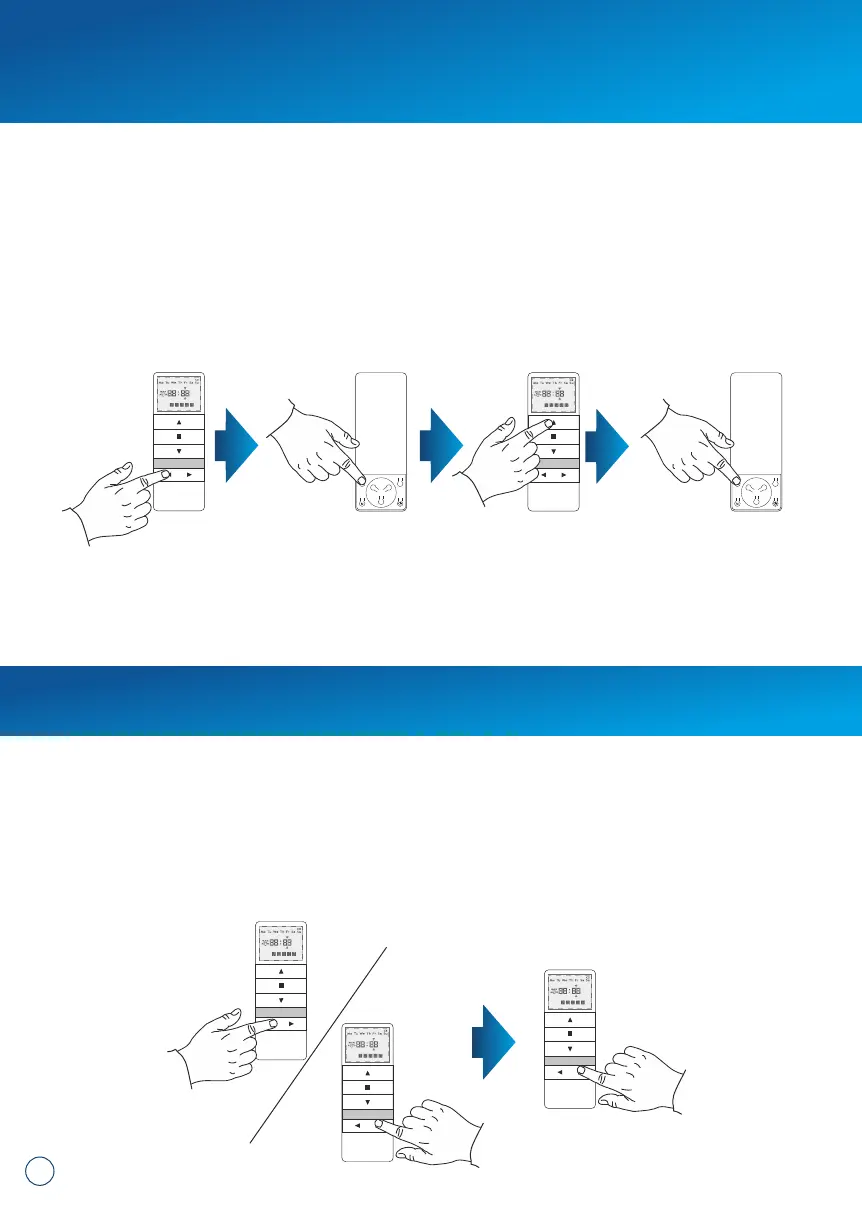
8. Deactivation of selected channels:
1. Use the CHANNEL + and CHANNEL – buttons one the device to select which
channels you wish to deactivate.
2. To deactivate selected channel hold the CHANNEL + button for 3 seconds (digit
of the channel will start flashing).
Re-executing the procedure activates the relevant channel. Channel deactivation
works only in AUTO mode.
min. 3 seconds
6
You can switch between the operating modes by following the instructions below:
1. Select a previously programmed channel.
2. Press P2, the motor will make a single beep sound and move briefly UP and
DOWN.
3. Press UP, the motor will make a single beep sound.
4. Press P2, you will hear 3 beeps and the motor will move briefly UP and
DOWN.
The remote operating mode change is complete. It affects all channels and remotes
assigned later.
7. Changing the operating mode.


 To Next Page