EasyManua.ls Logo

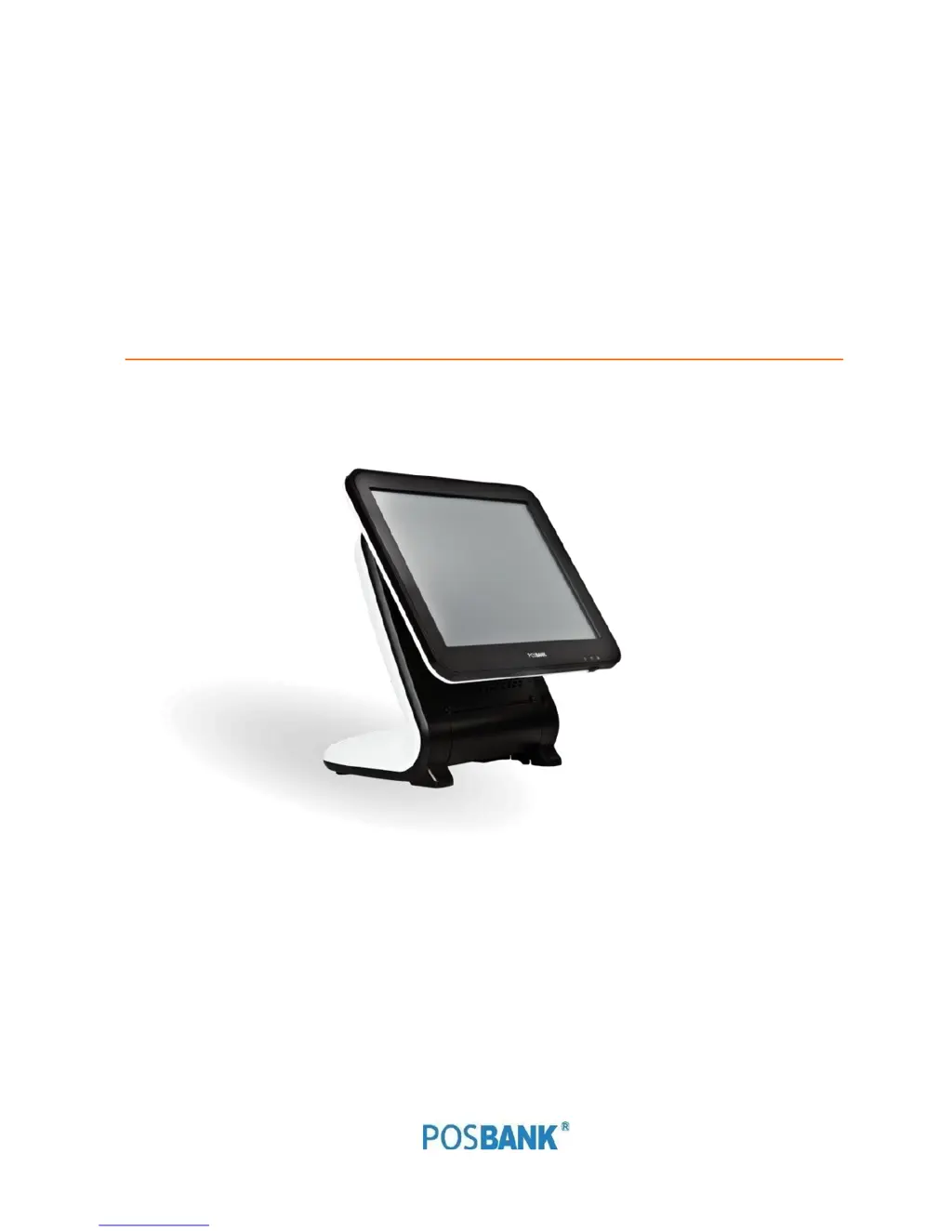
POSBank ANYSHOP e2 D25 - User Manual

POSBank ANYSHOP e2 D25
150 pages
Print Icon
To Next Page IconTo Next Page
Loading...
Point-of-sale system
ANYSHOP e2 D25
User manual
ANYSHOP e2_D25_UM_eng_PBUM_E(Rev002;20140926)

Table of Contents

Questions and Answers

  • M
    Michael MillsAug 12, 2025
    What to do if my POSBank Touch terminals system switches off abruptly and does not load?
    • N
      njohnsonAug 12, 2025
      If your POSBank Touch terminals system switches off abruptly and doesn't load, you can try the following: check the A/C cable connection, check the motherboard power connection, check the CPU settings/status, check DRAM settings, check the power button cable connection, or change the power adapter unit.
  • D
    Dr. Willie RobinsonAug 16, 2025
    Why my POSBank Touch terminals USB port doesn’t work?
    • C
      cmartinezAug 16, 2025
      If a USB port on your POSBank Touch terminals isn’t working, try these steps: first, check Windows Device Manager for device recognition. Then, check the USB device status and connection. If that doesn’t work, erase and reinstall the USB driver, or try changing the USB device.
  • M
    Max GibsonAug 19, 2025
    How to fix POSBank ANYSHOP e2 D25 Touch terminals when I cannot access LAN?
    • M
      mariaknightAug 19, 2025
      If you cannot access the LAN on your POSBank Touch terminals, you should check if the hub or switch is working correctly. Also, check the RJ45 cable connection and see if the LAN LEDs are on or off. As other options, try reinstalling the LAN card or replacing the motherboard.
  • A
    Amy WilliamsAug 23, 2025
    What to do if my POSBank ANYSHOP e2 D25 Touch terminals touch-screen doesn’t detect touch operations?
    • S
      Sara MatthewsAug 23, 2025
      If the touch-screen on your POSBank Touch terminals isn’t detecting touch operations, check the touch-screen cable connection. Also, check the motherboard and LCD cable connection and the BIOS setup.
  • D
    Dr. Jason Bailey MDAug 27, 2025
    What to do if POSBank ANYSHOP e2 D25 Touch terminals is re-booting during system operation?
    • J
      James WeaverAug 27, 2025
      If your POSBank Touch terminals is re-booting during system operation, check the SATA cable connection and the memory status.
  • N
    neilmarshAug 31, 2025
    How to troubleshoot if LCD backlight doesn’t work on POSBank ANYSHOP e2 D25 Touch terminals?
    • B
      Brittany CohenAug 31, 2025
      If the LCD backlight on your POSBank Touch terminals isn’t working, check the LCD cable connection and the inverter cable connection. If those are fine, try replacing the inverter cable or changing the LCD panel.
  • T
    tkhanSep 3, 2025
    What to do if POSBank ANYSHOP e2 D25 MSR does not respond?
    • B
      Barbara TateSep 3, 2025
      If the MSR (Magnetic Stripe Reader) on your POSBank Touch terminals does not respond, check the MSR reader cable connection. Also, check the motherboard and LCD cable connection, and the MSR board cable connection.
  • C
    Christopher FergusonSep 7, 2025
    How to solve PS/2 Keyboard Issues on POSBank ANYSHOP e2 D25?
    • S
      Sara PalmerSep 7, 2025
      To solve PS/2 Keyboard issues on POSBank Touch terminals, check the card-reader cable and the CN6 jumper.

POSBank ANYSHOP e2 D25 Specifications

General IconGeneral
Resolution1024 x 768
Display15-inch TFT LCD
RAM2GB
Operating SystemWindows POSReady 7 / Windows 7
ConnectivityWi-Fi
Power SupplyDC 12V
I/O PortsUSB
Memory2GB DDR3

Related product manuals