POS 708 USER MANUAL Ver. 1.6
6
6 Open
Drawer
Status
Switch
Open
Drawer
Status
Switch
Input
Table 2: RJ12 Drawer 1 and Drawer 2 pin out
The drawer solenoid is connected to + 24 VDC and to the Drawer Sink Signal. Typically pins 2 & 4 are used for
drawer # 1. The Drawer Status Switch is connected to an Open Drawer Switch source pull up voltage and the
switch is closed only when the cash drawer is OPEN, typically pins 3 & 6. Special Note: The drawer trigger #2
connects to the solenoid using Pin 4 & 5. Since most cash drawers are wired to only use Pin 2 & 4, the POS708 is
designed to support the same type of cash drawer in both cash drawer port #1 & #2 See table 2 for pin out for both
ports.
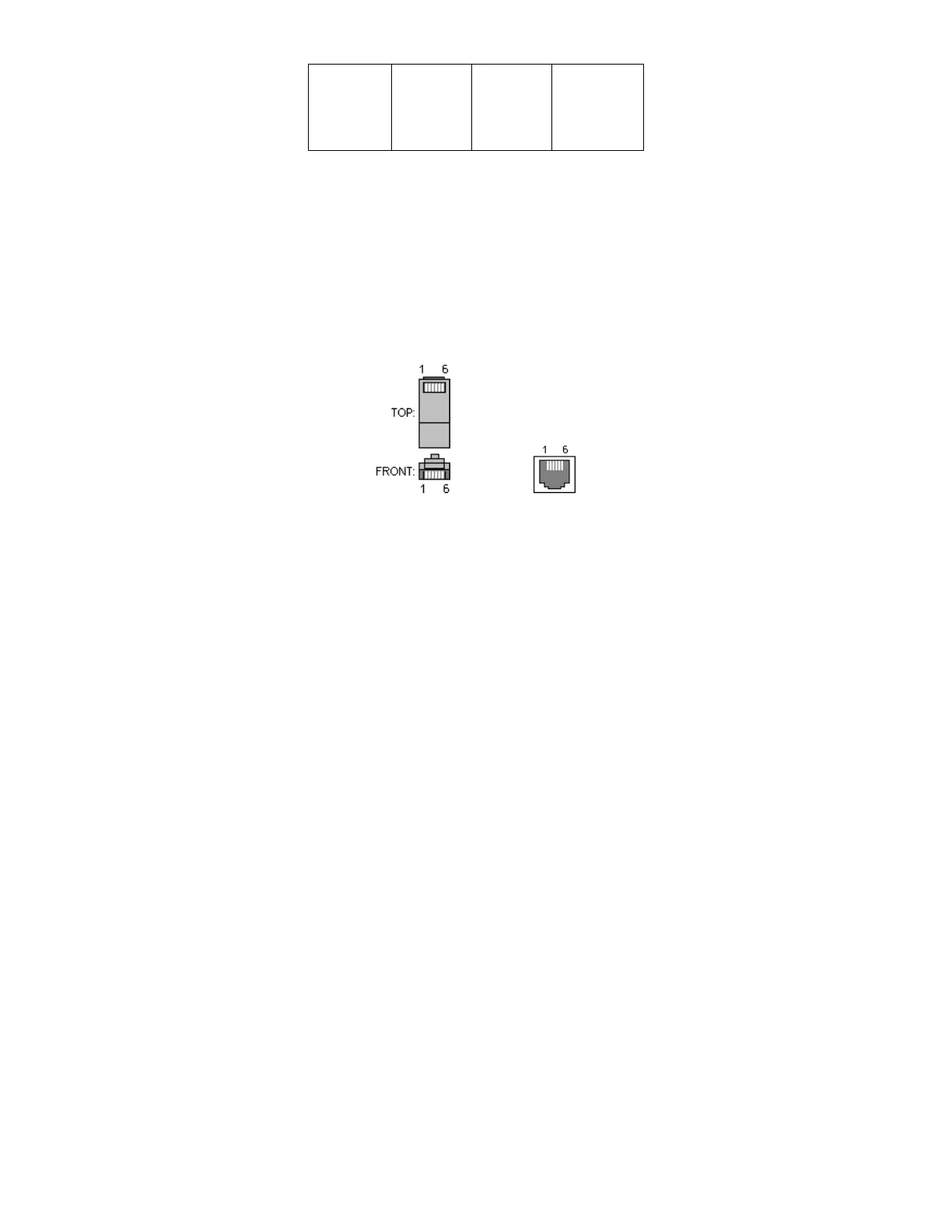
Looking into The connector
Figure 8: RJ12 Connector Pin out for Drawer Cable and POS708 Connector 1 & 2
Note: The electronic Buzzer in the POS708 is powered by the 24Vdc power adaptor supplied on both the USB &
RS232 version. The 5V power of the POS708 is supplied by the USB port on the USB version and the 24Vdc
power adaptor supplied also provides the 5V power on the RS232 version only.
A flashing LED indicates that an event is active (Drawer is Open or in a Timing Loop).
INSTALLATION:
• Select Cash Drawer Aalarm On state using Dip switches 1 60 seconds or Stay on until all drawers are
closed
• Select Time duration for the Selected Option Dip switches 2 – 3 Wait time when any drawer is open
before sounding Alarm
• Connect Cash Drawer(s) N/O (Normally Open Drawers) Drawers wired for Epson, Star, Citizen, IBM or
compatible will all work
• Connect the 24 Vdc power adaptor to the POS708
• Using Double sides adhesive Velcro mount POS708 where desired
• Connect the POS708 to the USB or RS232 port
• Test Alarm function by pressing the Push Button (Testing Alarm and LED only) All drawers must be
closed for this test to work
• Drawer 1 trigger character is the Bell CHR(7). Send the Bell CHR(7) character to the VRS or RS232
port that you have connected the POS708 to. Drawer 2 trigger character is CHR(19). Note that these
two characters are the same characters used to trigger the cash drawers on Star / Citizen / IBM printers.
Set your application software to trigger the cash drawers on the POS708 by selecting the Star Printer
option.



 To Next Page