80
Steps:
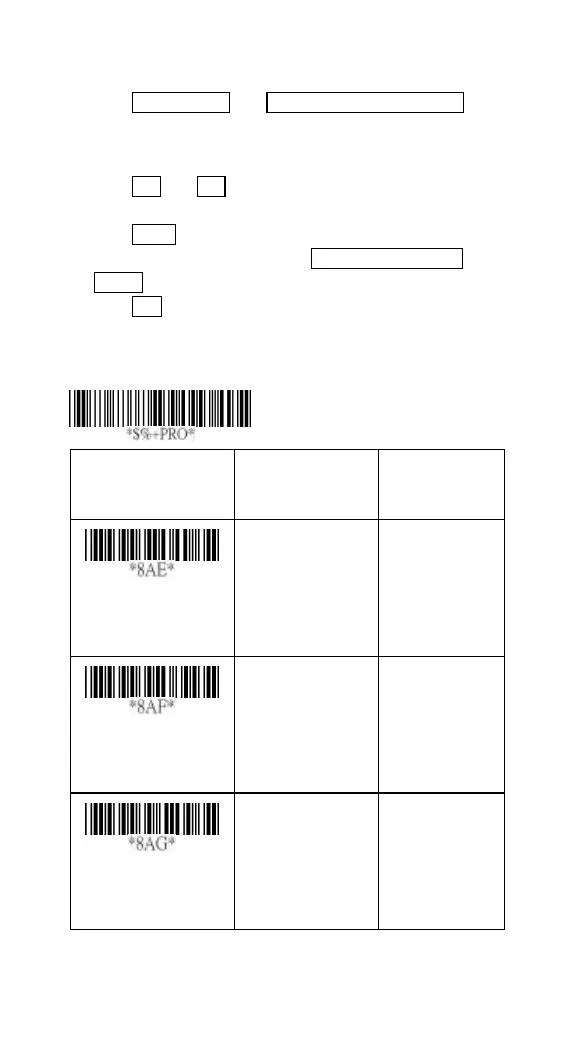
1) Scan Programming and Insert G1 characters setting
barcode.
2) Use the ASCII code table to find the value of A→41,B→
42.
3) Scan 4, 1 and 4, 2 from the barcode on the fold out back
page.
4) Scan Finish from the barcode on the fold out page.
5) Repeat the same procedure in Insert G2 characters
setting.
6) Scan Exit barcode.
7) Insert data group 1-4 position. Please refer to Chapter-
Transmission, page 65 and in specific barcode that you
want to use.
Option Bar Code
Option Alphanumeric
Entry
Insert G1 characters
setting
None
1-22 characters
00*
00-ffH ASCII
code
Insert G2 characters
setting
None
1-22 characters
00*
00-ffH ASCII
code
Insert G3 characters
setting
None
1-22 characters
00*
00-ffH ASCII
code
Program



 To Next Page