9
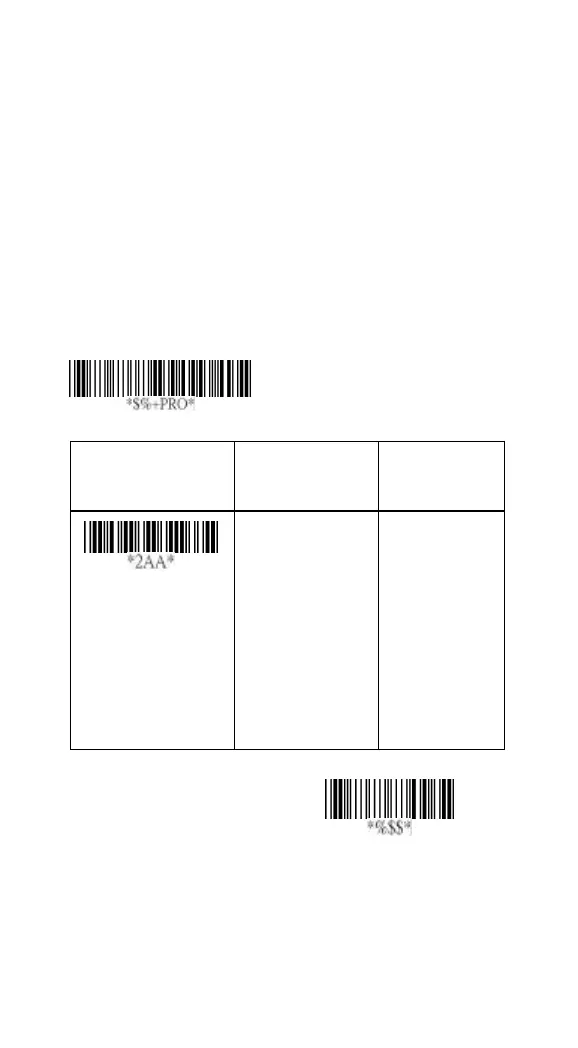
Keyboard wedge
As a keyboard interface, the scanner supports most of the
popular PCs and IBM terminals. The installation of the wedge
is a fairly simple process without any changes of software or
hardware.
Keyboard Type: Select keyboard type connector of your
host computer. Scanner must be selected to the appropriate
host interface cable converter.
Option Bar Code
Option Alphanumeric
Entry
Keyboard type
IBM AT, PS/2
Reserved
Reserved
Reserved
Reserved
Reserved
Reserved
00*
01
02
03
04
05
06
Program



 To Next Page