14
Spark Control Family: Other Functions
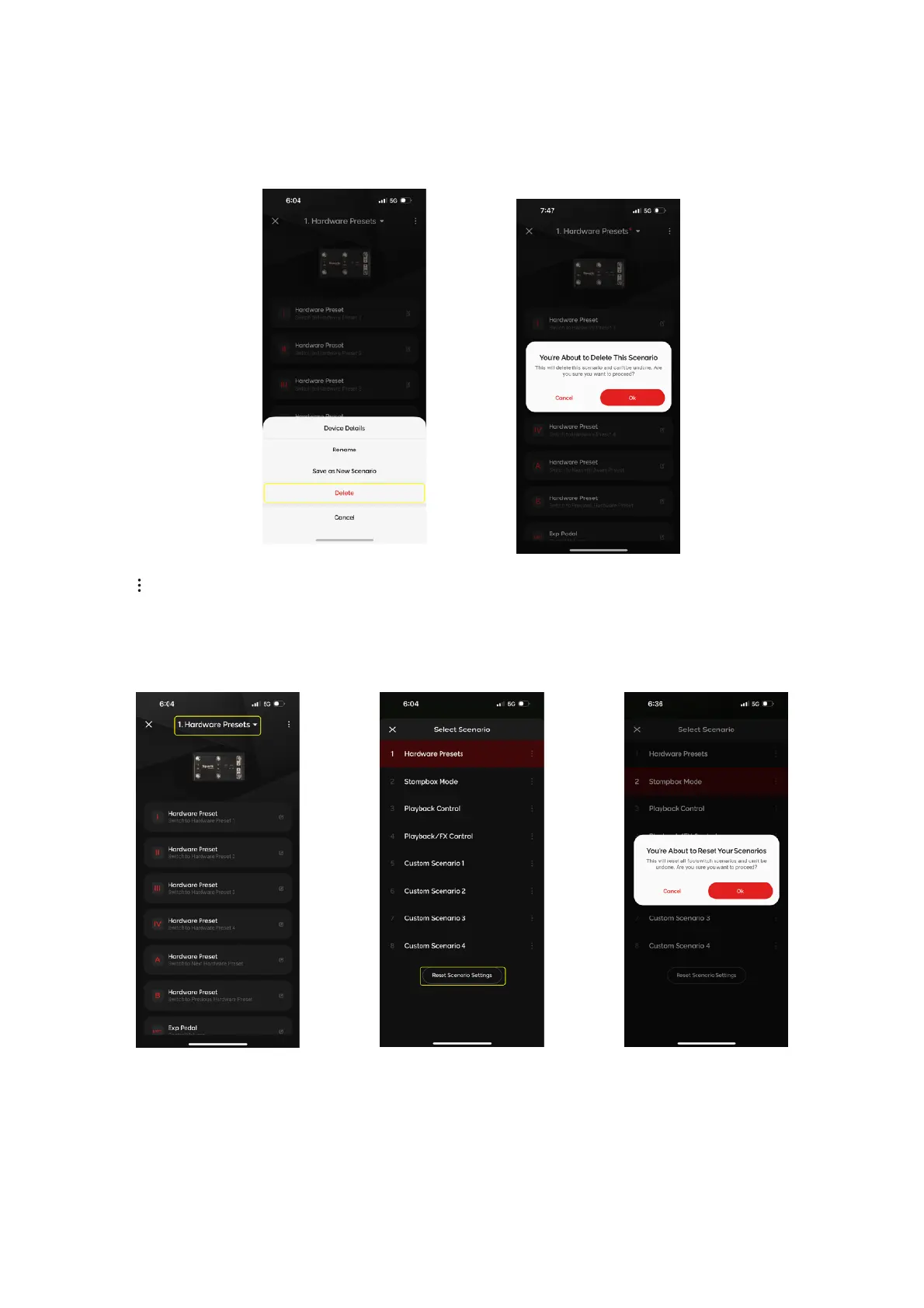
Tap on in the Command Assignment menu, then tap on Delete and tap on Ok when the next dialog box
appears to clear all commands as well as delete the name of the selected Footswitch Profile.
Deleting Profiles
1. Tap on the Profile Title dropdown menu on the top of the page
2. Tap on Reset, then tap Ok to reset all Footswitch Profiles to the factory default settings. Note that
this will also clear and reset any of your custom profiles.
Reset Profile Settings


 To Next Page