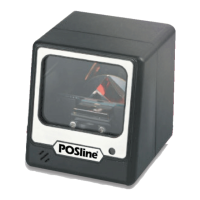
Need help?
Do you have a question about the POSline SC2100B and is the answer not in the manual?
Configures UPC-A barcode reading parameters, including Code ID.
Configures UPC-E barcode reading, including Code ID and conversions.
Configures EAN-13 barcode reading parameters, including Code ID.
Configures EAN-8 barcode reading parameters, including Code ID.
Configures Code 39 barcode reading, Code ID, and verification.
Configures Code 39 settings like checksum, length, format, and character truncation.
Configures Codabar reading, verification, checksum, and character types.
Configures Code 93 barcode reading parameters, including Code ID.
Configures Code 128 barcode reading, Code ID, and verification.
Configures Interleaved 2 of 5 barcode reading, data truncation, and length.
Configures Industrial 2 of 5 barcode reading and Code ID.
Configures Matrix 2 of 5 barcode reading and Code ID.
Configures China Post Code barcode reading and Code ID.
Configures MSI/Plessey barcode reading, Code ID, and verification modes.
 General
| Brand | POSline |
|---|---|
| Model | SC2100B |
| Category | Barcode Reader |
| Language | English |


 To Next Page