Need help?
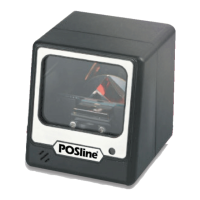
Do you have a question about the POSline SC2110 and is the answer not in the manual?
Steps for installing the keyboard interface for the barcode reader.
Steps for installing the RS-232 serial interface for the barcode reader.
Steps for programming reader options using barcodes and configuration tables.
Configures the scanner to auto-select between Keyboard, RS-232, or USB interfaces.
Details on None, RTS/CTS, Xon/Xoff, and ACK/NAK flow control methods.
Reset the scanner to factory default settings.
 General
| Scanning Technology | Laser |
|---|---|
| Scan rate | 100 scans/sec |
| Interfaces supported | RS-232, USB |
| Type | Handheld |
| Resolution | 0.1 mm |
| Supported Barcodes | UPC-A, UPC-E, EAN-13, EAN-8, Code 39, Code 128, Interleaved 2 of 5, Codabar |
| Operating Voltage | 5V DC |
| Connectivity technology | Wired |


 To Next Page