PSN-64:13
PSN-106, PSN-64, PSB-10 • 5403590 • REV A • 12/09
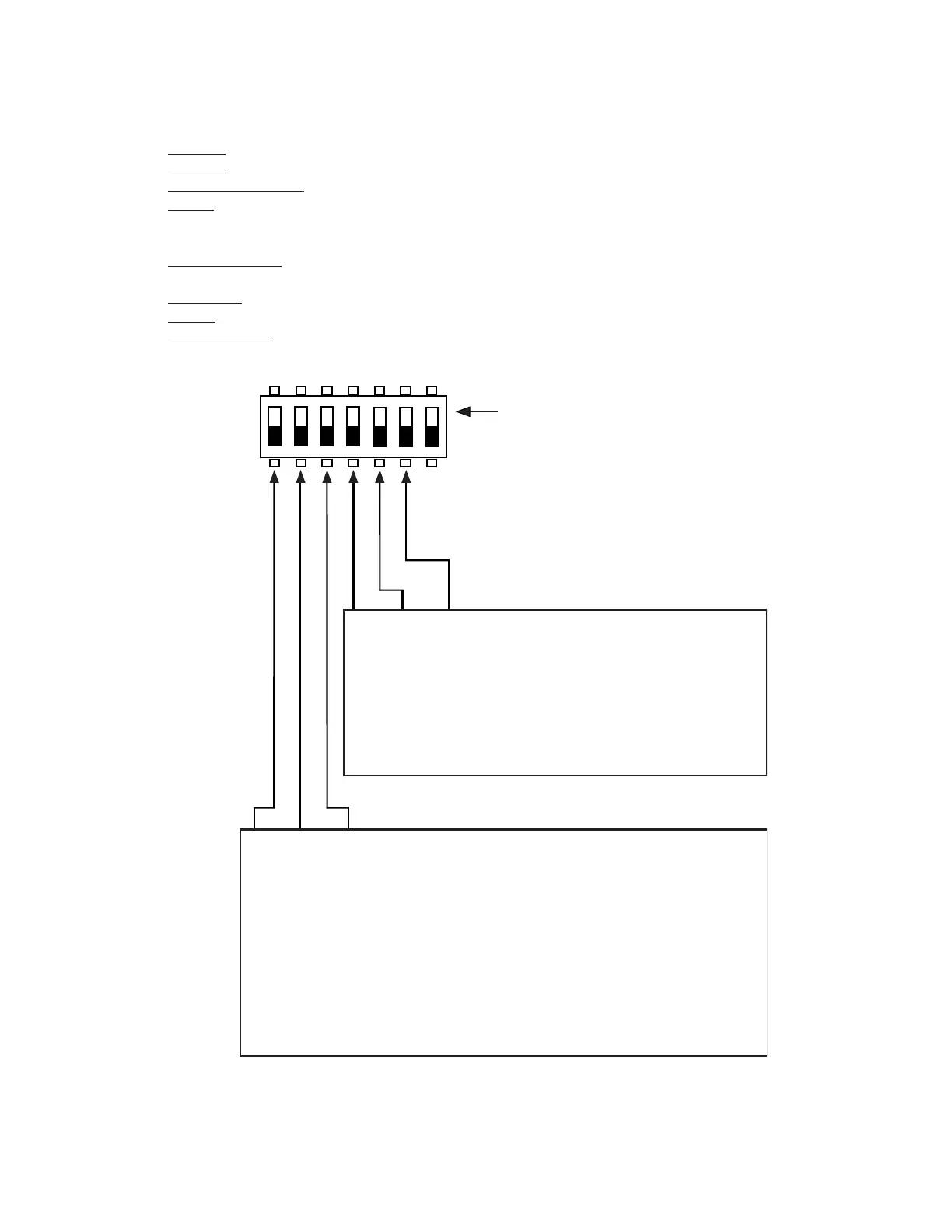
up position = ON
1
7
DWG# 3590-11
Output Select
OFF OFF OFF = Constant
ON OFF OFF = ANSI Temporal
OFF ON OFF = Pass Through (Input Tracking)
ON ON OFF = Potter Sync
OFF OFF ON = Gentex® Sync
ON OFF ON = System Sensor® Sync
OFF ON ON = Wheelock® Sync
Trigger Select
OFF OFF OFF = Trigger 1
ON OFF OFF = Trigger 2
OFF ON OFF = Trigger 1 or Trigger 2
ON ON OFF = Combo Trigger
(Trigger 1 for horns Trigger 2 for strobes)
OFF OFF ON = Follow DC power
ON OFF ON = Always on
OFF ON ON = Always on
ON ON ON = Always off (NAC is unused and unsupervised)
Individual NAC Options
Conditions for activating each NAC are individually programmed.
Trigger Selection: specifi es which trigger input(s) to respond to.
Trigger 1• : NAC will activate when Trigger 1 is activated
Trigger 2• : NAC will activate when Trigger 2 is activated
Trigger 1 or Trigger 2• : NAC will activate when either Trigger 1 or Trigger 2 is activated.
Combo• : Can be used to separately control horns & strobes when used with one of the supported synchronization
protocols. If Trigger 1 is present, both horns and strobes will be activated. If only Trigger 2 is present, horns will be
disabled, and strobes will be activated.
Follow DC Power• : When selected, the NAC will exactly follow the activation/deactivation of the DC power output.
Can be used to create additional door-holder power circuits.
Always ON• : Used to create a constant ON power output.
Unused• : NAC circuit will be unused .
Output Selection• : Specifi es the output pattern to be generated when the output is activated.



 To Next Page