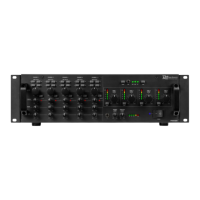
22. DELETE BUTTON
Delete songs on the SD or USB track.
23. SD CARD SLOT
Slot for inserting SD card. The contacts of the card must point downwards. Unit cannot read cards
with a capacity of more than 4GB.The unit is not compatible to SDHC cards and only.
24. FOLDER
Allows you to navigate through folders or tracks similarly in either USB or SD mode.
25. USB PORT
ALLOWS THE CONNECTION OF ANY USB MEMORY STICK.
26. FOLDER
Allows you to navigate through folders or tracks similarly in either USB or SD mode.
27. +10 BUTTON
Use this button to jump of 10 tracks in one press.
28. DISPLAY HEADPHONE VOLUME
Adjust the headset volume
29. REPEAT BUTTON
USE THIS BUTTON TO REPEAT ONE TRACK OR ALL THE TRACK OF THE CD
30. CONT. / SINGLE BUTTON
Press this button to switch between the SINGLE and CONTINUOUS play mode. The selected mode is
indicated on the LCD. In SINGLE mode, after each track, the unit stops the reading. In CONTINUOUS
mode, the unit reads all tracks and stops. 31 .SD/USB BUTTON
Press this button to choose SD or USB mode while USB connect and the SD in the tray. 32.
SKIP I<< BUTTON
Use this switch to restart the track or to select the last track.
33. SKIP >>I BUTTON
34. RECORD BUTTON
Enter the recording mode. 35. STOP
BUTTON
Pressing the CUE button during play provides a return to the position at which play was started.
36. PLAY BUTTON
Each time you press the PLAY/PAUSE button, the operation changes from play to pause or from
pause to play.
37. RECORD VOLUME
Used to adjust the level of volume which be recording.
38. HEADPHONESINPUTS
3 .5 MM JACKS HEADPHONE FOR CONNECTING STEREO HEADPHONES



 To Next Page