Need help?
Do you have a question about the Power Master 3000L and is the answer not in the manual?
Do not expose the Inverter to rain, snow, spray, bilge or dust. To reduce risk of hazard, do not cover or obstruct the ventilation openings.
This equipment contains components that can produce arcs or sparks. To prevent fire or explosion do not install in compartments containing batteries or flammable materials.
If battery acid contacts skin or clothing, wash immediately with soap and water. If acid gets into eyes, immediately flood eyes with running cold water.
To get the most out of the power inverter, it must be installed and used properly.
Power ON/OFF switch, leave in the OFF position during installation.
Details on Over Volt, Over Temp, Under Volt, Over Load, Power, and Run/Green Power indicators.
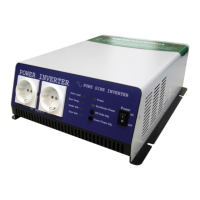
Lists available AC outlet socket types: North America, European, Universal, etc.
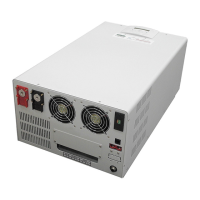
Do not obstruct; allow at least 1 inch for airflow. Ensure ventilation openings are not obstructed.
Connect to 12V / 24V / 48V battery or power source. (+) is positive, (-) is negative. WARNING: Reverse polarity causes damage.
Inverter should be installed in a dry, temperature-controlled location with adequate ventilation, away from flammable fumes and dust.
Connect AC input ground wire to utility source and AC output ground to load's grounding point.
Explains neutral grounding for 115V and 230V models as per electrical code.
Unpack and inspect inverter for transit damage. Mount to a suitable surface following previous requirements.
AC wiring must be performed by a qualified electrician to satisfy warranty requirements.
Ensure battery bank voltage matches inverter DC input. Install appropriately sized battery fuse.
GFCI protection may be required for branch circuits connected to the AC output of the Inverter.
Connect the DC POSITIVE cable to the positive terminal on the battery and inverter.
Connect the cable securely from the negative terminal of inverter to the negative terminal of the power source.
Set the power switch to the ON position and check power and RUN/GREEN POWER LED indicators.
Plug test load into AC receptacle, set switch to ON, and turn test load on to verify operation.
The ON/OFF switch controls the circuit. Describes input voltage ranges and peak performance.
Indicates inverter shut down due to input voltage higher than the detect voltage.
Indicates inverter shut down due to input voltage lower than the detect voltage.
Indicates inverter shut down due to overheating. Will restart automatically after cooling.
Indicates inverter shut down due to output circuit short circuit or overload. Reset by switching OFF then ON.
Procedure to adjust sensitivity for standby mode using a screwdriver to turn a trim pot.
Inverter turns off due to insufficient AC load. Solutions involve increasing sensitivity or load.
Inverter shuts down if overheating occurs, possibly due to exceeding power ratings or poor ventilation.
Sudden load surges may cause shutdown. Check battery voltage and inverter power output capacity.
 General
| Continuous Power | 3000W |
|---|---|
| Surge Power | 6000W |
| Output Waveform | Pure Sine Wave |
| Output Voltage | 230V AC |
| Efficiency | 90% |
| Frequency | 50Hz |
| Protection Features | Overload, Short Circuit |
| Cooling | Fan Cooling |


 To Next Page