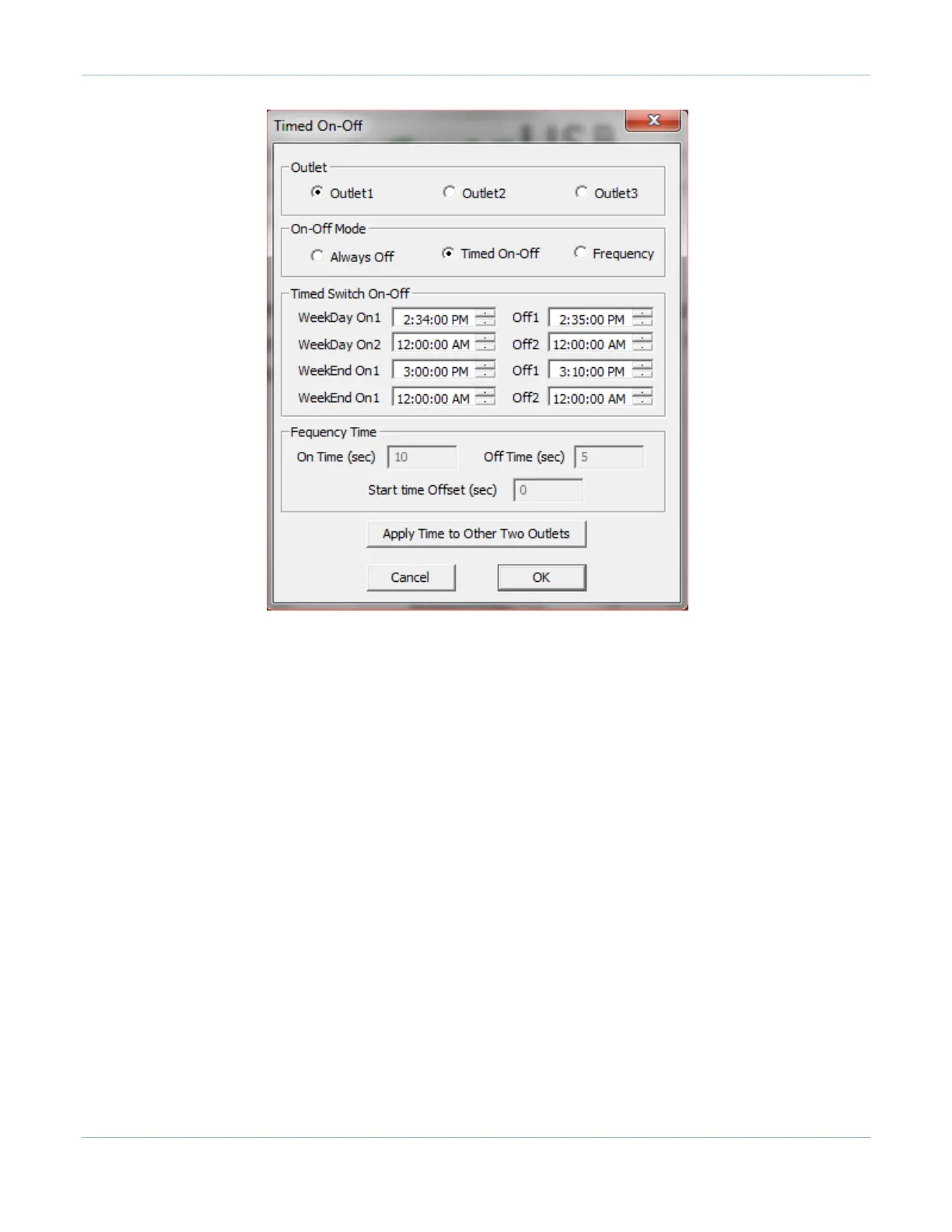
The procedure below has to be followed in order to schedule on-off times:
-
Select the outlet to be programmed.
-
Select one of the On-Off Modes: Always Off, Timed On-Off, or Frequency. When Timed On-Off is
selected,
the Timed options will be enabled. When Frequency is selected, Frequency options will be
enabled.
-
If the Timed On-Off mode is selected:
o
Enter the on times (up to 2) for weekdays and corresponding off times.
o
Enter the on times (up to 2) for weekend days and corresponding off
times.
o
Please also note:
The off times should be always higher than the on times. The second on-off time
should be higher than the first on-off times.
To disable the on-off times, you can enter 12:00:00 AM for both on and off times.
-
If Frequency mode is selected:
o
Enter the On Time and Off Time in seconds.
o
Enter the “Start time Offset” in seconds. The frequency on-off seconds will start after this
offset delay in the
beginning. This feature can also be used to offset on-off times between two outlets.
-
If the Always Off mode is selected, the outlet will remain off.
-
If these settings need to be applied to two more outlets, you can click on ‘Apply Time to Other Two
Outlets’.
-
Repeat the above steps for each of the outlets to be programmed.
-
Click ‘OK’ to schedule the programmed on-off operation and close the dialog box.



 To Next Page