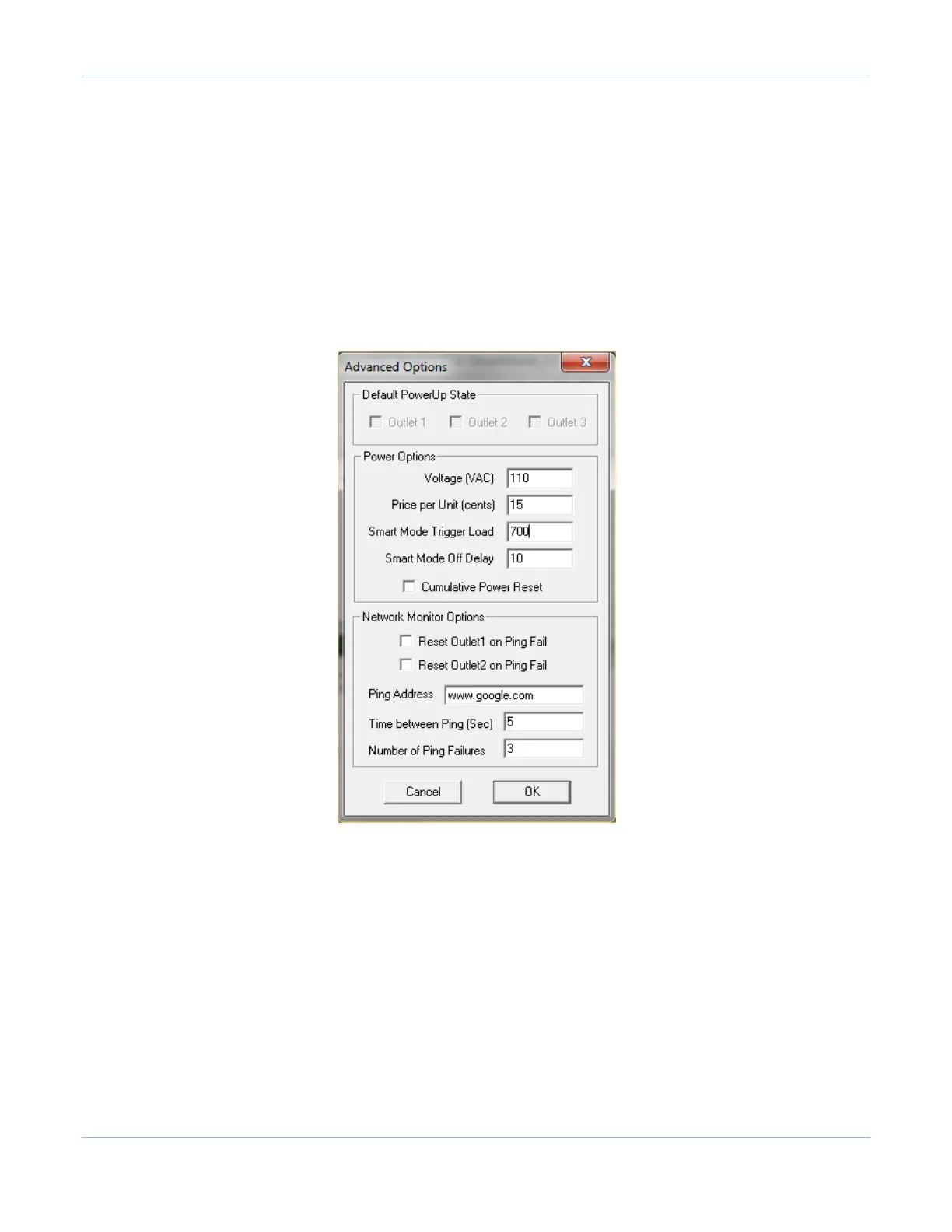
SMART Mode Trigger Load sets the threshold load at which point the controlled outlets are to be switched on.
This is set to
700ma by default and can be changed to accommodate higher or lower power for master
appliances. This value will be used in the SMART mode.
SMART Mode Off delay specifies how much time the unit will wait before switching off the controlled outlets
when the
master appliance is switched off.
The next entry, Cumulative Power Reset, will reset the accumulated power reading in the PowerUSB to zero.
The last entry, Reset PowerUSB, completely resets the PowerUSB and is useful for troubleshooting if the unit
appears to not be running.
i
Please refer to the Basic manual for “Network Monitoring Options.”
2.2
Scheduled On-Off Dialog
Clicking on the Scheduled On-Off button will open the Timed On-Off dialog box. Here, the
user can set the
outlets to switch on and switch off at pre-determined times for weekday and weekend days. The user can also
set the frequency for how often the outlets will switch on and off.



 To Next Page