25
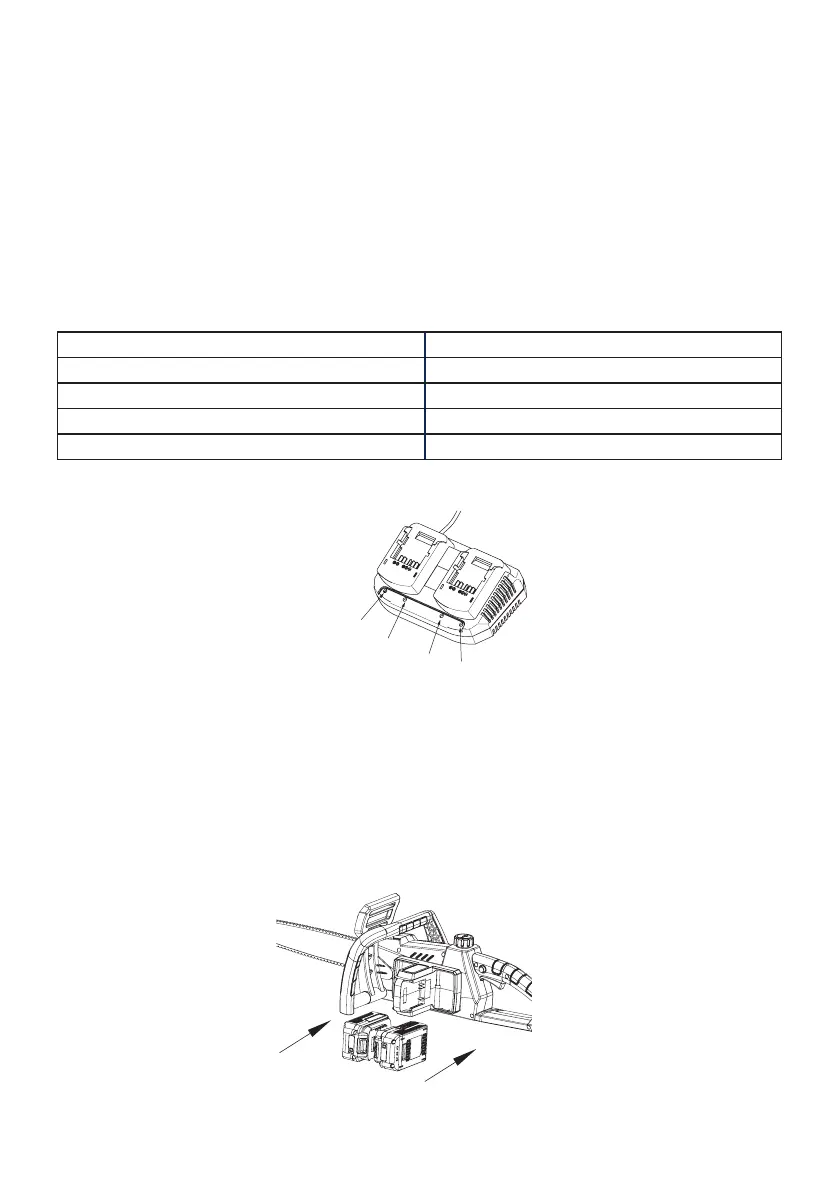
i. Connect the battery pack to the battery charger.
ii. Insert the mains plug into the socket. The green charging status
LED light will flash. Once the battery pack is completely charged,
the green charging status LED is lit continuously, indicating that the
charging process is complete.
iii. Disconnect the charger from the mains and remove the battery
pack from the charger.
iv. Attach the battery pack back to the product.
Charging status LEDs
RED LED turn on Charger ready
green LED flash Battery pack charging
Green LED continuously lit Battery pack fully charged
Red and green LEDs flashing Battery pack defect
Red and green LEDs continuously lit Battery pack too cold or warm
STARTING THE CHAINSAW
Installing the battery pack
i. Keep the battery pack in line with the holder on the device.
ii. Push it forward until it reaches the bottom. Before starting, make
sure the battery pack is firmly locked in place.
red LED
red LED
green LED
green LED


 To Next Page