10 PowerBox-Systems − World Leaders in RC Power Supply Systems
4. MAIN MENU
To access the menu you need to hold the SET button pressed in for about 2 - 3
seconds, after which you can select the desired menu using buttons I and II. Within
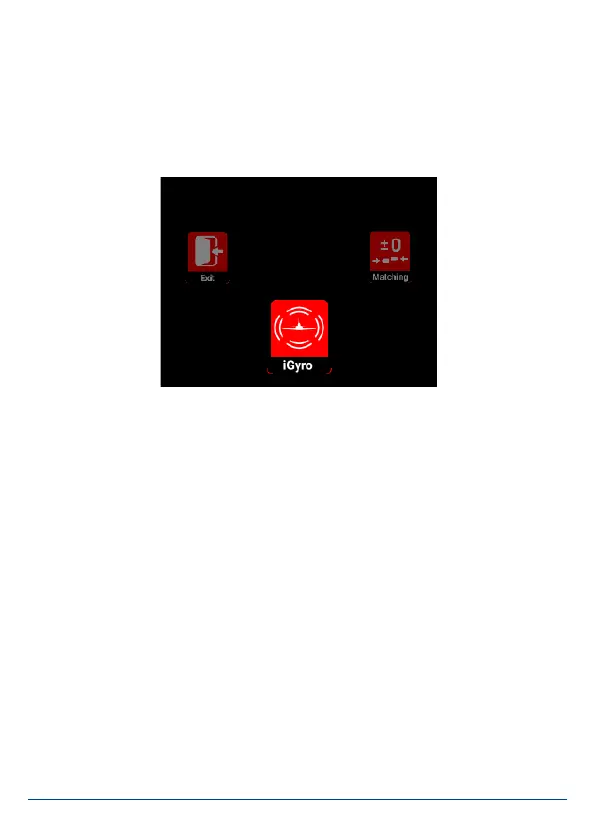
the individual menus the selected menu point is always displayed in red.
Press the SET button once you have selected a menu point. You can now alter the
values and settings using buttons I and II.
The “Rotary Menu” shown above contains the following sub-menus:
• iGyro
Here you will nd all the settings relating to the iGyro. These features are only
available if an iGyroSAT is connected to the unit.
• Matching
If you have servos which are mechanically inter-connected, you can use this sub-
menu to adjust them to match each other using a ve-point curve. You will also
nd the Auto Matching function here.
• Sequenzer
At this point you can set up the two independent door sequencers, either manual-
ly or with the help of the Assistant.
• Output
In this menu you can assign all 22 outputs directly to any transmitter channel, to
a Gyro output or to one of the two sequencers.


 To Next Page