PowerFix PEKK 4.3 A1
50 - English
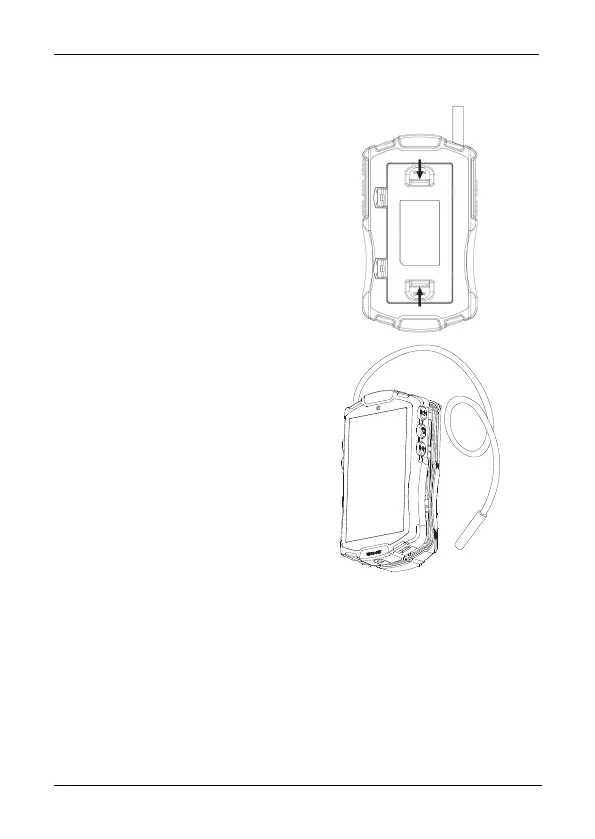
5.3 Unwinding / winding the gooseneck
Press the unlock button on the back
of the device to open the
gooseneck compartment.
Now you can unwind or wind the
gooseneck to the desired length.
Press the front and back housing
panels together to close the
gooseneck compartment. Make
sure that the gooseneck is passed
through the hole located on top of
the housing.
5.4 Using the Device
5.4.1 Switching the endoscopic camera on and off
To switch the endoscopic camera on, press and hold the On/Off button [2] as
long as necessary until the display [5] illuminates. The power indicator [1] will
light green when switched on. To switch the endoscopic camera off, press and
hold the On/Off button [2] for approx. 2 seconds.



 To Next Page
 Loading...