To remove filter:
1. When filter life reaches programmed time (1000
hours), red Reset indicator light will flash twice
per second.
2. Turn off unit.
CAUTION: The internal metal ring
carries an electrical charge during
operation. Turn off unit before
attempting to remove cover.
3. Rotate cover counterclockwise and remove it,
along with the prefilter. See Figure 8-4.
4. Hold the frame stationary, and rotate filter
counterclockwise to remove.
5. Clean dust from filter with vacuum or soft bristle
brush. Blow dust from recessed areas of filter
with a household air blower. Also clean out any
residual dust from inside the unit.
To install cleaned or replacement filter:
6. Center filter onto stator and turn it clockwise
(about 1/8 of a turn) until it fully engages – you
will feel a hard stop.
7. Install cover and rotate clockwise until it fully
engages. A lock/unlock graphic is molded into
left and right edges of the cover as a guide.
Note: A sensor prevents unit from starting if
cover is not installed properly.
8. Plug in unit. Red Reset indicator light will flash.
9. Press and hold Power button for 5 seconds until
red indicator light goes off. Filter life count is
now reset.
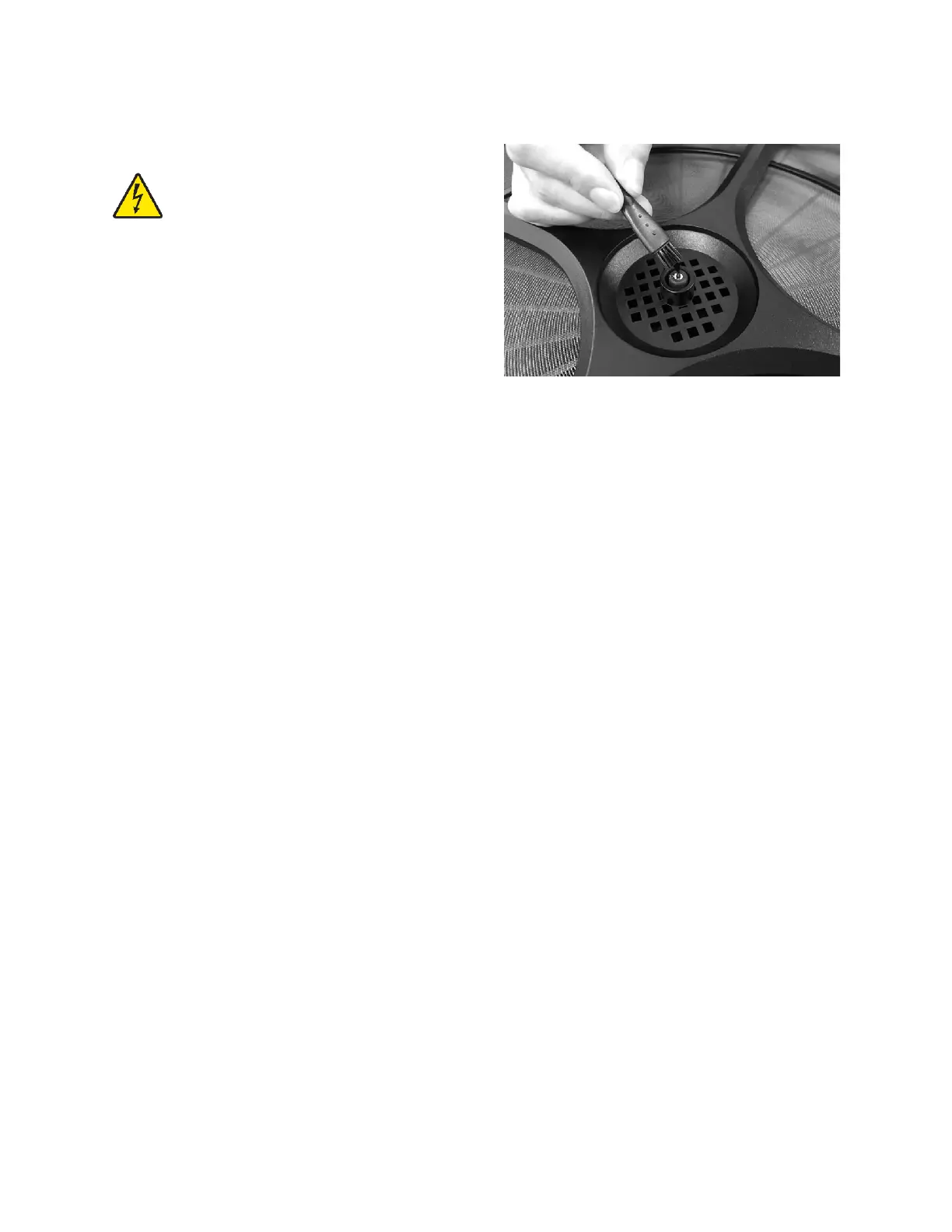
9.2 Anion generator maintenance
Remove dust regularly from the anion generator (i.e.
carbon brush) with the provided cleaning brush. See
Figure 9-1.
Figure 9-1
9.3 Additional servicing
Any additional servicing should be performed by
authorized service personnel.


 To Next Page