第 16 页 共 16 页
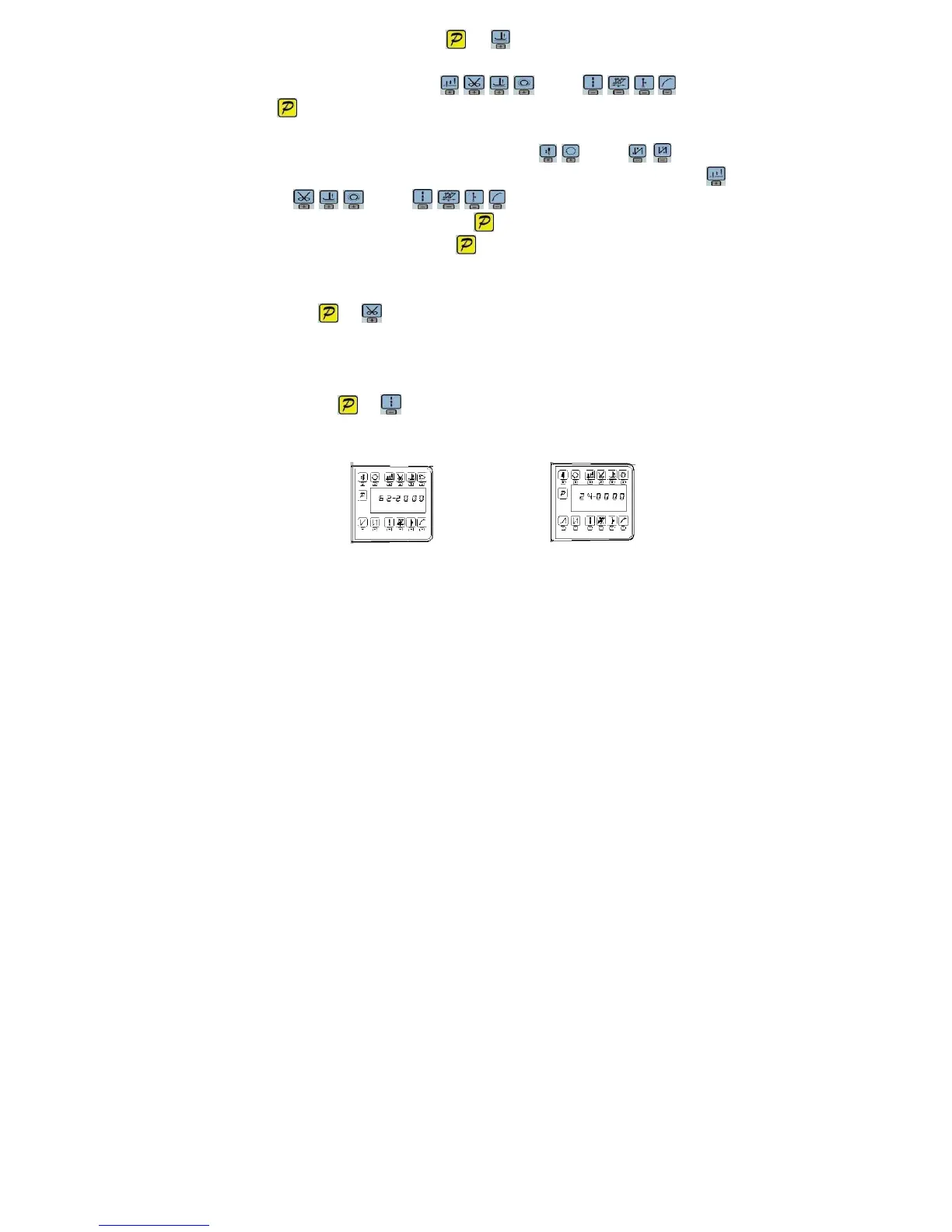
Step 1: Under operator mode, press
and keys, LCD PD 0000; and then set the
password 0000 to enter technician mode.
Step 2: The password is entered using keys and keys, then
press key. If the password is correct, enter into the technician mode, or return to the technician
mode.
Step 3: Change technician parameters index to【62】by keys and keys under
technician mode. Restore storage parameter for factory of control can be changed by
keys and keys, Usually it's four bit.
Step 4: the parameter confirms correct, press key until the red light of HMI are bright or buzz
produces a long loud, release key, HMI and the whole system restore storage
parameter.
4.2 Adjust the up needle position
Step 1: Press and keys, enter monitor mode to the NO. 24th monitoring parameters. As
shown in Figure 4-2
Step 2: Turn the handwheel so that the wiper to the position of the up needle position, LCD will
show a mechanical angle of deviation. As shown in Figure 4-2 Legend.
Step 3: Press the and keys, LCD display 240000 (previous step mechanical deflection
angle zero) to prove that the needle position set. As shown in Figure 4-2 Legend:
Fig.4-1 Fig.4-2
386P0123A
2013-8-12


 To Previous Page