第 13 页 共 16 页
3.3 Administrator mode
Administrator mode is used for functions such as sewing machine head solenoid adjustment.
3.3.1 How to entre administrator mode
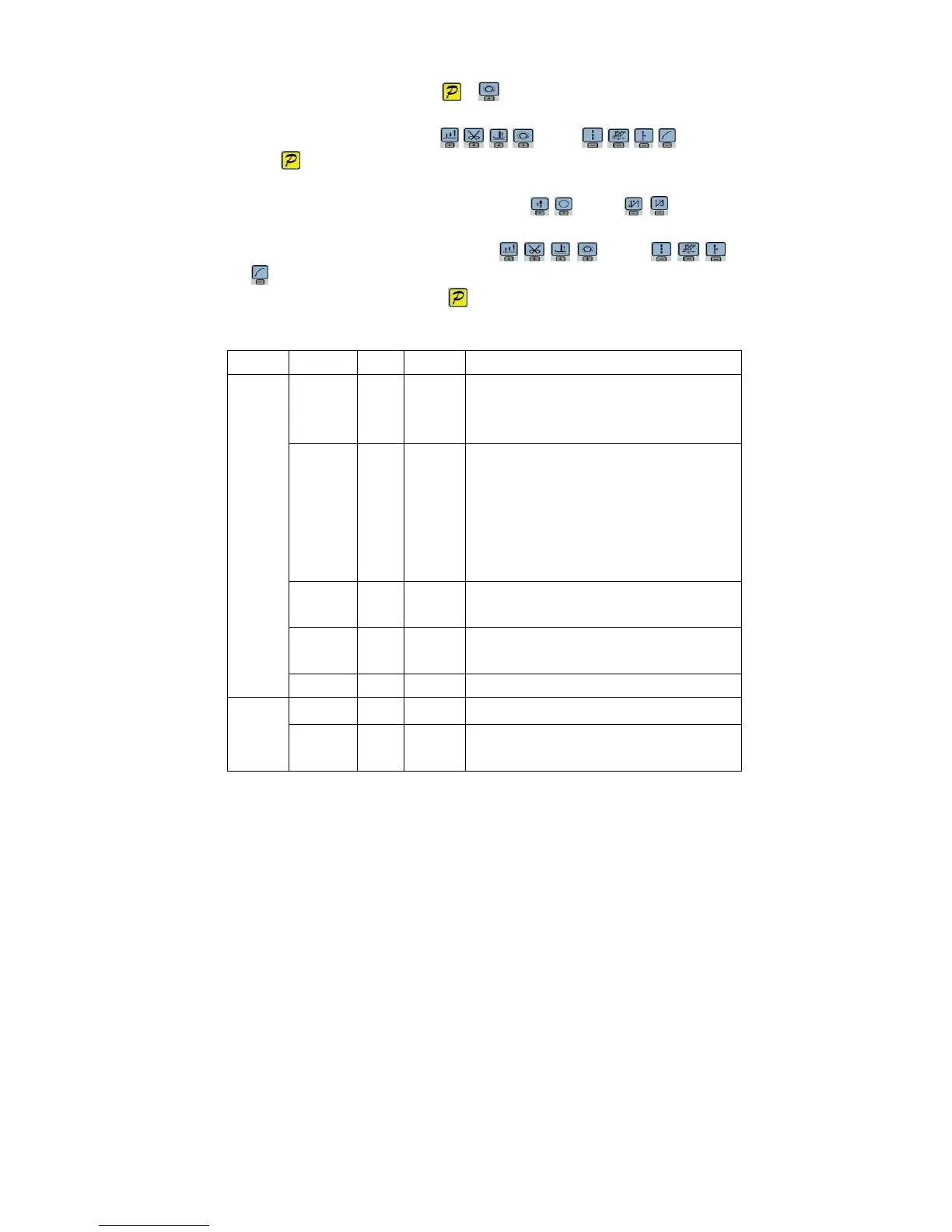
Step 1:Under operator mode, press and keys to enter administrator mode in LCD PD
0000, and then set the password 0000 to enter administrator mode.
Step 2: The password is entered using keys and keys, then
press key. If the password is correct then enter administrator mode, the LCD will display 00
0000 , or return to the operator mode.
Step 3: Change administrator parameters index by t keys and keys under
administrator mode. The details of administrator parameters are shown in table3.
Step 4: Parameters values can be changed by keys and
keys.
Step 5: Under administrator mode, press key, the panel will return to operator mode.
3.3.2 Administrator parameter table
Table 3-2: Administrator mode parameter:
Mode
Parameter
Default
Rang
Comment
0 2 1
0/1/2
/3
Mode selection for trimming sequence.
0: According to the parameters 【03】 set angles is trimming,
until up position delayed【06】time off.
0 3 10 5 -359
1:According to the parameters【03】set angles is trimming,
until【04】set angles off.
2:According to the parameters【03】set angles is trimming, it
delayed 【06】off.
3:Down position signal delayed the parameter【05】set angles
is trimming, it delayed 【06】off.
0 4 120 10 -359
The start angles of trimming (r el a t iv e do w n position of
angle)
0 5 10 1 -999
The end angles of trimming(r e la t i ve d o wn position of
angle, Need to greater than the system of parameters【03】)
Trimming
mode
0 6 60 1 -999
Trimming start delay time T1(ms)
1 0 0
0/1/2
/3/4
Trimming end delay time T2(ms)
Tension
release 、
Wiper and
1 1 25 5 -359
The start angles of tension release(r e la t i ve d o w n
position of angle)


 To Next Page