第 6 页 共 16 页
LCD
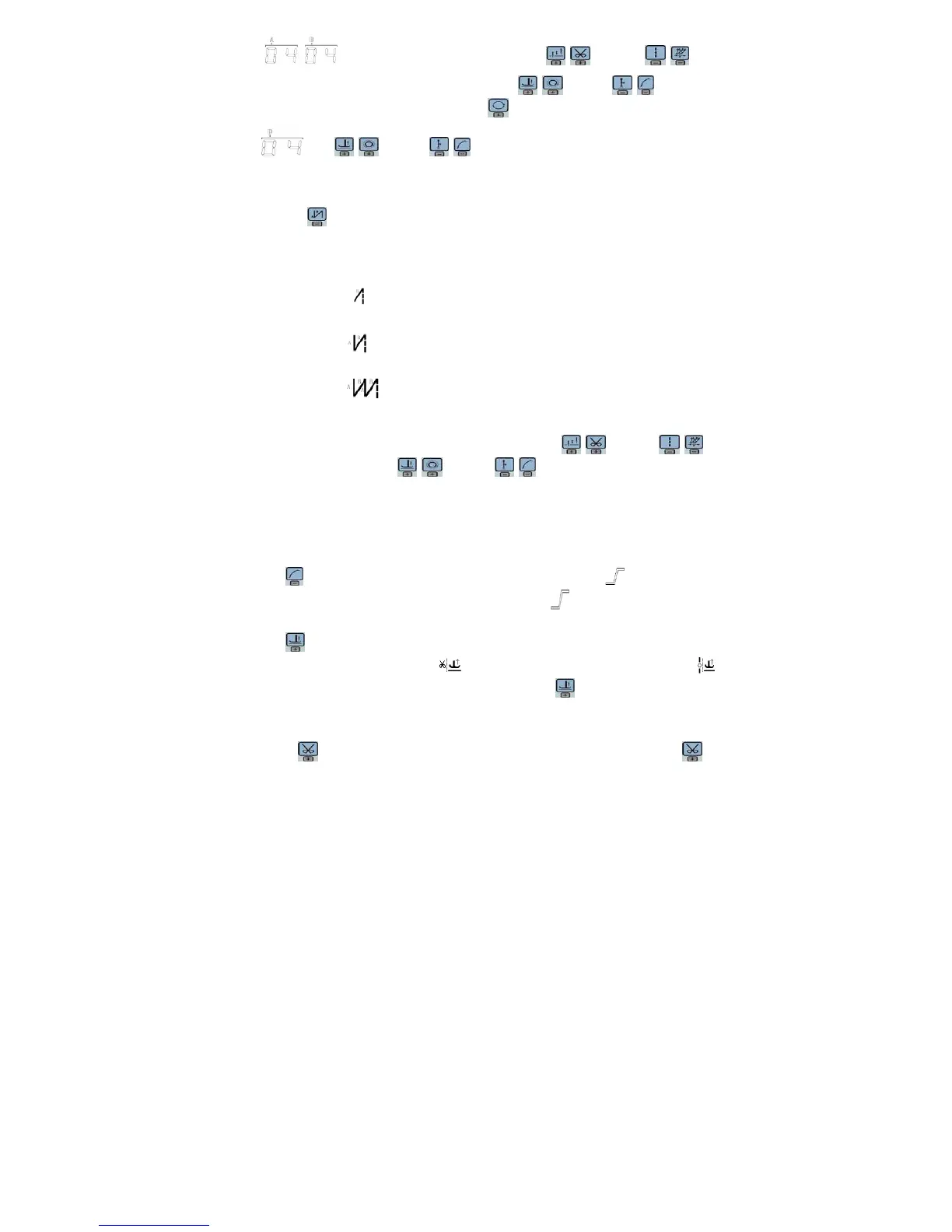
is W sewing setup status. You may use keys and keys to
choice needle in A area and set rang 1-99 stitches; use keys and keys to choice
needle in B area and set rang 1-99 stitches. Press key, can be used to choice A B D segment,
LCD , use keys and keys to choice needle in B area and set rang 1-99
stitches.
3.1.2 Start/End back tacking setup:
Step 1: Press key
Start back tacking has following four modes:
None start back tacking
Single start back tacking
Double start back tacking
Four start back tacking
Step 2: Stop pressing to confirm, then this back tacking mode has been selected.
Step 3: Change the corresponding parameters A values by using
keys and keys
and B values by using
keys and keys. The value range is 1-99 stitches.
It set pin number to be completed before star back tacking.
Note: End back tacking setting method is similar with start back tacking setting method
basically, except the key.
3.1.3 Soft start setup:
Press key, entry into soft start status. If choice soft starts, the icon is lightened in LCD
areas. Press this key again to exit soft start status, the icon will off.
3.1.4 Press foot lifting key:
Press key, entry into foot lifting status, total four different status, no automatic foot lifting、
automatic foot lifting after trimming ( )、 automatic foot lifting if stop during sewing( )
automatic foot lifting if trimming and stop during sewing. Use key to choice foot lifting setup
status and stop press key to confirm. Foot lifting had compiled.
3.1.5 Trimming key
If press key entry into press trimming status, select/non-select trimming. Press key


 To Next Page
 Loading...