2.
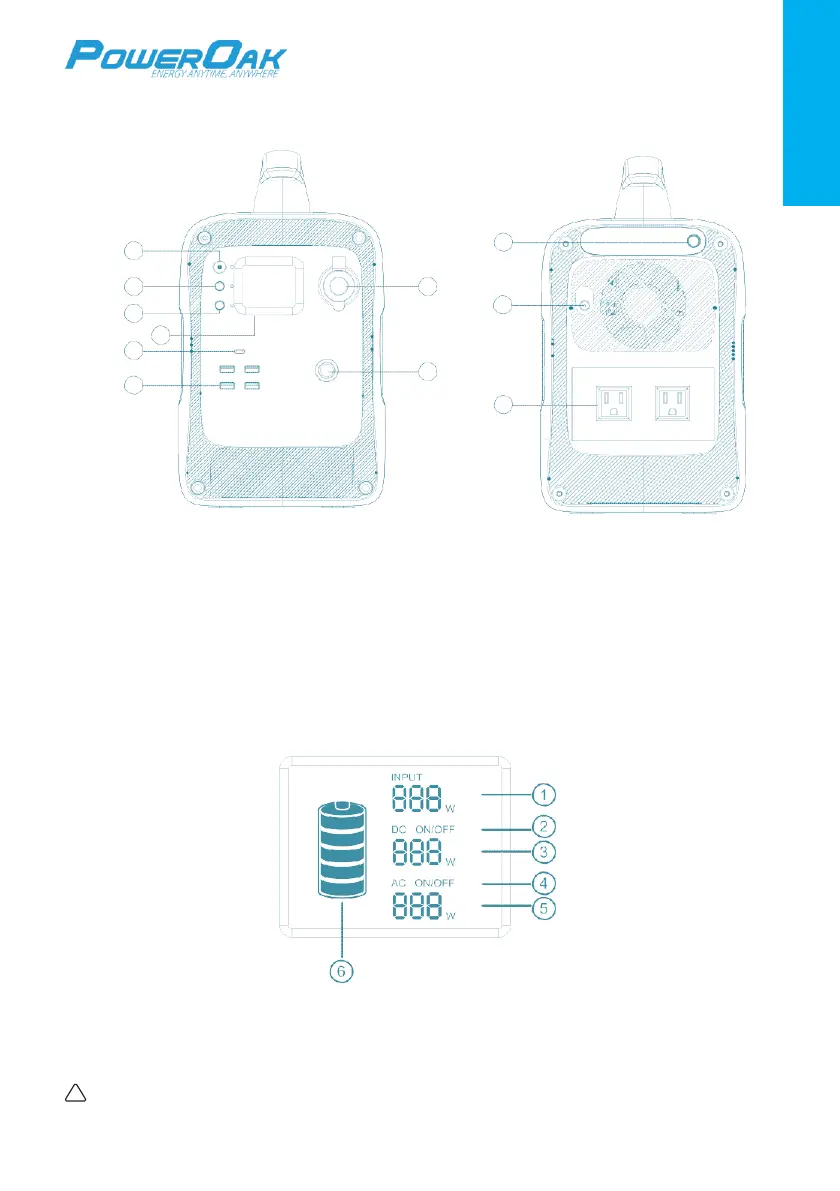
Function Introduction
1
9
2 7
3
10
4
5
8
6
11
1. Main power button 7. DC12V Car Cigarette Lighter Output
2. DC power button 8. External Extension Port
3. AC power button 9. LED Lighting Button
4. LCD screen 10. Recharging(input) Port
5. Type-C PD output port 11. AC Output Port
6. USB output port
LCD Screen
1. Charging power 4. AC ON/OFF
2. DC ON/OFF 5. AC output power
3. DC output power 6. Battery capacity indicator
!
Note: If the product malfunctions, error codes would be displayed on screen.



 To Next Page