4.
Install the voltage sensing wires
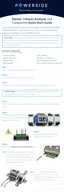
Your PQube 3 Portable 480V includes voltage sensing leads (wires) with built in fuses on the red, yellow, and blue
leads. To access the fuse, twist the banana plug from the thick end of the cable. Ensure a fuse is installed inside each
of the three wires before installation.
The white (Neutral) and green (Earth) leads do not include a fuse.
Plug the voltage sensing leads into the voltage terminals (banana jacks) of your PQube 3 Portable 480V.
Verify that each voltage sensing lead is connected to the correct voltage input terminal on the PQube 3
Portable 480V. The wires and banana jacks are color coded.


 To Next Page
 Loading...