Battery Charge Level Indicator
The battery pack are equipped with a push button for checking the charge level. Simply press the push
button to read off the battery charge level from the LEDs of the battery indicator:
The battery is at 25% capacity and requires charging.
The battery is at 50% capacity and requires charging
soon.
The battery is at 75% capacity.
The battery is at full capacity.
NOTE: If the charge level button does not appear to be working, place the battery pack on the charger
and charge as needed.
Charging the Battery Pack
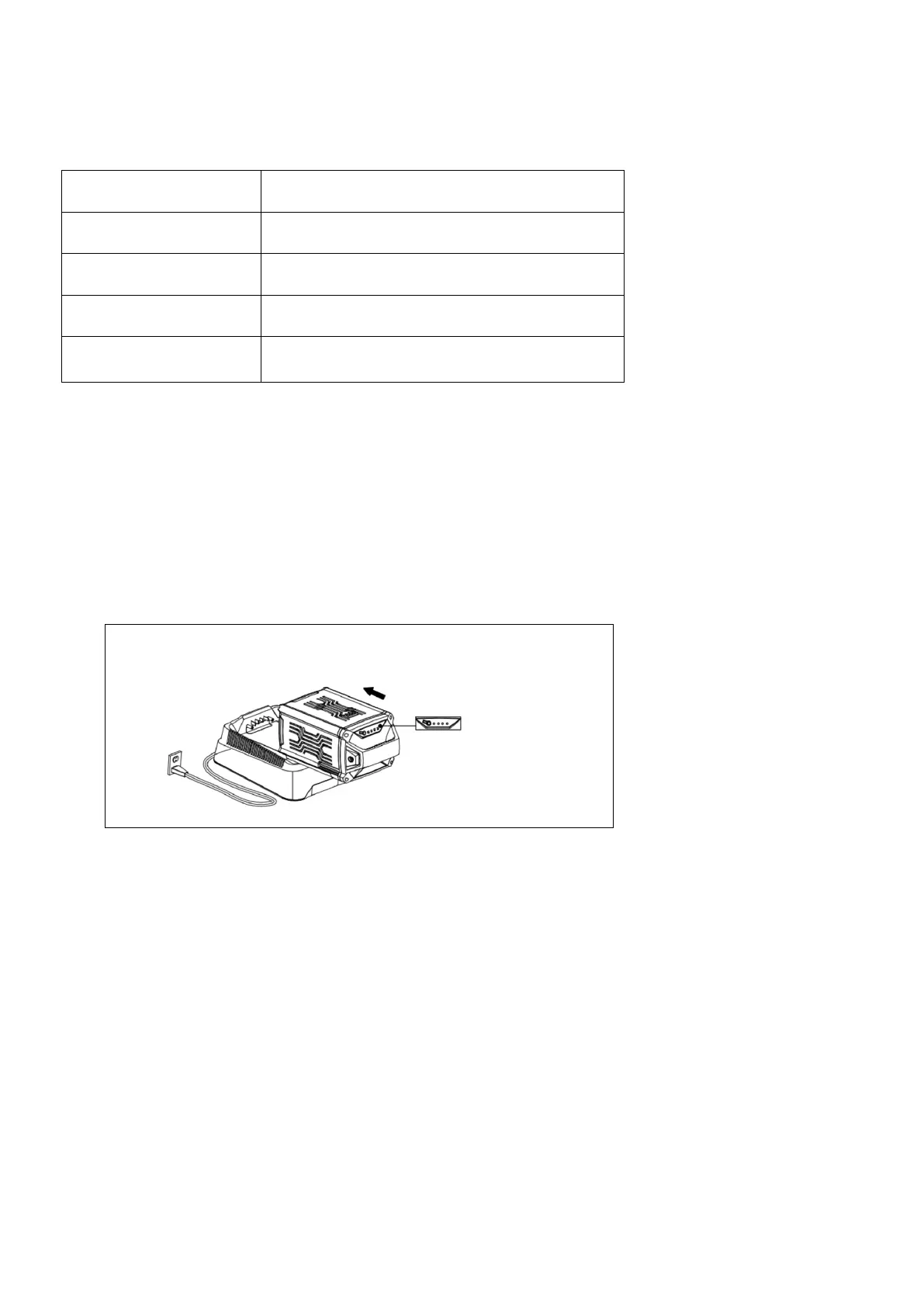
1. Pull the lock button on the battery to pull the battery pack out of the equipment.
2. Insert the charger's plug into the electrical wall outlet.
3. Place the battery pack into the charger by sliding the pack as shown to lock it into position.
4. When charging is complete, remove the battery from the charger by pulling the push lock button.
NOTE: Optimal charging temperatures are between 32°F (0°C) and 122°F (0°C - 50°C). If there is
something wrong with the battery. Contact customer service center at for assistance.


 To Next Page