7
USE AND SETTING
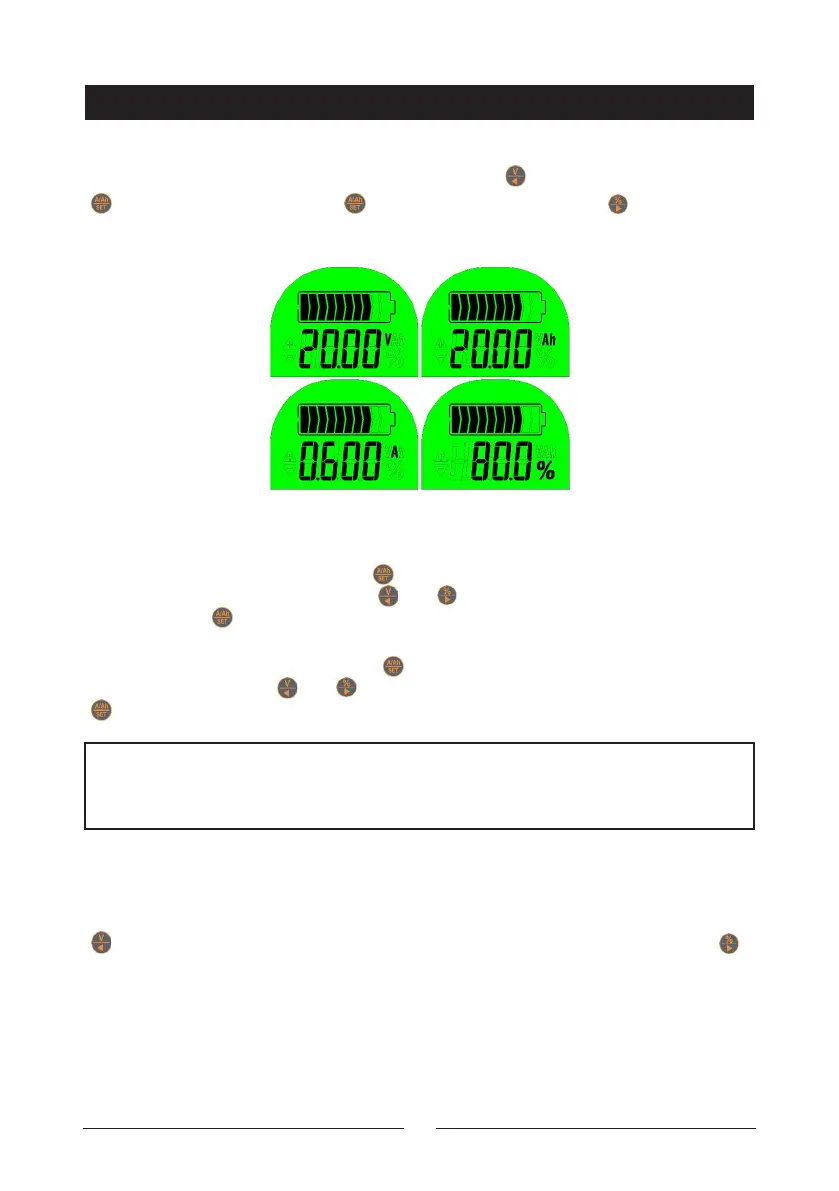
Change display interface
After power on, display capacity percentage. Click “ ” key display voltage; click
“ ” key, display capacity, click “ “ again, display current; click “ ” key, display
percentage.
Preset capacity and voltage setting
1. Under voltage display, press the “ ” key for 3s to enter zero capacity voltage
setting. The set bit flicker, click the “ ” or “ ” key to plus and minus the value,
then press the “ ” key to complete setting. When the voltage is lower than the
value the percentage will be 0%, and backlight o.
2. Under capacity display, press the “ ” key for 3s to enter capacity setting. The
set bit flicker, click the “ ” or “ ” key to plus and minus the value, then press the
“ ” key to complete setting.
Set capacity zero or full
When on first use or change the battery, the memory capacity should be set zero
or full: In the main interface hold the
“ ” key for 3 seconds to set the capacity zero, the percentage is 0; hold the “
” key for 3 seconds to set the capacity full, the percentage is 100. Attention that
the operations can not be restored.
NOTE: Generally the zero capacity voltage do not need to set. The default is
OV, mean invalid. If you want set , please understand the actual charge and
discharge voltage of battery firstly.


 To Next Page