EasyManua.ls Logo

PowerTraveller Discovery - User Manual

PowerTraveller Discovery
2 pages
Print Icon
To Next Page IconTo Next Page
Loading...
PARAMETERS
• Input: 5V
• Micro USB IN
• Charging time: 6 hours
• USB Output 1&2:
combined 3A
• USB 2 with Quick charge
2.4A
• Weight: 157g
• Dimensions: (L*H*W)
135 x 64 x 15mm
• Battery capacity: 6000mAh
• Power: 22Wh
• Battery chemistry:
Lithium Polymer
• Battery cycle times:
>500 cycles
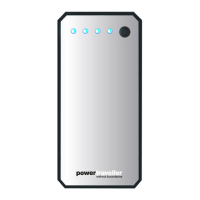
• 4 LED battery level
indicator. Each blue light
represents 25% of charge
Tips are available to buy at:
powertraveller.com
DISCOVERY
SLEEK COMPACT
STYLISH CHARGER
USER GUIDE
MICRO USB
TO USB
CONNECTION
CABLE
ON/OFF
BUTTON
LED
STATUS
LIGHTS
QUICK CHARGE
YOU CAN: CHARGE TABLETS SMARTPHONES
GOPROS GPS SMART WATCHES HEAD LAMPS
AND MORE
QC
Question and Answer IconNeed help?

Do you have a question about the PowerTraveller Discovery and is the answer not in the manual?

Summary

Device Parameters and Specifications

Using the Discovery Charger

Turning the Device On and Off

Activate or deactivate the charger by pressing the button to turn it on and twice to turn it off.

Checking the Charge Status

Briefly click the on/off button when the charger is off to see remaining charge indicated by blue LEDs.

Charging a Device

Connect a USB cable to the output sockets, including the 5V 2A QC port for quick charge.

Recharging the Discovery Charger

Connect the included cable to a 5V USB output socket and the micro USB end into the charger.

PowerTraveller Discovery Specifications

General IconGeneral
Weight247g
Dimensions10.5 x 7.3 x 2.3cm
USB Ports2
Battery typeLithium polymer
Output Current2.1A
Output Voltage5V
Output5V DC, 2.1A

Related product manuals