EasyManua.ls Logo

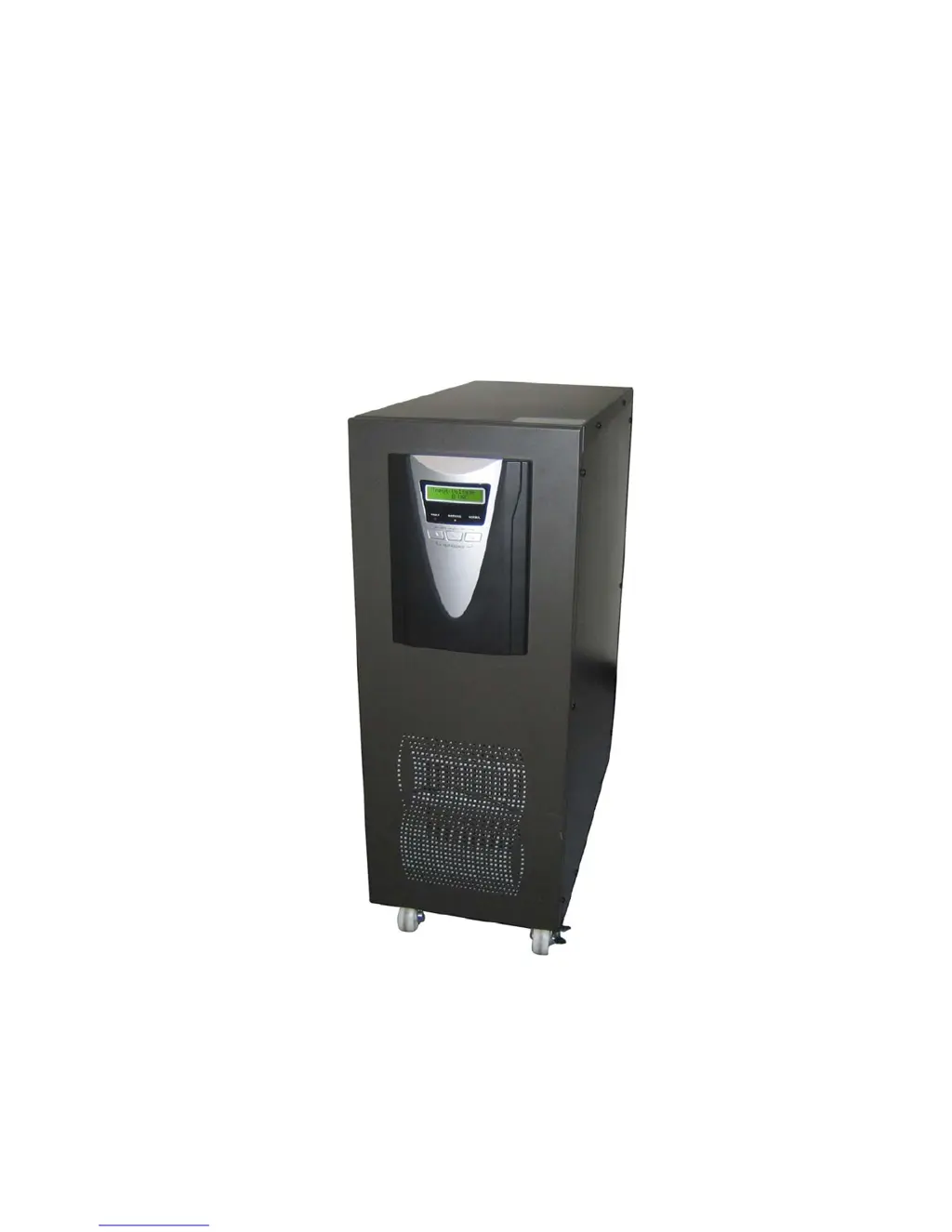
Powertronix PTX 2 M Series - User Manual

Powertronix PTX 2 M Series
33 pages
Print Icon
To Next Page IconTo Next Page
Loading...
POWERTRONIX spa
User Manual
PTX 2 M Series UPS
6/10 kVA
POWERTRONIX spa
www.powertronix.it
Via Abruzzi,1 - 20056 Grezzago ( ITALY )

Questions and Answers

  • K
    Kristen ColonAug 20, 2025
    What to do if AC power fails and my Powertronix PTX 2 M UPS is in battery mode?
    • S
      Sheila MartinAug 20, 2025
      If the AC utility power fails while the Powertronix UPS is in battery mode, reduce the load to extend backup time. If it is not a power failure, check the rated input or connected power line.
  • R
    Renee CrawfordAug 22, 2025
    How to fix an overload (105%) on my Powertronix PTX 2 M UPS?
    • L
      Lisa ConwayAug 22, 2025
      If the Powertronix UPS is overloaded up to 105%~130% while AC utility power is normal, reduce the load to less than 100%.
  • T
    Trevor ParkerAug 25, 2025
    What to do if my Powertronix PTX 2 M UPS is overloaded (135%)?
    • V
      valerie15Aug 25, 2025
      If the Powertronix UPS is overloaded up to 130%~150% while AC utility power is normal, reduce the load to less than 100%.
  • M
    Maria RobersonAug 26, 2025
    How to turn on Powertronix UPS if it doesn't power on?
    • A
      Antonio HoodAug 27, 2025
      If the Powertronix UPS cannot power on, ensure the “ON” button is pressed for more than 1 second. Also, check the battery connection or recharge the battery if the battery pack voltage is too low.
  • J
    Joseph CarrollAug 28, 2025
    What to do if my Powertronix UPS beeps every second in battery mode?
    • R
      rhondablakeAug 28, 2025
      If the AC utility power fails and the Powertronix UPS is in battery mode with low battery, the UPS will shut down automatically. Save your data soon, as the battery power is discharging deeply and the UPS will shut down automatically.
  • K
    Kimberly ArmstrongAug 30, 2025
    Why is the utility power LED flashing on my Powertronix PTX 2 M?
    • L
      Logan ThompsonAug 30, 2025
      When the utility power LED flashes on your Powertronix UPS, it means the UPS is running in battery mode because the voltage or frequency of the utility power is out of the input range. To save your data and close the application program. Make sure the utility power is within the input voltage or frequency range permitted by the UPS.
  • E
    Eric CarrollSep 1, 2025
    What to do when my Powertronix PTX 2 M UPS completely shuts down?
    • K
      Kathleen WatersSep 1, 2025
      If the Powertronix UPS completely shuts down, it will restart when AC utility power is restored. If the AC utility power failure lasts more than 6 hours, charge the battery for 24 hours to ensure it is fully charged.
  • C
    Charles DoyleSep 3, 2025
    Why is the battery LED flashing on my Powertronix UPS?
    • M
      Mrs. Mary WalkerSep 3, 2025
      If the battery LED flashes on your Powertronix UPS, check the battery connection. If the battery is damaged, replace it immediately and ensure the battery breaker is in the “ON” position.
  • E
    Eric HortonSep 5, 2025
    What does it mean when Fault LED #1 and #2 are on and the Powertronix PTX 2 M beeps?
    • C
      Cynthia LongSep 5, 2025
      If the #1 Fault LED and the #2 LED are turned on, the Powertronix UPS is overloaded or the load equipment is faulty. Check the loads and remove all non-critical equipment. Recalculate the load power and reduce the number of loads connected to the UPS. Check that the loads are not failed.
  • J
    James RiveraSep 7, 2025
    How to fix a temperature fail on my Powertronix UPS?
    • P
      pwilkinsSep 7, 2025
      If the AC and battery indicators are OK, but the temperature fails, and the Powertronix UPS is in bypass mode with continuous beeping, it could be due to fan failure or high temperature. Replace the fan or reduce the ambient temperature or output load.

Summary

UPS Safety Instructions

Personnel and Product Safety

Critical safety warnings covering electrical hazards, battery handling, installation environment, and usage.

UPS Installation Guide

Standard Installation and Wiring

Essential guidelines for UPS placement, ventilation, and electrical wiring.

UPS Operation

Powering the UPS On and Off

Instructions for starting, shutting down, and performing battery start-ups of the UPS.

Configuring Output Voltage and Frequency

Guide to adjusting the UPS output voltage and frequency settings through the LCD.

Setting Bypass Voltage Thresholds

Procedure for setting the low (LO) and high (HI) voltage limits for bypass mode.

UPS Maintenance

Battery Management and Testing

Detailed procedures for battery replacement, testing, and safety precautions.

UPS Troubleshooting

Troubleshooting LCD and Audible Alarms

Lists common issues indicated by LCD messages and audible alarms, with solutions.

LED Status Indicator Troubleshooting

Interpretation of LED patterns and associated troubleshooting actions for UPS faults.

Comprehensive LED Status Table

A detailed reference table correlating LED displays with operating statuses and alarms.

Powertronix PTX 2 M Series Specifications

General IconGeneral
Apparent Power2000 VA
Active Power1600 W
Input Voltage230 V
Output Voltage230 V
Input Frequency50/60 Hz
Output Frequency50/60 Hz
WaveformSine Wave

Related product manuals