EasyManua.ls Logo

Powertronix Alcor - User Manual

Default Icon
46 pages
Print Icon
To Next Page IconTo Next Page
Loading...
Powertronix spa reserves the right to modify this document without notice
Page 1 of 46
R&D USER MANUAL DT0430-E04
POWERTRONIX
UNINTERRUPTIBLE POWER SUPPLY
User Manual
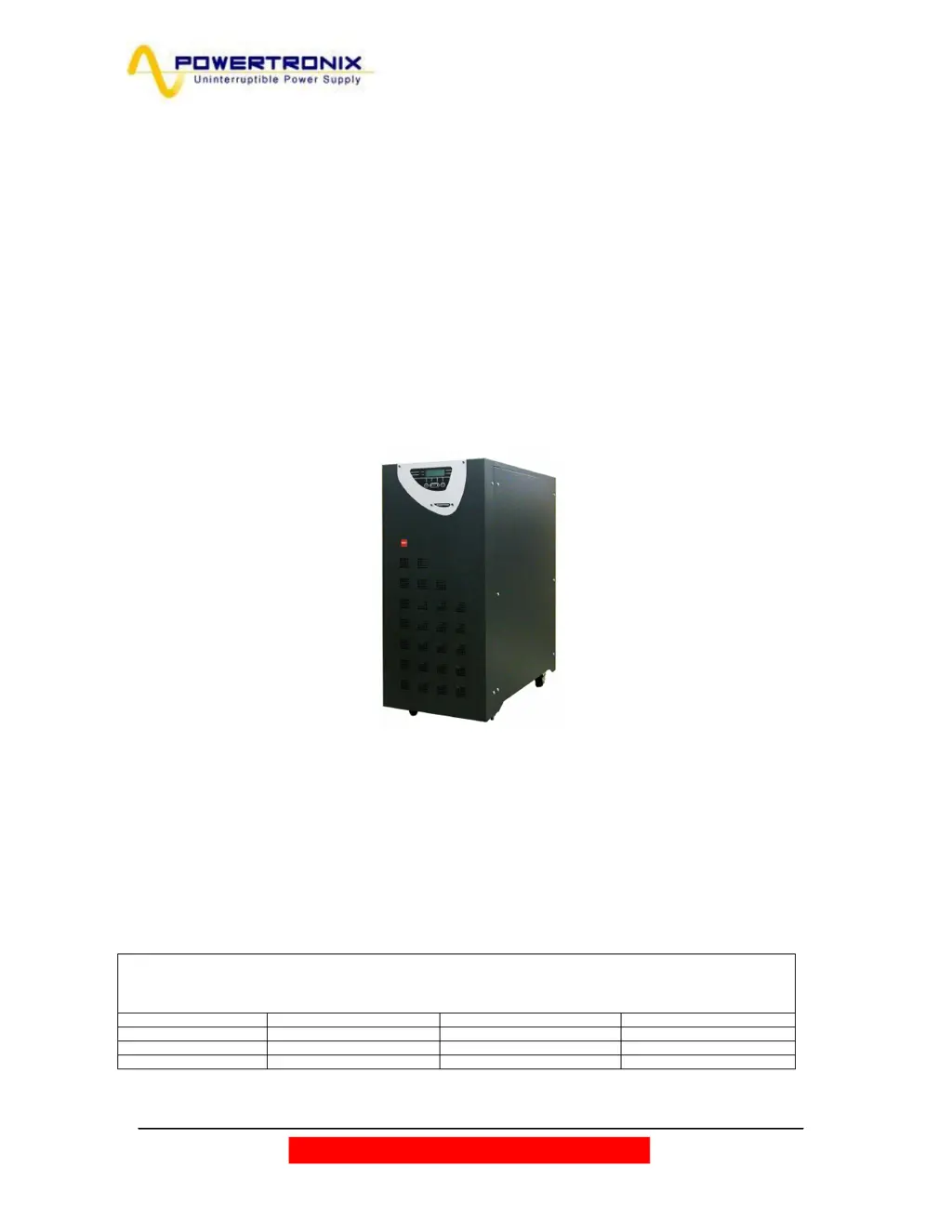
MIZAR 10÷15 kVA
ALCOR 20÷40 kVA
Document : DT0430 English - Ptx
Revision Date Issued by Approved by
03 09/02/2010 Riccardo G. Andrea G.
04 04-03-2010 Riccardo G. Andrea G.
05

Table of Contents

Questions and Answers

Summary

GENERAL OVERVIEW

1.1. UPS GENERAL DESCRIPTION

Describes the physical aspects and construction of the UPS unit.

1.2 CONFIGURATION AND OPTIONAL EQUIPMENT

Details available UPS models, configurations, and optional accessories.

1.3 OPERATING PRINCIPLE

Explains the dual conversion and bypass operation of the UPS.

INSTALLATION INSTRUCTIONS

2.1 GENERAL INFORMATION

Lists the topics covered in the installation section.

2.2 RECEPTION AND IDENTIFICATION

Covers unpacking, inspection, and identifying the UPS unit.

2.3 STORAGE

Provides guidelines for proper storage of the UPS before installation.

2.4 UPS POSITIONING

Specifies requirements for placing the UPS and associated clearances.

2.5 ROOM SPECIFICATIONS

Details environmental and safety requirements for the installation location.

2.6 LAYOUT AND CONNECTION TO THE MAINS

Illustrates mains and reserve line connection diagrams for various configurations.

2.7 UPS AUXILIARY CONNECTIONS

Explains connections for communication boards, remote panels, and EPO buttons.

CONTROL PANEL

3.1. INTRODUCTION

Introduces the UPS control panel, its display, and buttons.

3.2. LCD CONTROL PANEL

Describes the LCD display, status LEDs, and navigation buttons.

3.2.1. MENU 1: UPS STATUS AND ALARMS

How to view UPS operational status and alarm messages.

3.2.2. UPS IN FAULT CONDITIONS

Lists potential UPS alarms, causes, and troubleshooting messages.

3.2.3. MENU 2: MEASUREMENTS

Guides on checking electrical parameters like voltage, current, and temperature.

3.2.4. MENU 3: UPS COMMANDS

Details commands for system start/stop and load switching.

3.2.5. MENU 4: PANEL SETUP

Covers settings for date, time, language, and alarm configuration.

3.2.6. MENU 5: EVENTS RECORDER MANAGEMENT

How to access and review the UPS event log history.

3.2.7. MENU 6: SERVICE MODE

Overview of the password-protected service mode for advanced settings.

INSTRUCTIONS FOR USING THE UPS

4.1. INTRODUCTION

Explains UPS operating conditions: normal, bypass, and battery.

4.2. POWER SWITCHES

Identifies main input, reserve, bypass, and output switches.

4.3. UPS START-UP CONFIGURATION

Details AUTOMATIC and NORMAL start-up modes for the UPS.

4.4. INSTRUCTION FOR SYSTEM START-UP IN AUTOMATIC MODE

Step-by-step guide for starting the UPS in automatic mode.

4.5. INSTRUCTION FOR SYSTEM START-UP IN NORMAL MODE

Step-by-step guide for starting the UPS in normal mode.

4.6. INSTRUCTIONS FOR COMPLETE SHUTDOWN OF THE UPS

Procedure for safely shutting down the UPS and disconnecting power.

4.7. INSTRUCTIONS FOR SWITCHING SYSTEM TO MANUAL BY-PASS MODE

Steps to transition the UPS to the manual bypass operational state.

4.8. INSTRUCTIONS FOR RETURN FROM MANUAL BY-PASS MODE TO NORMAL OPERATION

Procedure to revert from manual bypass back to normal UPS operation.

4.9. E.P.O. (EMERGENCY POWER OFF) STOP

Explains the emergency stop function and how to reset it.

4.10. MANAGING THE UPS BATTERY

Information on monitoring battery status and performing tests.

4.11. BATTERY TEST PROGRAMMING

Details on executing and scheduling UPS battery tests.

UPS IN PARALLEL

5.1 SYSTEM SET-UP

Guidelines for setting up multiple UPS units to operate in parallel.

TROUBLESHOOTING

6.1. GENERAL ALARMS

Lists common alarms, their causes, and recommended troubleshooting actions.

6.2. FIRE

Safety instructions for fire emergencies, including extinguisher types.

6.3. FAULTS RELATED TO THE NATURE OF THE LOAD

Explains how load characteristics can trigger UPS fault indications.

SCHEDULED MAINTENANCE

Powertronix Alcor Specifications

General IconGeneral
Capacity600VA
Input Voltage230VAC
Output Voltage230VAC
Frequency50/60Hz
Battery TypeSealed Lead Acid (SLA)
Communication InterfaceUSB

Related product manuals