User Manual
16
en
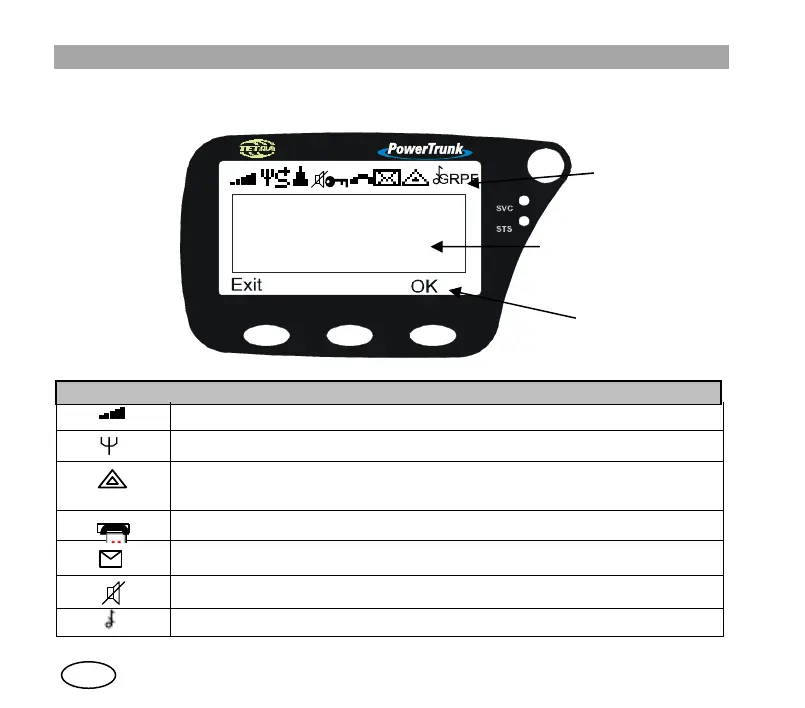
6.1 Display indicators
The on-screen indicators display information about the operation of the equipment:
Symbol Description
Signal intensity (RSSI) or level of coverage indicator
Valid network (Only in V+D network mode)
Emergency call established (steady).
Flashing if the call is being set up
.
Call established
Message received (steady). Flashing when a message is being sent.
Discrete mode active. Converts a semi-duplex incoming call with direct signalling to
on/off hook signalling.
All tones off
cid:
ima
ge0
02.
gif
Icon area
Text area
Soft keys area


 To Next Page