EasyManua.ls Logo

PowerVision S1 - Device Indicators and Battery Level; System Status Indicator; Battery Level Indicator

PowerVision S1
28 pages
Print Icon
To Next Page IconTo Next Page
To Previous Page IconTo Previous Page
Loading...
Blinking blue light
Blinking red light
Gimbal exception
(too high or too low temperature, excessive battery discharge etc.)
Blinking pattern
Solid yellow light
Solid green light
Yellow and green pulses blink
Solid orange light
Indicator status
Bluetooth not connected
Bluetooth connected
Standby mode
Phone charger mode
Gimbal is updating
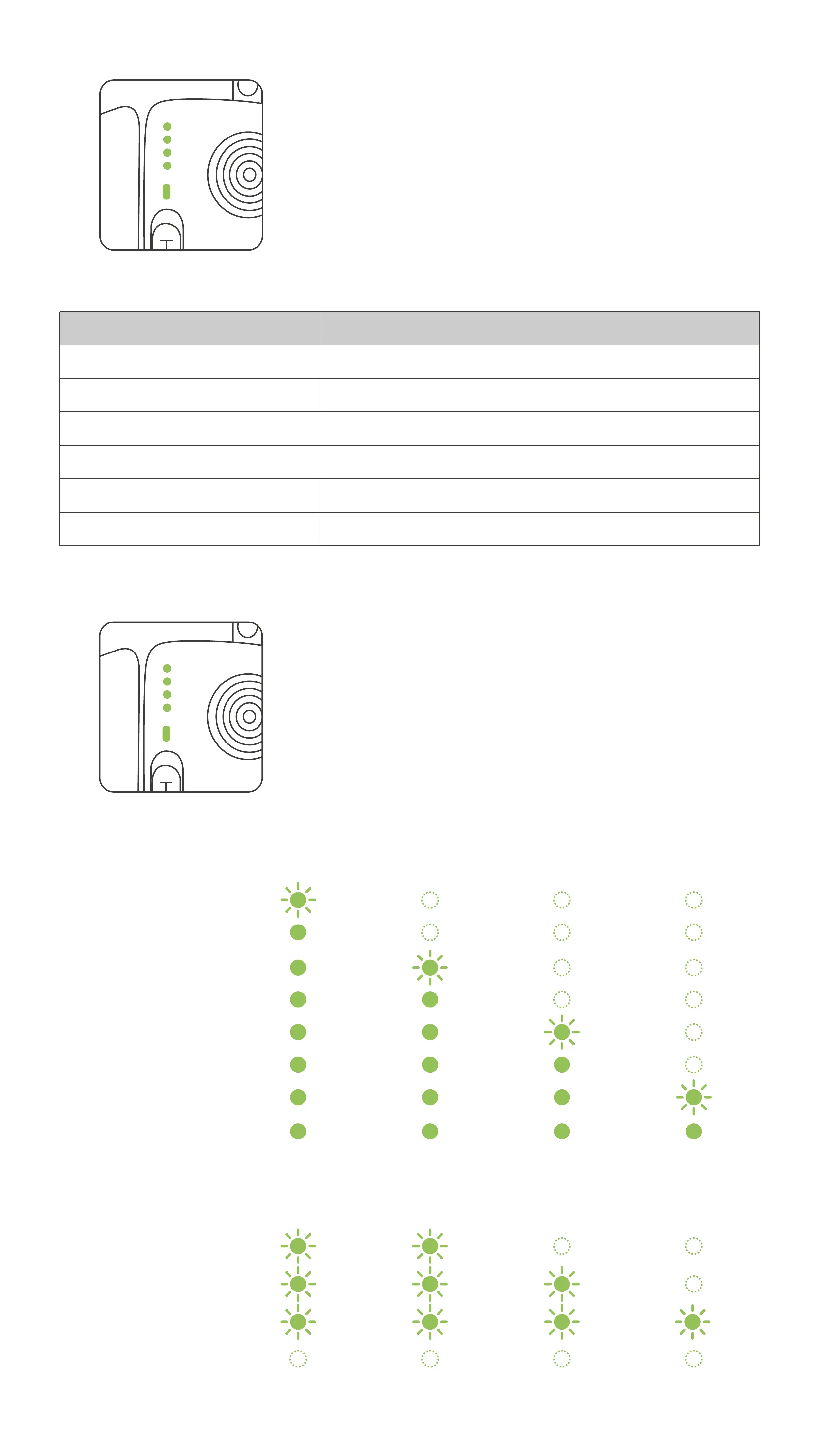
Indicates the current system status
Operating status:
Charging mode:
Battery Level Indicator
Current battery level LED1 LED2 LED3 LED4
0%~13%
13%~25%
25%~38%
38%~50%
50%~63%
63%~75%
75%~88%
88%~100%
Battery level LED1 LED2 LED3 LED4
Fully charged
5
0%-50%
80%-100%
50%-80%