EasyManua.ls Logo

PowMr POW-LVM3.2K-24V - User Manual

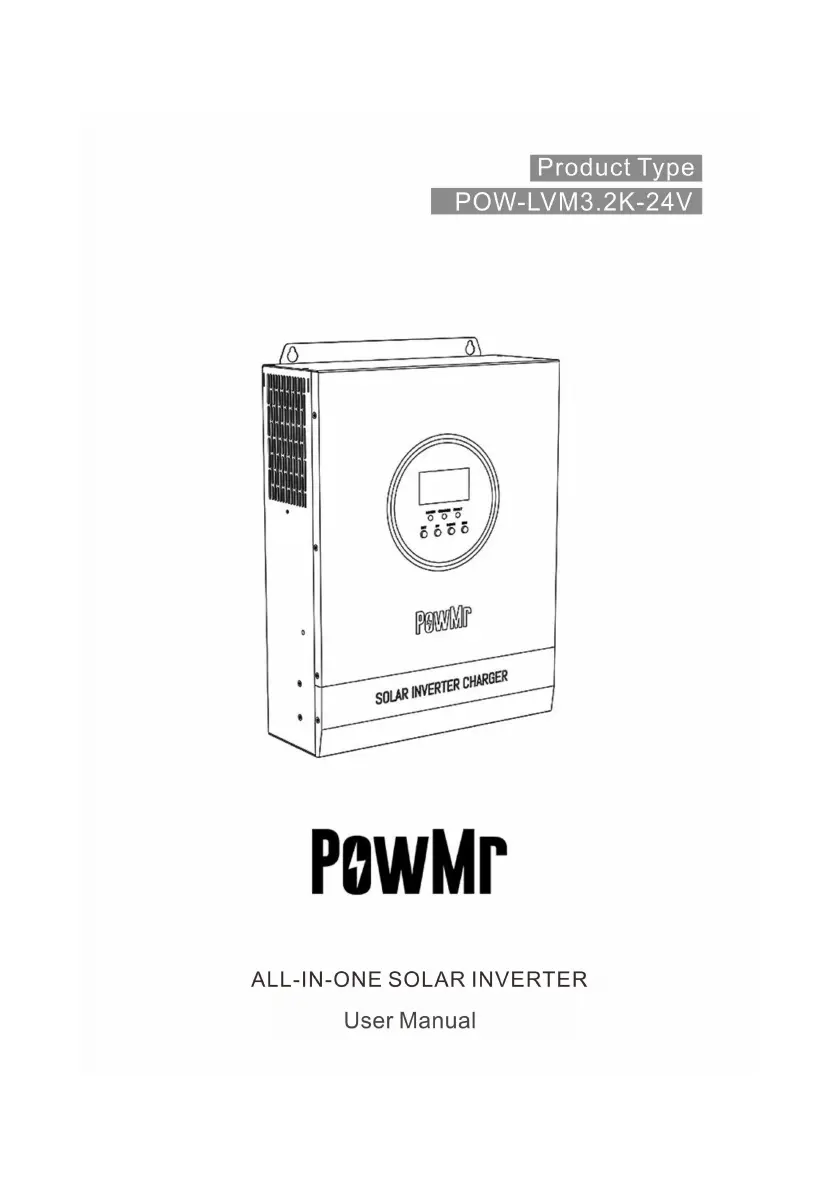
PowMr POW-LVM3.2K-24V
44 pages
Print Icon
To Next Page IconTo Next Page
Loading...
1

Questions and Answers

  • K
    Kelli HayesAug 16, 2025
    What to do if my PowMr POW-LVM3.2K-24V Inverter shows overload protection?
    • W
      Willie ReillyAug 16, 2025
      If your PowMr Inverter is showing an overload protection message, try reducing the amount of power being used by your equipment. After doing so, restart the unit to resume load output.
  • T
    Toni LeeAug 19, 2025
    What to do if PowMr POW-LVM3.2K-24V Inverter has short-circuit protection?
    • S
      Stephanie SmithAug 19, 2025
      If the PowMr Inverter activates short-circuit protection, carefully inspect the load connection and eliminate any short-circuit issues. Then, power the device back on to restore load output.
  • L
    Lindsey RomeroAug 21, 2025
    Why is my PowMr POW-LVM3.2K-24V showing a battery disconnected alarm?
    • S
      Stephanie ReynoldsAug 21, 2025
      If your PowMr Inverter is alarming that the battery is disconnected, verify that the battery is properly connected and that the battery circuit-breaker is closed.
  • D
    davisamyAug 25, 2025
    How to fix no display on PowMr POW-LVM3.2K-24V screen?
    • S
      Samantha FloresAug 26, 2025
      If there is no display on your PowMr Inverter screen, check that the battery and PV air switches are closed and in the "ON" state. If they are, press any button on the screen to wake it from sleep mode.
  • R
    Ricky MorrisonAug 27, 2025
    What to do if PowMr POW-LVM3.2K-24V fan fails?
    • M
      Megan HowardAug 28, 2025
      If the fan on your PowMr Inverter fails, check to see if the fan is not turning or if it's being blocked by something.
  • C
    Chad JacksonAug 31, 2025
    What causes battery overvoltage protection in PowMr POW-LVM3.2K-24V Inverter?
    • G
      Gary HarrisAug 31, 2025
      Battery overvoltage protection in your PowMr Inverter can be triggered if the battery voltage exceeds the rated voltage. To resolve this, turn off the PV array air switch and mains air switch.
  • J
    James ParkerSep 3, 2025
    How to check PV over-voltage on PowMr POW-LVM3.2K-24V Inverter?
    • N
      Nathaniel CameronSep 3, 2025
      To check for PV over-voltage on your PowMr Inverter, use a multimeter to verify that the PV input voltage does not exceed the maximum allowable input voltage.
  • J
    Jason BrownSep 6, 2025
    How to resolve battery undervoltage protection on PowMr POW-LVM3.2K-24V?
    • C
      cassandra98Sep 6, 2025
      To resolve battery undervoltage protection on your PowMr Inverter, charge the battery until its voltage returns to the low voltage disconnection recovery voltage.
  • B
    Brandy MurphySep 9, 2025
    What to do for heat sink over temperature protection on PowMr Inverter?
    • L
      Lisa MedinaSep 9, 2025
      Heat sink over temperature protection on your PowMr Inverter will stop when the device cools down below the recovery temperature, and normal charge and discharge control will resume automatically.
  • G
    george23Sep 12, 2025
    What to do if PowMr Inverter inverted AC output backfills to bypass AC input?
    • B
      bknightSep 12, 2025
      To address inverted AC output backfilling to bypass AC input on your PowMr Inverter: disconnect the AC input, PV input, and battery input. After the screen turns off, reconnect only the battery and start the unit. If fault 26 is reported, contact the manufacturer to replace the AC input relay switch, as it is likely short-circuited.

Summary

Important safety instructions

General information

Product overview and features

Details the POW-LVM3.2K-24V solar storage inverter, its features, and technologies.

Basic system introduction

Explains the components of the solar storage system and their roles.

Appearance

Illustrates and labels the external components and ports of the solar storage inverter.

Dimension drawing

Provides detailed physical dimensions and measurements of the solar storage inverter.

Installation instructions

Installation precautions

Details crucial safety guidelines and preparatory steps before installing the solar storage inverter.

Wiring specifications and circuit breaker selection

Specifies recommended wire diameters and circuit breaker types for PV, AC input, and AC output.

Installation and wiring

Guides through the physical installation steps and initial wiring of the solar storage inverter.

Operating modes

Charging mode

Details the four available charging modes: PV priority, Mains priority, Hybrid, and Only Solar.

Output mode

Explains the three output modes: PV priority, Mains priority, and Inverter priority.

LCD screen operating instructions

Operation and display panel

Describes the front panel layout, including the LCD screen, indicators, and operation buttons.

Real-time data viewing method

Explains how to navigate and view real-time operational data on the LCD screen using buttons.

Setup parameters description

Details how to access and configure various setup parameters through the LCD menu.

Battery type parameters

Lists and describes the parameters for different lead-acid battery types, including user-defined.

Other functions

Dry contact

Explains the working principle of the dry contact for controlling diesel generator charging.

RS485 communication port

Details the RS485/WIFI communication port for PC connection and mobile APP control.

USB communication port

Describes the USB port for communication with PC host software and driver installation.

Protection

Protective function

Lists and describes various protection mechanisms implemented in the solar storage inverter.

Fault code

Provides a list of fault codes, their names, and descriptions of their impact and meaning.

Troubleshooting

Offers solutions for common faults, including display issues, overvoltage, and fan failures.

System maintenance

Technical parameters

PowMr POW-LVM3.2K-24V Specifications

General IconGeneral
ModelPOW-LVM3.2K-24V
Rated Power3200W
Efficiency93%
Battery Voltage24V
WaveformPure Sine Wave
CoolingFan Cooling
Input Voltage24V
Output Voltage230V AC
Output Frequency50Hz
Protection FeaturesOverload, Short Circuit
Storage Temperature-15°C to 60°C
Humidity5% to 95% (Non-condensing)

Related product manuals