3
SAFETY NOTICE:
Please read the user manual carefully before using the projector.
Please use standard power cord with ground wire, to ensure stable power supply.
Please use the same power voltage with the projector marked.
Please do not disassemble the projector by yourself, otherwise we will not provide free
warranty service.
Please do not look into the lens when the projector is working, otherwise it will damage your
eyes easily.
Please do not cover the cloth, carpet and other materials in the projector ventilation hole.
Please keep the projector away from the rain, water or any other liquid as it is not waterproof.
Please don’t put the projector under the rain or moisture to prevent electric shock.
Please turn off and cut off the power supply if not use the projector for long time.
Please use the original packing foam or other anti-shock material when moving projector.
Please contact us for help first if the projector has any problems.
WARN NOTICE:
Not Recommended for PPT, Word, Excel or business presentation.
To connect POYANK mini projector with iPad or smart phone, you need a wireless HDMI
adapter. For android phone which supports MHL, you need a MHL to HDMI cable; for iPhone
/ iPad, you need a lighting(Lightning Digital AV Adapter) to HDMI adapter cable.
To connect the mini video projector with PC/ Laptop, please help adjust the PC / Laptop
display resolution to 800*600 or 1024*768, which can provide the best clarify.
Please note that it only provides clear image in dark room.
ACCESSORY LIST:
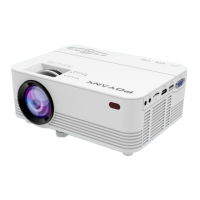
1 x POYANK Mini Projector
1 x Remote Control ( battery not included)


 To Next Page