4
PRODUCT INTRODUCTION:
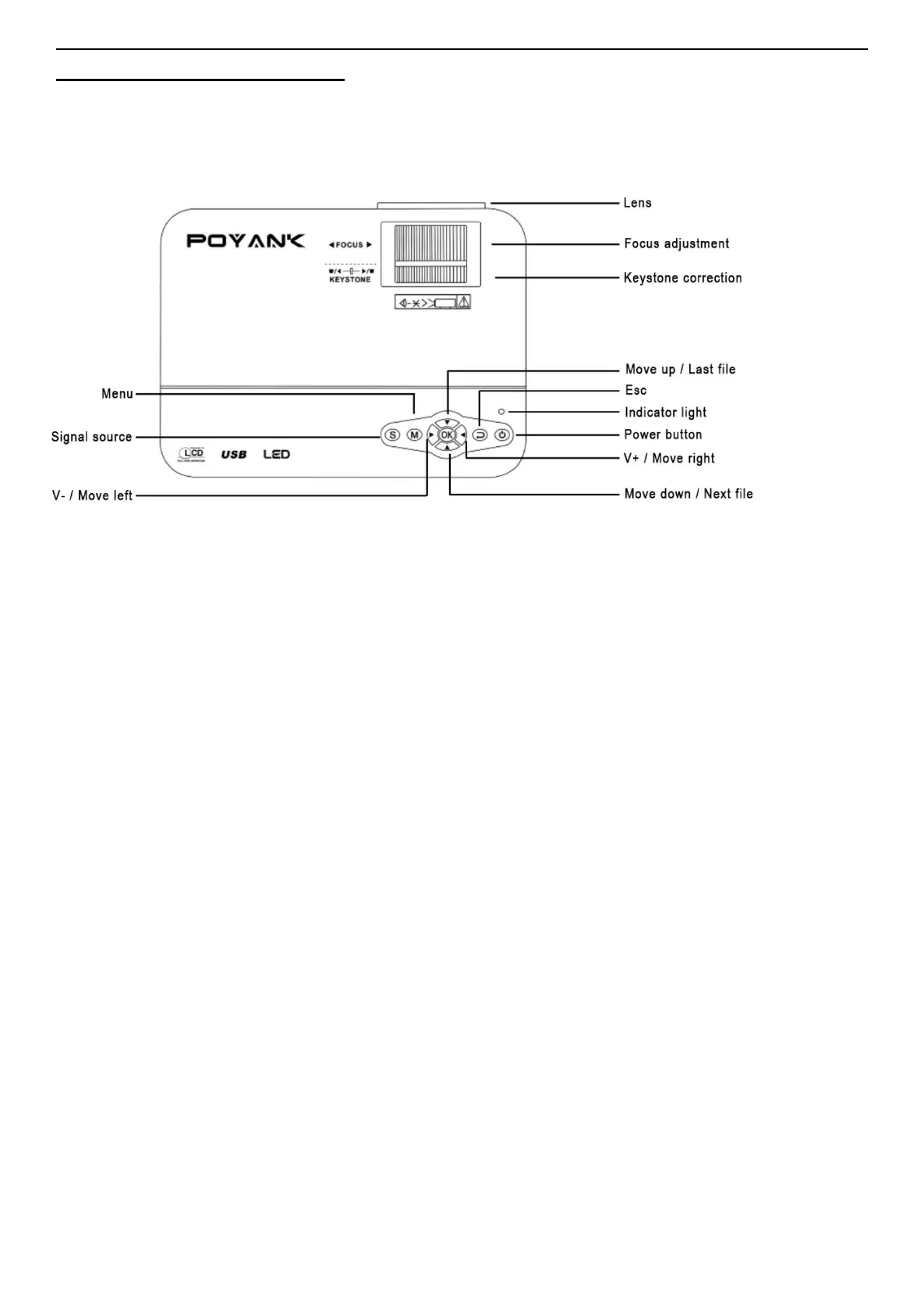
1. Interface Introduction.
Power button: press this button to open or close the machine, the same as the power button
on the remote control function.
Volume plus and minus button: press the two buttons volume can be increased or
decreased, also be used in the project menu in the menu about mobile selection and
parameter adjustment.
Menu: bring up the main menu or exit system.
Show plus and minus keys: move up and down the project menu in the menu options.
TV signal source choice: select the signal or an external video signal.
Lens: rotate the lens, the adjustable image of each pixel is focused on the status, change the
extent of image clarity.
Into the outlet: the air - cooled heat dissipation system into the outlet, in use process, do not
make it obscured or congestion, so as to avoid burning the unit.


 To Next Page