8/16
TO SET THE DMX START ADDRESS
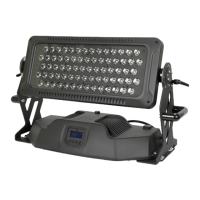
When a console is used to control several LED StarBrite Controllers, so that to control more LED StarBrites, each LED
StarBrite Controller must be given a DMX start address so that the correct LED StarBrite Controller responds to the
correct control signals. This DMX start address is the channel number from which the LED StarBrite Controller starts to
“listen” to the digital control information being sent out from the console. The product has 26 channels, so set the No. 1
LED StarBrite Controller’s address 001, No. 2 LED StarBrite Controller’s address 027, No. 3 LED StarBrite Controller’s
address 053, No. 4 LED StarBrite Controller’s address 079, and so on.
Turn on the LED StarBrite Controller, you can find the address menu by pressing button FUNC, Then follow the
configuration described in the“ SETUP OPTIONS-PRODUCT CONFIGURATION” section.



 To Next Page