EasyManua.ls Logo

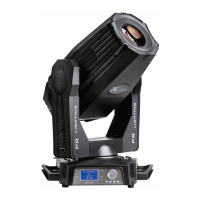
PR Lighting XLED 1037 PR-8120 - User Manual

Default Icon
16 pages
Print Icon
To Next Page IconTo Next Page
Loading...
XLED 1037
PR-8120
This product manual contains important information about the safe installation and use of this projector.
Please read and follow these instructions carefully and keep this manual in a safe place for future reference.
PR LIGHTING LTD.
http://www.pr-lighting.com

Questions and Answers

  • J
    James DaviesAug 1, 2025
    Why is the beam dim on my PR Lighting XLED 1037 PR-8120 Flood Light?
    • S
      Sarah FieldsAug 1, 2025
      If the beam of your PR Lighting Flood Light appears dim and its brightness decreases sharply, it could be due to a high ambient temperature. Take the necessary ventilating measures to address this issue.
  • W
    Wanda BaldwinAug 9, 2025
    What to do if LED lamps are off on PR Lighting XLED 1037 PR-8120 Flood Light?
    • S
      Sierra McdanielAug 9, 2025
      If the lamp of your PR Lighting Flood Light can be started, but the LED lamps are off and not controlled, the LED boards might not be connected properly. In this case, a qualified technician is needed.
  • D
    Dennis CraigAug 16, 2025
    What to do if PR Lighting XLED 1037 PR-8120 projector doesn’t respond to the controller?
    • V
      Virginia AriasAug 16, 2025
      If your PR Lighting Flood Light projector lamps are on but the device doesn't respond to the controller, ensure that the projector’s start address is correctly set. If the issue persists, replace or repair the DMX cable.
  • J
    Jeffery AyalaAug 25, 2025
    How to troubleshoot a PR Lighting XLED 1037 PR-8120 projector that won’t start?
    • M
      Michael SmithAug 25, 2025
      If your PR Lighting Flood Light projector can’t be started, it might be due to the power cable not being connected properly or the control board having a poor connection. If the power supply is damaged or not connected well, or the control board is not connected well, a qualified technician should be required.

Summary

Accessories

Safe Usage of the Projector

Install the Projector

Power Supply-Mains

Control Connection

DMX Terminator

Setup Options-Projector Configuration

Setting DMX Start Address

Procedure to set the DMX start address for projector control.

Operation Menu Structure

DMX Mode and Signal Source

Details on DMX modes, signal source options, and master/slave settings.

Configuration and Information

Menu options for factory reset, fixture information, and test modes.

User Memory and Presets

Management of user-defined presets, sequences, and memory slots.

DMX Protocol

Indication of LED Digital Tube

Maintenance

Keeping the Projector Clean

Troubleshooting

Technical Data

LED and Color Specifications

Details on LED model, power, quantity, life, color mixing, and temperature correction.

Dimmer, Strobe, and Movement

Specifications for dimmer, strobe, pan, tilt ranges, and light angle.

Advanced Technical Specifications

Control Protocols and Functions

Overview of RDM, Master/Slave, and other operational functions.

Housing, Environment, and Weight

Details on housing material, IP rating, operating temperature, and weight.

Light Output Characteristics

Component Order Codes

PR Lighting XLED 1037 PR-8120 Specifications

General IconGeneral
Light source37 x 10W RGBW LEDs
ZoomYes
Pan540°
Tilt270°
Power consumption450W
Operating VoltageAC 100-240V, 50/60Hz
Protection GradeIP20
ControlDMX
LED TypeRGBW

Related product manuals