EasyManua.ls Logo

PRACTIXX PX-RRM-600WI - User Manual

PRACTIXX PX-RRM-600WI
68 pages
Go to English
Print Icon
To Next Page IconTo Next Page
Loading...
DE
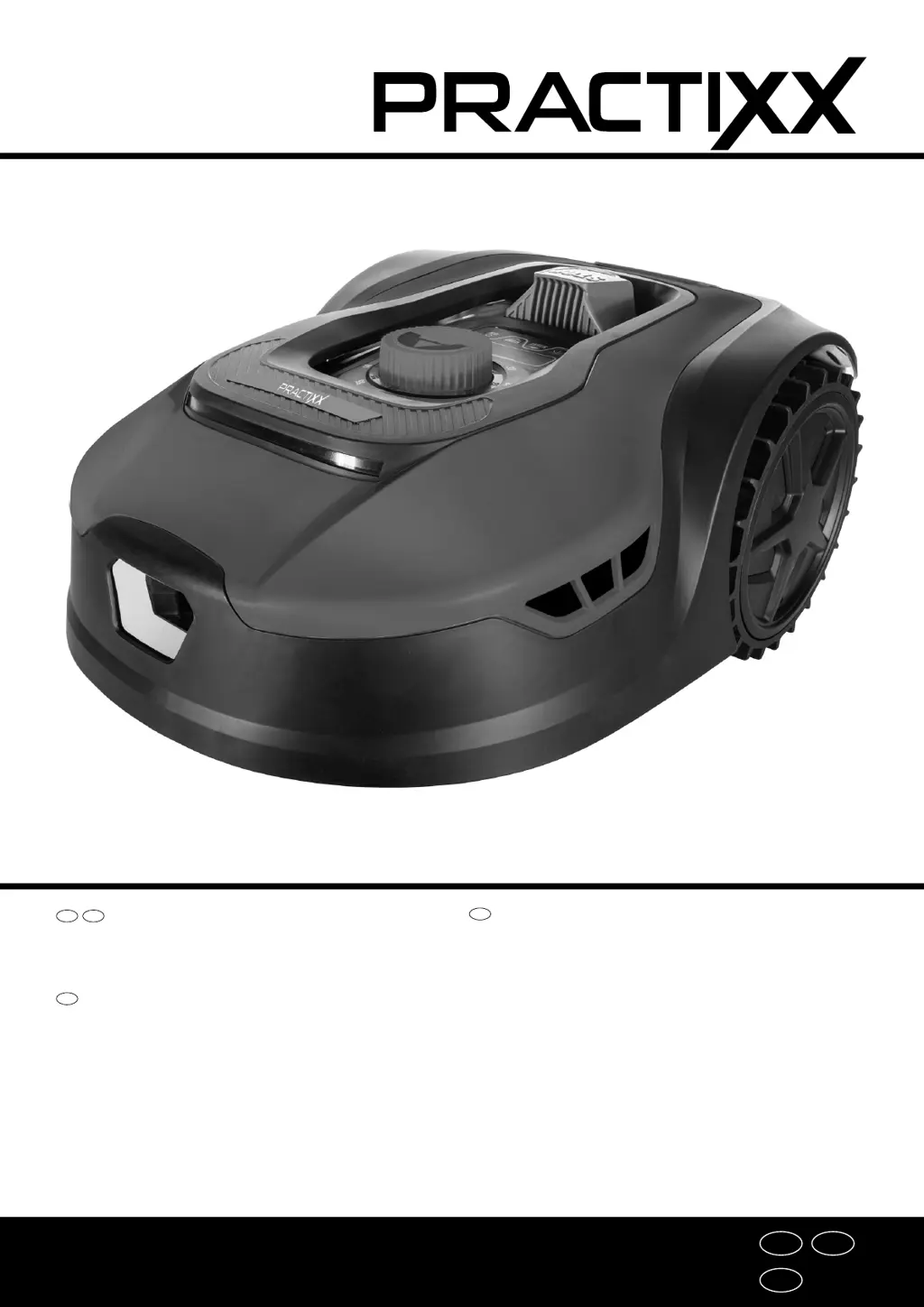
RASENMÄHROBOTER PX-RRM-600WI
AT
RASENRASENMÄHROBOTER PX-RRM-600WI
Bedienungs- und Sicherheitshinweise
Originalbetriebsanleitung
DE
ROBOT TONDEUSE PX-RRM-600WI
Consignes d‘utilisation et de sécurité
Traduction des instructions d’origine
FR
ROBOT MOWER PX-RRM-600WI
Operating and Safety Instructions
Translation of Original Operating Manual
GB
GB
FR
DE

Questions and Answers

  • N
    nwelchAug 20, 2025
    How to fix PRACTIXX PX-RRM-600WI that does not start?
    • R
      Rebecca JohnsonAug 20, 2025
      If your PRACTIXX Lawn Mower doesn't start, ensure that the mower and charging station are properly connected to the mains. Connect the power supply unit to a suitable power source. If the issue persists, it may be necessary to call a specialist.
  • R
    Rachel GeorgeAug 22, 2025
    What to do if LED light on PRACTIXX PX-RRM-600WI charging station flashes red?
    • K
      Kaitlyn Castro DVMAug 22, 2025
      If the LED light on your PRACTIXX Lawn Mower charging station is flashing red, it indicates that the boundary wire is either not connected or broken. To resolve this, connect or repair the boundary wire.
  • M
    Michelle HarrisonAug 25, 2025
    What to do if PRACTIXX Lawn Mower gets stuck?
    • J
      Jennifer FigueroaAug 25, 2025
      If your PRACTIXX Lawn Mower gets stuck, adapt the terrain or obstacle to the mower's requirements. Also, adjust the laying of the boundary wire accordingly to prevent it from getting stuck.
  • S
    Sean MccannAug 26, 2025
    Why PRACTIXX PX-RRM-600WI does not mow properly?
    • D
      Donald KaneAug 26, 2025
      If your PRACTIXX Lawn Mower is not mowing properly, replace the blades.
  • D
    Denise BurtonAug 28, 2025
    What does error E1 mean on PRACTIXX Lawn Mower?
    • M
      Miss Amber WoodwardAug 28, 2025
      If your PRACTIXX Lawn Mower displays 'E1', check that the mower is within the working area and ensure the charging station is properly connected to a suitable power supply.
  • M
    Matthew TuckerAug 30, 2025
    What to do if PRACTIXX PX-RRM-600WI Lawn Mower shows error E2?
    • M
      Mitchell HolderAug 30, 2025
      If your PRACTIXX Lawn Mower displays 'E2', switch the mower off, move it to an area free of obstacles, and then press the "START" button followed by the "OK" button.
  • C
    Corey PriceSep 1, 2025
    How to fix error E3 on PRACTIXX PX-RRM-600WI?
    • P
      princetimothySep 1, 2025
      If your PRACTIXX Lawn Mower displays 'E3', switch it off, turn it upside down, and check for any obstructions preventing the blades from turning. Remove any objects and place the mower in an area with short grass.
  • J
    Jennifer JohnsonSep 3, 2025
    What should I do if my PRACTIXX PX-RRM-600WI displays error E5?
    • J
      Jane MooreSep 3, 2025
      If your PRACTIXX Lawn Mower displays 'E5', switch the mower off, move it to an area free of obstacles. Press the "START" button and then the "OK" button.
  • A
    ashleycampbellSep 5, 2025
    How do I resolve error E6 on my PRACTIXX PX-RRM-600WI Lawn Mower?
    • K
      Kimberly BrewerSep 5, 2025
      If your PRACTIXX Lawn Mower displays 'E6', stand the mower upright, then press "START" and then "OK".
  • J
    Jose ThomasSep 7, 2025
    What does error E7 on a PRACTIXX PX-RRM-600WI Lawn Mower mean?
    • S
      schmidtashleySep 7, 2025
      If your PRACTIXX Lawn Mower displays 'E7', switch the mower off, move it to a level area on your lawn, switch it back on, and then press "START" and then "OK".

Summary

Introduction

Description of the product

Scope of delivery

Proper use

Safety instructions

General safety instructions

General safety rules for operating the product and user responsibility.

Safety instructions - operation

Specific safety guidelines and warnings to follow during product operation.

Safety instructions - Rechargeable battery and charging unit

Safety precautions related to the rechargeable battery and its charging.

Technical data

Unpacking

Assembly; Before commissioning

Setting up; correct position of the charging station (10)

Instructions for positioning and fixing the charging station.

Connect the boundary wire (11) to the charging station (10)

How to connect the boundary wire to the charging station.

Laying the boundary wire (11)

Guidelines for installing the boundary wire loop around the work area.

Connecting the charge station (10)

Final connection of the charging station to power and status LED explanation.

Starting up; adjustments

Quick start

Initial steps for getting the robot mower operational.

Settings

How to configure various settings for the robot mower.

Mowing edges

Instructions for setting the edge mowing function.

App control

Overview of controlling the mower via a mobile application.

Cleaning

Transport

Storage;Hibernation

Maintenance; Update

Replacing the blade (7)

Procedure for changing the mower blades.

Inserting;removing the rechargeable battery

Steps for installing and uninstalling the battery pack.

Software update

Instructions on how to update the product's software.

Disposal and recycling

Troubleshooting; fault codes

Fault table

Lists common faults and their possible causes and remedies.

Fault codes

Explains specific error codes and their solutions.

PRACTIXX PX-RRM-600WI Specifications

General IconGeneral
BrandPRACTIXX
ModelPX-RRM-600WI
CategoryLawn Mower
LanguageEnglish

Related product manuals