EasyManua.ls Logo

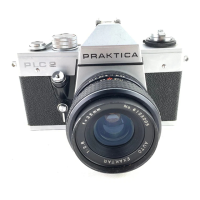
Praktica PLC 2 - Microprism Screen Focusing; Circular Groundglass Focusing

Praktica PLC 2
27 pages
Print Icon
To Next Page IconTo Next Page
To Previous Page IconTo Previous Page
Loading...
unscharf
schari
unshofD
Eifistdilen
mit
dem
Mikroprismenrasier
Die
richtige
B.ildscharfe
ist
eingesteilt,
wenn
das
Bild
innerhalb
des
Mikfoprlsmenrasterfeldes
klar
und
flimmerfrei
sichtbar
ist.
Focusing
on
the
microprism
screen
Focusing
is
correct
when
the
image
in
the
microprism
screen
area
Is
sharp
and
not
fuzzy.
MIse
au
point
avec
la
trame
d
microprismes
La
mise
au
point
de
la
nettete
de
I’image
est
correcte
iorsque
I'image
qui
se
trouve
a
I'interieur
du
champ
de
la
trame
a
micro¬
prismes
est
ciaire
et
exemple
de
scintillements.
Instellsn
met
hel
micro-prismarasler
De
beeldsdnerpte
is
juist
ingesteld,
wanneer
het
beeld
in
het
micro
prismarasterveld
duidelijic
en
heider
zichtbaar
is.
Einstellen
mit
dem
Mattscheibenringfeld
Entfernungseinstellring
drehen,
bis
das
Motiv
klar
und
schorf
im
Mattscheibenringfeld
erscheint.
Einstellmethode
fiir
Lupen-
und
Mikroaufnohmen
sowie
beim
Var-
wenden
von
Objektiven
mit
kleinerer
relodver
Dffnung
(Blanden-
zahl
groBer
als
4).
Dos
mottierte
Fresnelfeld
ist
nicht
lum
Einstellen
dar
Bildschdrfe
vorgesehen.
Focusing
on
the
circular
groundgiass
area
Turn
the
distance
setting
ring
(14)
till
the
visible
object
Is
clear
and
sharp
In
the
circular
area.
This
is
the
preferred
method
for
magnifier
and
microexposures
os
well
as
for
lenses
of
smaller
relative
aperture
(diaphragm
number
greater
than
4).
The
ground
area
of
the
Fresnel
lens
is
not
intended
for
focusing.

Other manuals for Praktica PLC 2

Related product manuals