Installation and Operation Manual
1311 East Franklin Road, Suite 102
Meridian, Idaho 83642
Support: 1-888-254-1634
www.PreCiseMRM.com
a subsidiary of FORCE America
Copyright 2017
Sales: 1-888-449-0357
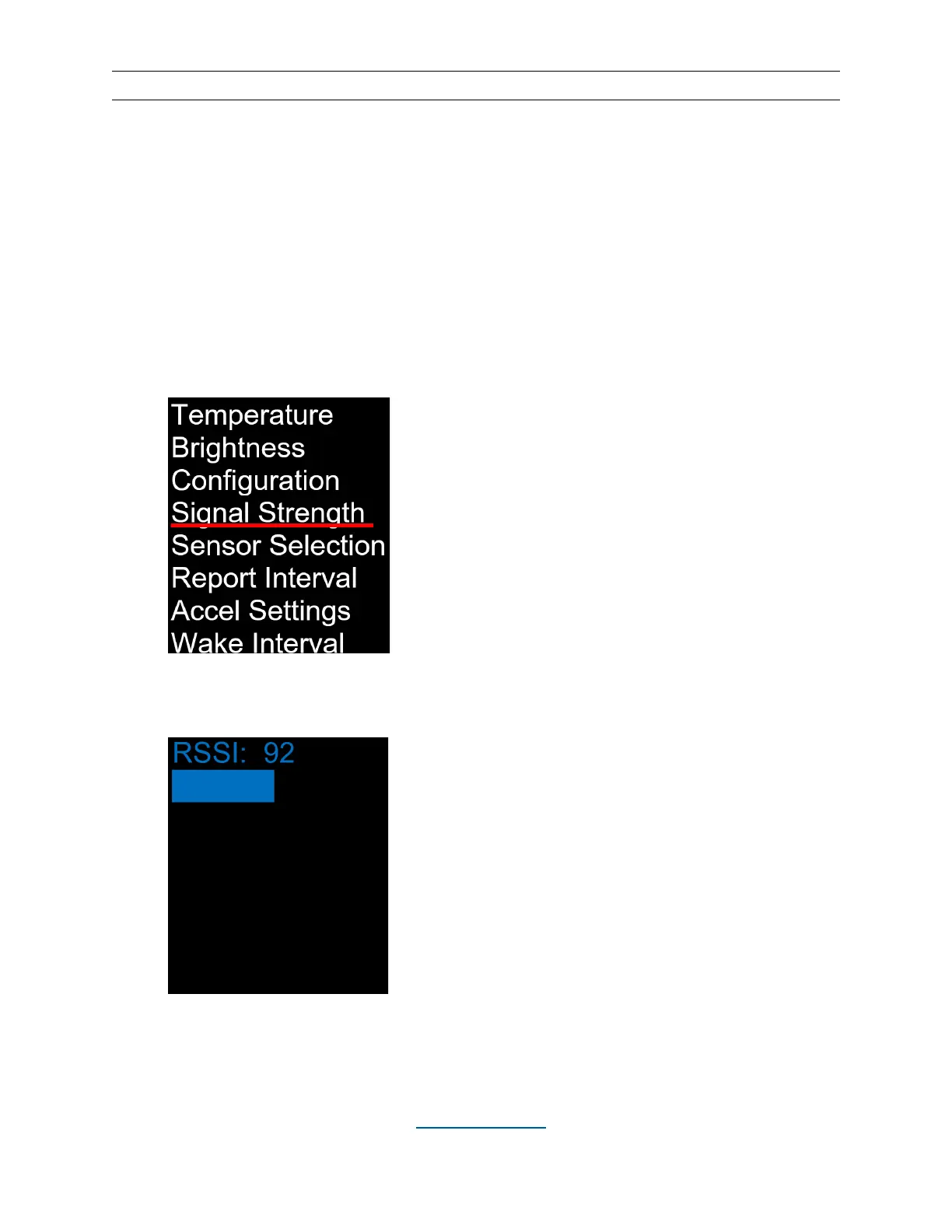
Signal Strength
This screen shows the relative strength of the wireless signal that the WCM-02 is receiving from
the sensor. The signal strength can range from 1 to 255. The higher the number, the better,
but even a low value will be sufficient as long as the signal is received consistently. This screen
can be used to evaluate the physical placement of both the WCM-02 and the temperature
sensor.
• Hit the MENU button.
• Use the UP (▲) and DOWN (▼) buttons to underline “Signal Strength”.
• Hit the SELECT button to display the received signal strength. Hit MENU to
return to the Menu screen.


 To Next Page