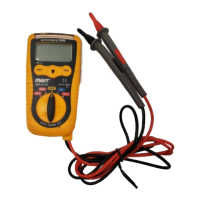
Non-Contact AC Voltage Measurements:
WARNING: Risk of electrocution. Before use, always
test the voltage detector on a known live circuit to
verify proper operation
1. Hold the probe tip near to the electrical supply.
2. If AC voltage is present, the detector light will illuminate.
NOTE: Electrical cable often gets twisted. For best results, rub
the probe tip along a length of the cable to ensure the tip
is close to the live conductor.
NOTE: The detector is highly sensitive. Static electricity or other
sources of energy may randomly trip the sensor. This is
normal.
Hold Button
The Data Hold function allows the meter to “freeze” a measurement
for later reference
1. Press the “DATA HOLD” button to “freeze” the display, the
“HOLD” indicator will appear.
2. Press the “DATA HOLD” button to return to normal operation.
Flashlight
Press and hold the top button to turn the flashlight on. Release the
button to turn the flashlight off.
AUTO POWER OFF
The auto off feature will turn the meter off after 15 minutes.
7


 To Next Page