Owner’s Manual: Workout Options 24
Selecting a Program
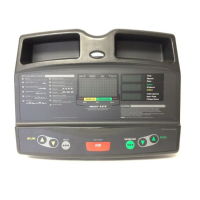
1. At the Precor banner, press ENTER, and then press the
arrow keys to cycle through the available programs.
The abbreviated program name and a portion of the
program profile appear in the display.
2. Select the program you want, and then press ENTER.
Refer to Table 2.
Table 2. Available programs
*Requires the chest strap.
Program Name
Program
Abbreviation
Manual
MANL
Walk 1
WLK1
Walk 2
WLK2
Walk 3
WLK3
Run 1
RUN1
Run 2
RUN2
Run 3
RUN3
Interval
INTV
Random
RAND
Weight Loss
WTLS
Heart Rate Control *
HRC
Custom Program 1
CST1
Custom Program 2
CST2


 To Next Page