9
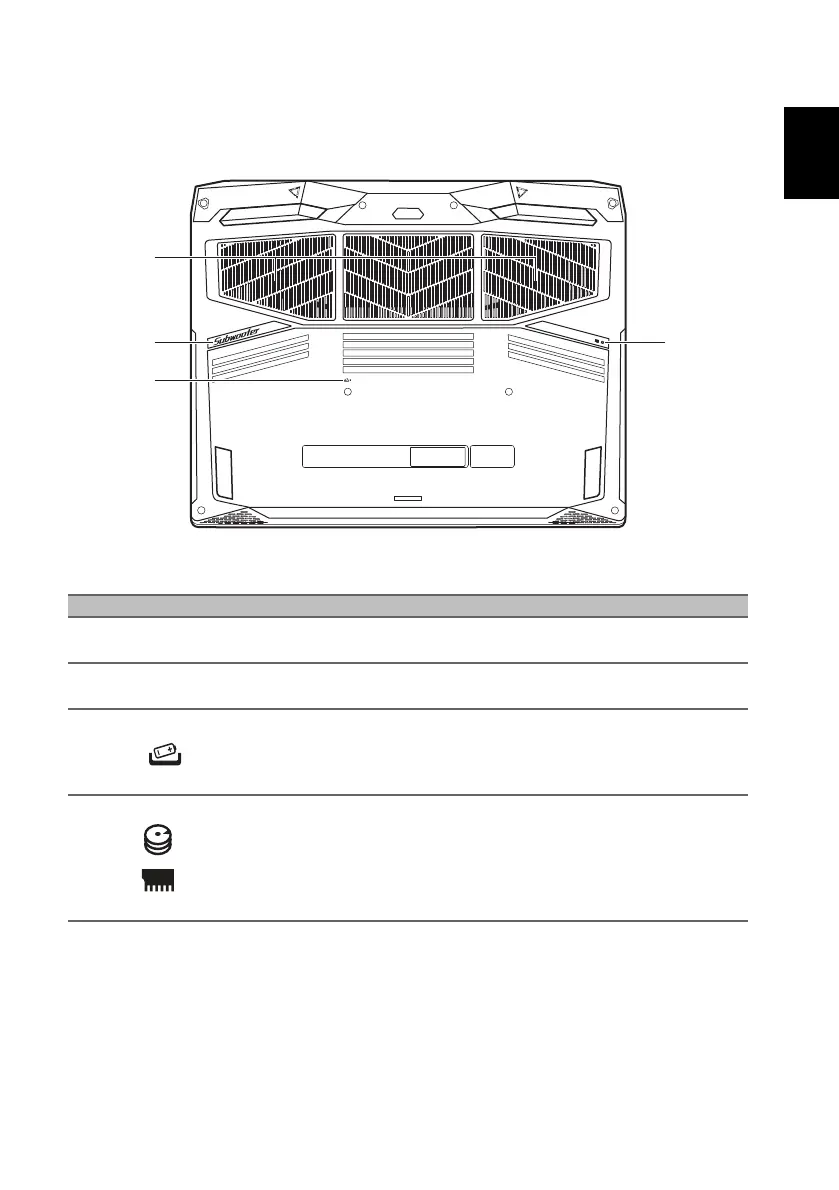
Base view
Using the keyboard
The keyboard has full-sized keys, a numeric keypad, separate cursor, lock,
Windows keys and hotkeys.
# Icon Item Description
1
Ventilation and
cooling fan
Allows the computer to stay cool.
Do not cover or obstruct the openings.
2 Subwoofer Delivers enhanced bass audio.
3
Battery reset
pinhole
Simulates removing and reinstalling the
battery.
Insert a paperclip into the hole and press
for four seconds.
4
Main storage and
memory
compartment
Houses the computer’s main storage and
memory.
You may upgrade your computer’s main
storage and memory. To reduce compatibility
risk, Acer recommends asking an approved
service center to do this.



 To Next Page