1-16 Disassembly Procedures
WLAN Module Removal 0
Prerequisite:
Battery Pack Removal
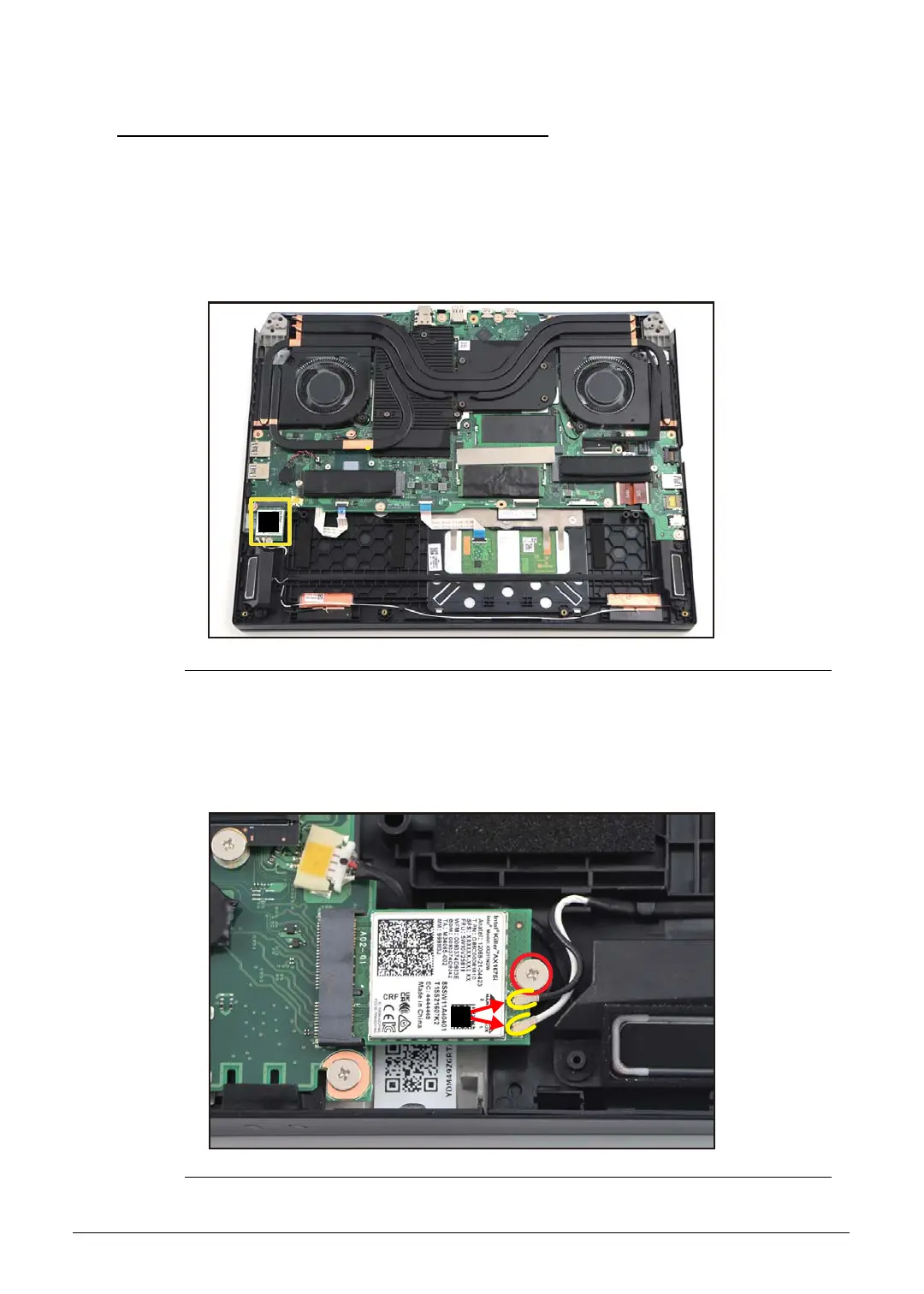
1. Find the WLAN module (A) on the top assembly (Figure 1-19).
Figure 1-19. WLAN Module Location
2. Disconnect the WLAN antennas cables from the WLAN module connectors (B)
(Figure 1-20).
3. Remove one (1) screw securing the WLAN module (Figure 1-20).
Figure 1-20. WLAN Module Removal



 To Next Page