Disassembly Procedures 1-21
Mainboard Removal 0
Prerequisite:
Ensure that the SSD Modules, DIMM Modules, Light Bar, WLAN Module,
Right Fan, and Left Fan have been disassembled prior removing the
mainboard.
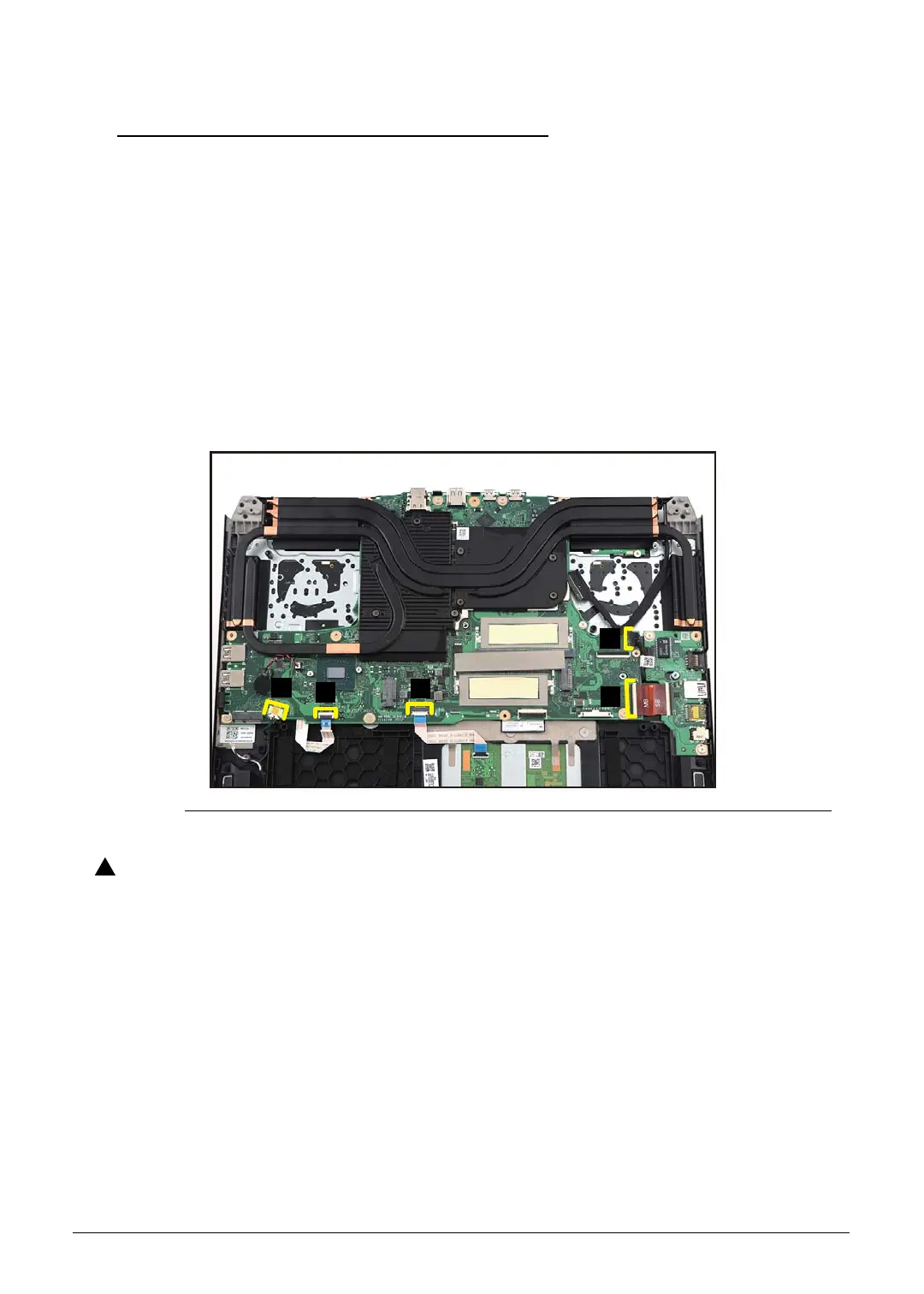
1. Disconnect the speaker cable from the mainboard connector (A) (Figure 1-26).
2. Disconnect the keyboard FFC from the mainboard connector (B) (Figure 1-26).
3. Disconnect the touchpad FFC from the mainboard connector (C) (Figure 1-26).
4. Disconnect the USB board FPC from the mainboard connector (D) (Figure 1-26).
5. Disconnect the USB power cable from the mainboard connector (E) (Figure 1-26).
Figure 1-26. Mainboard Removal
Keyboard FFC (Flexible Flat Circuit), touchpad FFC, and USB board FPC
(Flexible Printed Circuit), can be damaged if removed while the mainboard
connectors are locked.



 To Next Page